CloudshinePro

Blog

  • Oracle Fusion Training: Complete Course, Cost & Cert Guide

    Oracle Fusion Training: Complete Course, Cost & Cert Guide

    If you need oracle fusion training that lands a job, pick a course with live lab access and a placement track. For consultants, go Implementation Professional; for freshers, start with Foundations + CloudShine’s placement program.

    CloudShine is a practical, hands‑on alternative that pairs live Fusion instances with placement support. Below I compare official vs third‑party options (cost, duration, labs, common exam codes) and give a clear 30/60/90 roadmap so you can enroll with confidence.

    Quick verdict: which Oracle Fusion training fits your role?

    Pivoter (experienced ERP/EBS or finance pros): Target an Implementation Professional track (Financials or HCM). Use Oracle University role paths for official content and add third‑party/live labs as needed — expect a 2–3 month focused program to move into cloud implementations.

    Aspirant (recent grads): Start with the Foundations Associate path, complete 60–80 hours of guided hands‑on work (CloudShine’s 60:24 model fits well), and build a placement‑ready project. Target 45–90 days depending on your starting point.

    Enterprise buyers: Buy Oracle University subscriptions for standardized learning and pair with a corporate upskill partner (CloudShine) to deliver bespoke labs and a Recruit‑Train‑Deliver model so new hires are billable quickly.

    Why this matters: Oracle certs provide recognition, but employers hire people who can configure flows and solve real issues. Official tracks + live instances balance credibility with job readiness.

    What Oracle University actually offers (paths, exams, and what’s included)

    Oracle uses a role‑based learning model: Foundations → Associate → Implementation Professional, with Implementation Professional often delivered as performance‑based, proctored exams. The learning subscription bundles digital courses, recommended paths and often some lab access.

    • Tier structure: Foundations Associate for basics, Associate for functional understanding, Implementation Professional focused on hands‑on scenarios and performance tasks.
    • Subscription & labs (approx): Oracle Cloud Learning Subscriptions typically run 12 months and may include three exam attempts. Self‑paced hands‑on labs are commonly listed at about $29/month or $299/year — confirm current pricing with Oracle.
    • Exam anchors (verify current codes): General Ledger — 1Z0‑1054‑26; Accounts Payable — 1Z0‑1055‑YY; Accounts Receivable — 1Z0‑1056‑YY. Implementation Professional exams may be performance‑based and proctored.

    Practical note: recent updates emphasize modernized processes (Redwood UI, AI‑assisted features). That means exam scenarios and employer expectations favor candidates who know the updated interfaces and end‑to‑end business flows, not just menus.

    Pros & cons: Oracle content is authoritative and certs carry weight, but official offerings can be expensive and sometimes sparse on continuous live instance time unless you buy extra lab subscriptions or partner training.

    Third‑party courses compared: labs, cost, and CloudShine’s practical edge

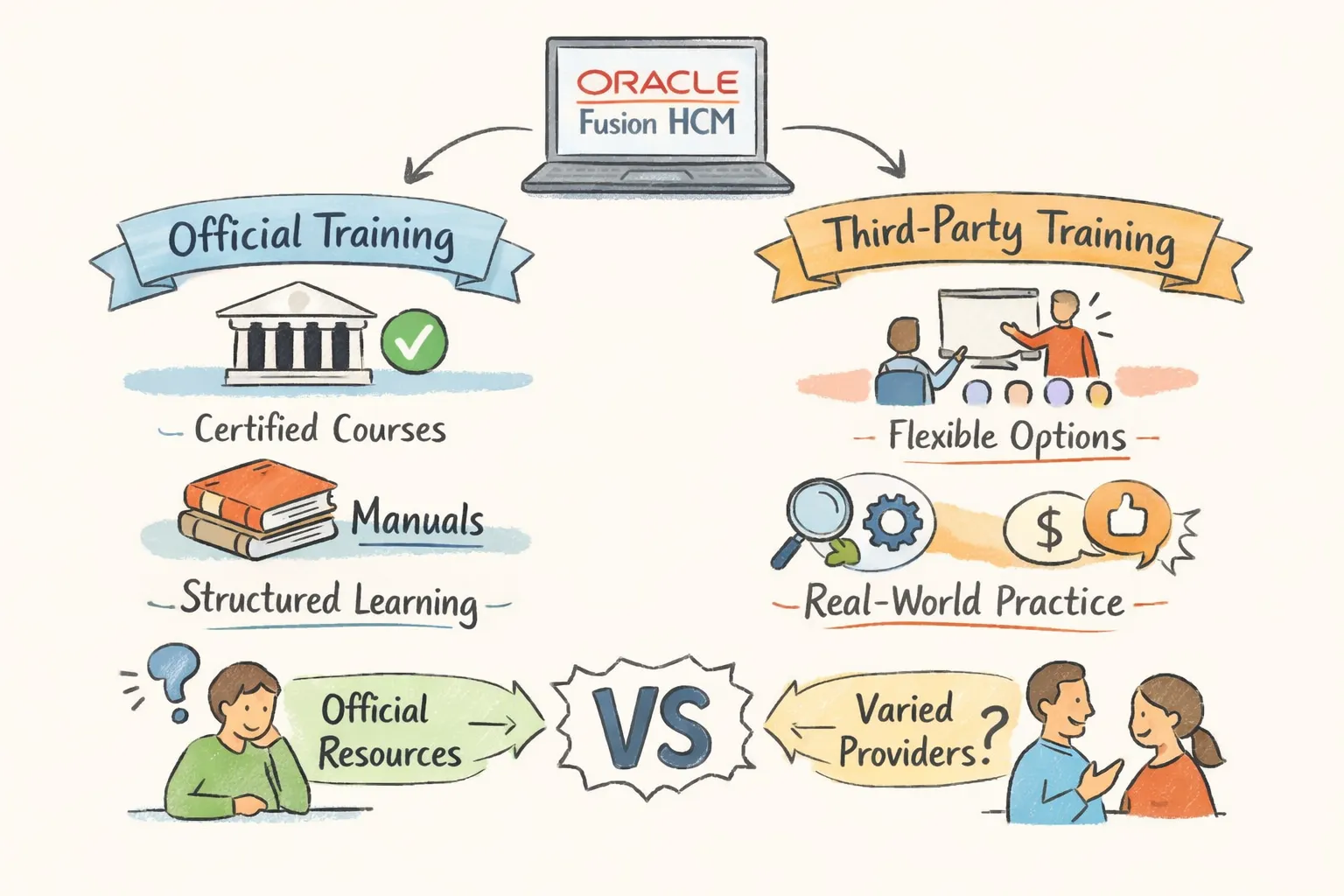
    Many learners pick third‑party providers to get more hands‑on time, lower cost, and a placement focus. When you evaluate vendors, confirm live instance access, real project labs, trainer industry experience, and placement support.

    Typical market offerings vary: providers run 30–80 hour programs; pricing depends on region and whether placement is included. Some vendors focus on conceptual modules, others on full cycle P2P/O2C or Hire‑to‑Retire lab projects.

    Provider snapshots (typical promise):

    • igmGuru — short to mid‑length ERP courses focused on module fundamentals (typical 30–40 hours).
    • OnboardERP — tailored end‑user and project training for corporate rollouts; emphasis on process adoption and documentation.
    • CloudShine — a 60:24 practical model (60 hours instructor + 24+ lab hours), live Fusion instances, resume and mock interview support, and a Recruit‑Train‑Deliver corporate option; trainers with 15+ years of experience and a track record training 500+ consultants.

    Why CloudShine’s model matters: access to live Fusion instances and scenario‑based labs means students can demonstrate full cycle work (configure a ledger, post journals, run payroll, set approval hierarchies) in interviews rather than reciting slides. The placement cell walks students through project summaries and mock implementations, which is what hiring managers actually ask for.

    Quick buyer tips: ask for a sample lab, request at least one mock interview, and confirm exam‑prep coverage (practice tests + performance task walkthroughs).

    How to choose: a practical checklist and role‑based recommendations

    Decision rule: pick the path that gets you to a demonstrable implementation task you can show on day one of an interview.

    Checklist (short): target role, time to hire, budget, employer sponsorship, required certification and level of live lab access. If lab time is critical, prioritize vendors that provide continuous instance access rather than occasional demos.

    Role recommendations:

    Finance/ERP implementer: Foundations → GL or Payables Implementation Professional. Focus on chart of accounts setup, period close and reconciliations (see Common Errors in Oracle Fusion Cost Accounting).

    HCM implementer: Foundations → Core HR + Payroll → HCM Implementation Professional. Build end‑to‑end hire‑to‑retire labs and payroll runs.

    New grad/aspirant: Foundations Associate + CloudShine placement track to get a CV‑ready project and 2–3 mock interviews.

    Corporate upskill: Oracle University subscription for standardized content + CloudShine corporate delivery for bespoke labs and Recruit‑Train‑Deliver execution (match training to specific procurement roles: Oracle Fusion Purchasing important roles).

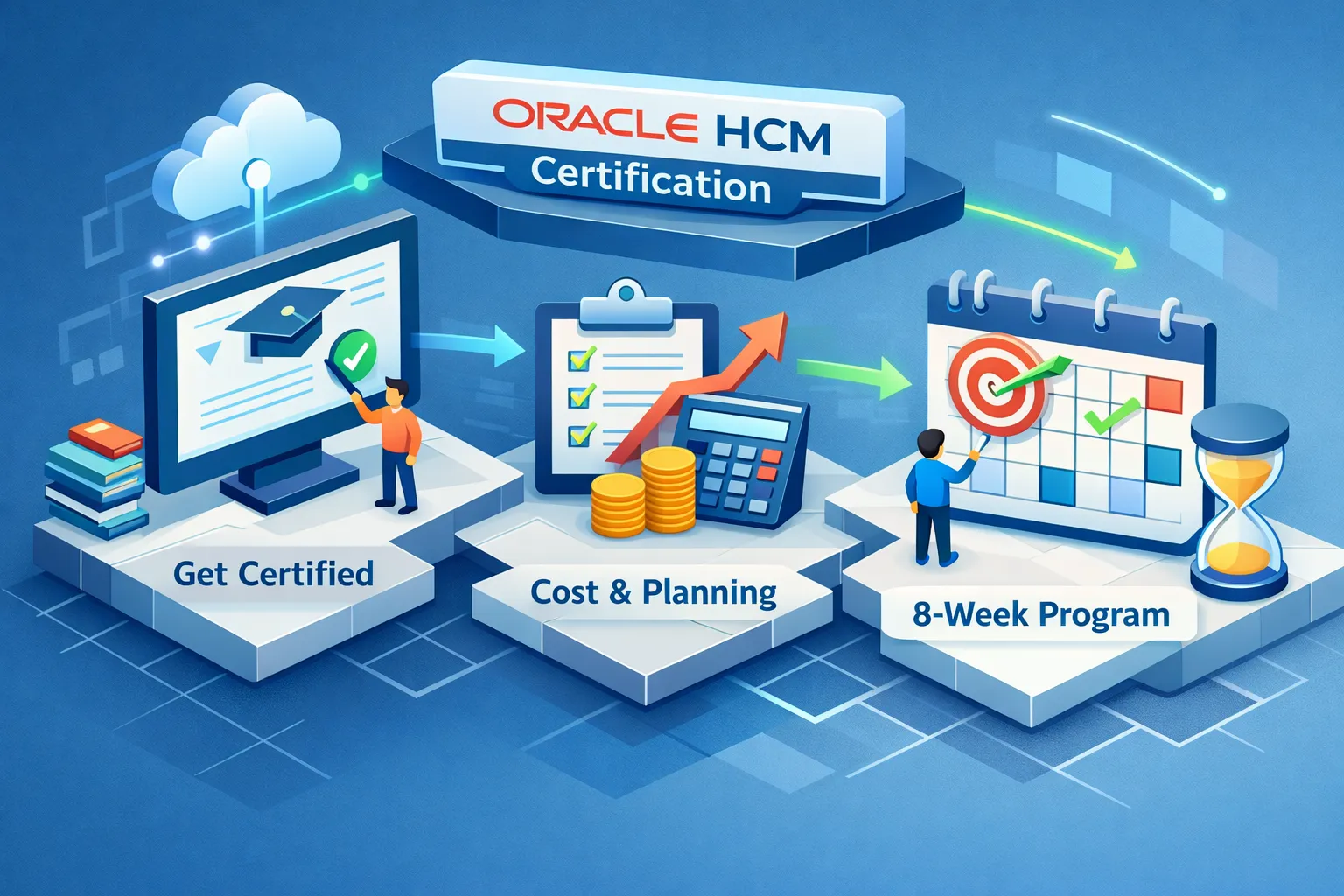
    Example scenario: a payroll analyst moving into HCM — a focused 60‑day plan: Foundations (weeks 1–2), payroll configuration labs + 2 real payroll runs (weeks 3–6), mock implementation review and interview prep (weeks 7–8).

    Study plan, labs and exam prep (30/60/90 day roadmap)

    Day 0 checklist: pick your track, confirm the current exam code on Oracle’s site, register for Oracle MyLearn free modules, and reserve lab access (Oracle self‑paced labs or vendor instance). For a quick MyLearn guide see Oracle MyLearn: accelerating your path.

    30‑day sprint — foundations + core labs: Finish Foundations modules, complete 8–10 core labs (configure COA, create journals, basic OTBI report, run a payroll preview). Take an initial practice test to baseline gaps.

    60‑day ramp — configuration + mock projects: Complete full implementation flows (P2P, O2C, Hire‑to‑Retire), finish 2–3 full cycle labs, and present a short implementation playbook to a mentor. CloudShine’s placement track includes a mock implementation review at this stage.

    90‑day polish — exam & placement: Retake practice tests, book the certification window, record a one‑page project summary for interviews, and do 2–3 timed mock interviews with hiring‑grade feedback.

    Example lab task list to practice: configure a ledger and period close, create and post journals, configure pay elements, run payroll end‑to‑end, build an OTBI report, perform a data load with HCM Data Loader.

    Exam‑day tips: review a sample performance task in advance, allocate time to planning vs execution, know how to reference allowed Oracle docs during proctored tasks, and practice under timed conditions.

    Pricing snapshot, five next steps and FAQs

    Pricing (approximate): Oracle exam attempts — ~$245 per attempt; Oracle self‑paced labs — $29/month or $299/year (approx); Oracle Cloud Learning Subscription — request quote (Oracle lists enterprise subscription pricing); third‑party hands‑on courses — typically $500–$2,500 depending on region and placement services. CloudShine offers tiered, affordable packages with placement options — contact admissions for current rates.

    Five immediate next steps

    • Pick your track and verify the exact Oracle exam code for the current year on Oracle’s certification site.
    • Complete the free Oracle MyLearn Foundations modules to confirm the path.
    • Choose lab access: Oracle self‑paced labs or a vendor with live instances (CloudShine recommended if you need placement).
    • Build a 60‑day study plan and book a tentative exam window.
    • Schedule two mock interviews and a CV review (CloudShine placement cell or trusted peers).

    FAQs

    Do I need live instance access to pass Oracle Fusion certification? For Implementation Professional performance exams and real job readiness, yes — live labs make the difference between theory and implementation competence.

    How much do Oracle Fusion Cloud certification exams cost? Expect roughly $245 per attempt for many core exams; subscriptions may include exam attempts — verify current pricing before you book.

    Which certification should I take first as a finance professional? Start with Foundations, then General Ledger or Payables depending on where you want to specialize; move to Implementation Professional once you have hands‑on experience.

    Can third‑party courses replace Oracle University? They can for job readiness and labs, but official certs and Oracle’s role‑based paths come from Oracle — the most efficient route is a mix of official content plus vendor labs and placement support.

    Where can I find free Oracle Fusion Cloud introductory courses? Oracle MyLearn offers free Foundations and product essentials — use those modules to validate the track before paying for labs or paid courses.

    If you want a quick consult to pick the right track, CloudShine’s admissions team can map your profile to a 30/60/90 plan and share current batch pricing.

  • Best Workday Training in Hyderabad 2026 — Fees & Jobs

    Best Workday Training in Hyderabad 2026 — Fees & Jobs

    If you need practical, job‑ready workday training in hyderabad, shortlist Online IT Guru, CourseJet, CloudFoundation — and consider CloudShine for a live‑instance, placement‑focused path. This guide tells you exactly what to check (tenant access, capstones, placement proof), the fee bands to expect, and the precise questions to ask before you enroll.

    Why this matters: employers hire for demonstrable Workday skills (HCM, payroll, integrations). Classroom theory alone won’t get interviews — verified labs, a capstone you can show, and placement evidence will.

    How to choose the right Workday training (what really matters)

    Decision rule: prioritize live tenant access and real capstones, then confirm trainer implementation experience, verified placement records, relevant module depth (HCM + Integrations), reasonable batch sizes and post‑course mentoring. If any of these are missing, treat the course as introductory only.

    Use this Practical 10‑question demo checklist on the first call — ask these exact lines and insist on specific answers:

    1. Do you provide live Workday tenant access for labs? For how long?
    2. How many real‑time projects and what are the capstones?
    3. What is the trainer’s Workday implementation experience? Can I see a CV?
    4. What placement numbers can you verify (last 12 months)? Share alumni links.
    5. Which employer tie‑ups or hiring partners do you maintain in Hyderabad?
    6. What is the exact syllabus for HCM, Payroll, Integrations, Studio, and Reporting?
    7. Batch size, post‑course mentoring and mock interview frequency?
    8. Refund, EMI, and placement‑guarantee terms (get them in writing).
    9. Do you help with official Workday certification application?
    10. Can I attend a free demo session or try a sample lab?

    Red flags: vague answers on tenant access, no alumni or LinkedIn proof, “100% placement” without written terms, or excessively large classes (>20 students).

    Shortlist — top Workday programs in Hyderabad and how they compare

    Read each provider as a fit for a specific goal: entry job, internal upskill, or corporate cohort.

    Online IT Guru: ~36 hours video + live sessions, lifetime access, guaranteed job support via resume forwarding to 200+ companies. Best for learners who want structured video content plus resume help.

    CourseJet: High public ratings and job‑first curriculum with hands‑on case studies and strong trainer support. Best for learners who prioritize ratings and active trainer access.

    CloudFoundation: Large enrolments, 35‑hour formats (self‑paced / live / classroom), placement assistance and interview Q&A. Best for flexible delivery and broad hiring pipelines.

    TechPratham / Brolly Academy / igmGuru: Regional classroom options in Ameerpet/Madhapur with weekend batches and practical projects. Best for local learners who want in‑person labs.

    CloudShine (practical pick): Built around a “100% practical” curriculum with direct live cloud instance access, trainers with 15+ years of implementation experience, and a Recruit‑Train‑Deliver placement pathway. CloudShine offers a placement‑guarantee tier — ask for batch dates and the written guarantee terms. Best for professionals pivoting to Workday who need implementation‑level training and placement coaching.

    How to pick: match delivery mode, verified placement evidence, and price to your goal (entry job vs internal upskill). If placement is your priority, make tenant access and capstones non‑negotiable.

    What a complete Workday syllabus (and outcomes) should include

    A credible Workday HCM course covers HCM fundamentals and integrations, plus hands‑on reporting and a capstone that ties everything together.

    Expected outcomes: after 30–40 hours you should be able to configure core HCM processes, run a payroll simulation, build an inbound EIB or connector, and create at least three job‑ready reports. The capstone should be a hire‑to‑retire implementation plus payroll and one integration.

    Sample capstone projects that prove hands‑on capability:

    • Full employee lifecycle implementation: orgs, staffing models, hiring, onboarding and terminations.
    • End‑to‑end payroll run with a tax/retro scenario and reconciliation reports.
    • A Workday Studio or EIB integration that loads employee data from CSV and triggers onboarding tasks.

    Fees, batch durations and delivery modes — what to expect (and budget for)

    Typical price bands (Hyderabad, 2026):

    Format Typical Fee (₹) What to expect
    Self‑paced / Video 14,999–25,000 Recorded sessions, limited live labs
    Live online 25,000–35,000 Instructor‑led, some tenant access, placement support
    Classroom / Bootcamp 40,000–55,000 Smaller batches, more labs, stronger placement services

    Duration and scheduling: expect 35–40 contact hours over 4–8 weeks; weekend batches for working professionals; corporate cohorts compressed into 25–30 days. Official Workday certification exams cost extra (roughly ₹30,000–₹70,000).

    Negotiation tips: ask for a trial lab or demo class, request alumni referrals, confirm EMI plans, and get placement‑assistance SLAs in writing before paying.

    Projects, certification prep, and placement — how to verify claims

    Real‑time projects mean tenant access (not video walkthroughs), at least two capstones (HCM + an integration), graded assignments and trainer feedback. If a provider can’t show a sample lab or recorded capstone demo, treat the project claim skeptically.

    To verify placement claims request alumni LinkedIn links, recent job titles and anonymized placement stats. If a school refuses names, ask for a written breakdown of roles, companies and time‑to‑placement for the last 12 months.

    Good placement support includes resume review, 3–5 mock interviews, curated referrals and soft‑skill coaching. CloudShine packages placement through a Recruit‑Train‑Deliver model with a placement‑guarantee tier; mock interviews and resume coaching are included — confirm the written guarantee and any time cap before enrolling.

    Red flags: staged interviews, vague “100% placement” claims without evidence, or placements into irrelevant low‑skill roles.

    Final checklist, next steps to enroll, and FAQs

    Before you pay, run this 10‑point pre‑enrolment checklist on the provider:

    1. Confirm live tenant access and duration.
    2. Review full module syllabus and capstone descriptions.
    3. See trainer CVs and ask about implementation experience.
    4. Request sample lab or demo session.
    5. Ask for alumni LinkedIn contacts or recorded success stories.
    6. Get placement assistance scope and written terms (SLA).
    7. Confirm batch size, schedule, and post‑course mentor hours.
    8. Check refund/transfer/EMI policy.
    9. Compare official certification cost and support offered.
    10. Negotiate trial assignment or introductory discount.

    Sample outreach email you can send:

    Hi — I’m evaluating Workday training in Hyderabad. Can you share the full syllabus, trainer profiles, sample lab session access, placement stats for 2025–26, and batch dates? I’d like to attend a demo.

    Short CTA: If you want a Hyderabad‑focused, live‑instance Workday program with placement coaching, CloudShine runs regular batches and can share trainer CVs, demo labs and placement‑guarantee terms on request. Ask for the written SLA before you enroll.

    FAQs

    How much does Workday training typically cost in Hyderabad?

    Self‑paced courses: ~₹15k–25k. Live online: ~₹25k–35k. Classroom/bootcamps: ~₹40k–55k. Official certification exams are extra (~₹30k–70k).

    Do I need HR or technical experience to learn Workday?

    No. HCM tracks suit HR or business backgrounds; integrations/Studio require technical aptitude (XML, web services) or developer experience. Pick the track that matches your career goal.

    Will a training course get me a job?

    A course helps if it includes live tenant labs, a capstone you can show, and verified placement support. Verify alumni placements and insist on mock interviews — skills + demonstrable projects + placement aid produce results.

    How long until I’m job‑ready?

    Focused learners with a capstone and regular mock interviews can be job‑ready in 6–12 weeks. Expect 30–40 hours of training plus deliberate practice on tenant labs.

    Key takeaways: insist on live tenant access and at least one end‑to‑end capstone; verify trainer experience and placement proof before you pay. If placement is the priority, choose a provider that puts written SLAs behind their placement claims — CloudShine offers a placement‑guarantee tier and can provide demo labs and trainer CVs on request.

  • Workday Certification Course: Top Paths, Costs & 90‑Day Plan

    Workday Certification Course: Top Paths, Costs & 90‑Day Plan

    Short answer: Yes—you can become Workday certified, but the fastest route depends on whether your employer is a Workday customer/partner and can sponsor access to the Workday Learning Center. This workday certification course guide compares official and third‑party routes, lays out costs and exam rules, and gives a week‑by‑week 90‑day study plan you can follow; CloudShine’s practical, placement‑focused approach is used as a job‑ready example.

    Official vs third‑party: which training path is right for you?

    Quick takeaway: If your employer can enroll you as a Workday customer or partner, the official path gives the credential employers recognize; if not, choose a third‑party provider that guarantees sandbox time and placement support. Both paths prepare you for real work, but they serve different access and budget realities.

    Official Workday training and Workday Pro certification carry the strongest brand credibility because exams and transcripts are issued through the Workday Learning Center. The downside is eligibility: many pro-level tracks require employer sponsorship, and official instructor‑led units are billed per “training unit,” which makes upfront cost higher.

    Third‑party programs allow open enrollment, faster starts, and often lower sticker prices. The trade‑off is they cannot issue Workday Pro credentials — instead they must demonstrate job readiness through live labs, projects, and interview prep, which many hiring managers value equally when backed by demonstrable work.

    Decision shortcuts: if you have employer/partner access, pursue official certification. If you need a fast, interview‑ready portfolio, prioritize third‑party training that bundles real instance time and placement coaching. If your independent budget is under roughly $2k, look for bootcamps that include sandbox hours and placement assistance.

    CloudShine note: CloudShine positions itself as a practical route—live Workday labs, mentor support from consultants with 15+ years’ experience, a 60:24 teaching‑to‑lab ratio, and a placement cell focused on resume and mock interviews.

    Which Workday credentials exist — and which jobs they open

    Quick takeaway: Start with a foundational credential—Platform Administrator or HCM Core—then specialize into Compensation, Reporting, Integrations, or Financials depending on the role you want.

    Platform Administrator: targets system/admin roles and technical consultants who maintain security, business processes, and tenant health. HCM Core and module certifications (Compensation, Recruiting, Payroll) map to HRIS analyst, implementation consultant, or HR operations roles. Financials (Record‑to‑Report, Procure‑to‑Pay) feed finance/ERP consultant and GL/AP specialist roles. For related Oracle process coverage see Oracle Fusion Financial Control & Reporting Important Roles | Oracle Financials Cloud | CloudShine.

    Adaptive Planning suits FP&A analysts and financial modelers; Integrations and Security certifications suit integration consultants and security administrators who handle EIBs, Workday Studio, and domain security. Employers usually hire a mix: admins to run the tenant, specialists to own modules, and integrators for cross‑system work.

    Choose by persona: The Pivoter (ERP or finance background) often begins with Platform Admin or HCM Core plus a specialist module. The Aspirant (recent graduate) should focus on HCM Core and reporting, then build a portfolio of reports and small integration demos. Enterprise buyers should certify people for the exact process they own (e.g., Hire‑to‑Retire or Procure‑to‑Pay) — see also Oracle Fusion Sales Order to Shipment Cycle | Order to Cash Life Cycle | CloudShine for an Order‑to‑Cash perspective.

    Actionable choice: target HCM Core or Platform Administrator as your first certified area; plan specialization after 6–12 months of sandbox experience.

    Cost, formats and what hands‑on practice must include

    Quick takeaway: Official training and exams are pricier but authoritative; third‑party pricing varies widely—prioritize providers that include live sandboxes and configuration tasks rather than video-only syllabi.

    Reality check on prices (verify before you buy): official instructor‑led courses are often billed by training unit, commonly around $800 per unit; exams are commonly reported at ≈ $800 per attempt. That puts many official paths in the $1,500–$4,000 range depending on units required. Third‑party bootcamps span roughly $500–$3,000 depending on depth and whether sandbox/placement is included. (Workday’s official education datasheet outlines typical training formats and unit concepts: Workday Education & Training datasheet.)

    • Essential hands‑on items any serious program must provide: an admin sandbox for orgs and positions, data‑load practice (iLoads and EIBs), reporting and calculated fields labs, security & business process configuration with testing scenarios, and at least a basic integrations lab.

    What to ask a provider: “Do I get dedicated sandbox access and how many lab hours are included?” “Can I practice iLoads and EIBs?” “How many mock interviews and resume reviews are included?” “What real project work will I submit?”

    CloudShine as a template: CloudShine’s curriculum is 100% practical, provides live tenant access, pairs experienced trainers (15+ years) with a 60:24 instruction‑to‑lab model, and includes a placement cell for resume and mock interview coaching — the package you should expect from a job‑focused vendor.

    Actionable takeaway: if a vendor can’t promise sandbox time and mock interviews, budget an extra ~20% for supplemental lab access or choose a different provider. For broader context on third‑party certification routes and comparisons, see this third‑party guide to Workday certification.

    Exam mechanics: format, pass score, retakes and recertification

    Quick takeaway: Workday exams are proctored, closed‑book and scenario‑heavy. Plan your study around timed mocks plus targeted sandbox drills rather than just watching videos.

    • Format and rules: most module exams contain around 50 multiple‑choice and scenario questions, timed at roughly 100–120 minutes, closed‑book and proctored through the Workday Learning Center. Passing thresholds commonly fall between 70–80% (verify the exact score for your module). Retakes usually require a training credit or fee (reported ≈ $800) and may have a short waiting period. Recertification cadence is commonly two years.

    Exam‑day checklist: secure a quiet room, stable internet, webcam and a valid photo ID; do two full timed mocks in the final week; bring a one‑page error log of topics you struggled with for quick last‑minute review (noting, not to consult during the exam). For official enrollment and proctoring procedures see the Workday Pro enrollment job aid: Enrollment: WorkdayPro Job Aid.

    Actionable takeaway: schedule your exam only after completing three full timed mocks and at least 20 hours of targeted sandbox practice on your weakest topic areas.

    A practical 90‑day study & enrollment plan

    Quick takeaway: A focused 12‑week plan splits into onboarding, core builds, integrations/reporting, then consolidation and exams. Adjust hours for working learners versus full‑time bootcampers.

    Time budgets: working professionals — plan 10–15 hours/week (evenings + weekends); full‑time learners — 25–35 hours/week for bootcamp intensity.

    1. Week 1 — Orientation & baseline: decide official vs third‑party, enroll, get sandbox access, create a study tracker and tentatively schedule your exam. Deliverable: sandbox login and calendar.
    2. Weeks 2–4 — Core fundamentals: navigation, org structures, positions, staffing, and basic business processes. Deliverable: three sandbox configuration tasks completed.
    3. Weeks 5–6 — Security & business processes: configure end‑to‑end hire→comp→termination flows and test approvals. Deliverable: recorded business process walkthrough. For practical guidance on approval hierarchies, see Understanding Fusion Purchasing Approvals Hierachy | Know about Oracle Fusion Approval Methods | CloudShine.
    4. Weeks 7–8 — Reporting & calculated fields: build five reports (headcount, comp, turnover, open requisitions, cost center summary) and one dashboard. Deliverable: saved reports and dashboard.
    5. Week 9 — Integrations & data loading: practice EIBs and iLoads, run validation and reconciliation. Deliverable: successful data load and EIB run.
    6. Week 10 — Consolidation: rework weak labs, document errors, and prepare a remediation log. Deliverable: gap list and fixes.
    7. Week 11 — Timed mocks & interview prep: do three full mocks, update your resume for Workday roles, and run two technical mock interviews. Deliverable: mock scores and interviewable resume.
    8. Week 12 — Final review & exam: light topic drills, final checklist, sit the proctored exam. Deliverable: exam completed.

    If you don’t have native Workday access, enroll with a vendor that guarantees sandbox hours (CloudShine is an example) or combine self‑study with paid lab rentals and guided sessions. Locking your exam date at the start of week 1 improves completion rates significantly.

    Next steps, budget cheat‑sheet and FAQs

    Quick next steps: Check whether your employer can sponsor access, shortlist two third‑party programs that include sandbox and placement support, then build your 90‑day calendar and reserve an exam slot in week 12. For certification route comparisons and job outcomes, this Indeed guide to Workday HCM certification is a helpful independent primer.

    Route Ballpark cost
    Official Workday training + exam $1,500–$4,000 for courses + ≈ $800 per exam attempt (verify current rates)
    Third‑party bootcamp $500–$3,000 depending on sandbox & placement inclusion
    Hidden costs Sandbox rental, retake fees, extra mock interviews, time off for exams

    FAQs

    Can I get Workday certified as an independent individual?

    Short answer: Generally no for many Workday Pro exams—official pro‑level certifications usually require employer sponsorship (customer/partner). Independent learners should complete third‑party training and pursue employer sponsorship for the official credential. For independent learners looking for step‑by‑step options, see this practical third‑party perspective: Workday certification guide.

    How much does a Workday certification cost?

    Expect roughly $800 per official exam attempt plus course fees. Instructor‑led official courses are often billed per training unit (≈ $800/unit). Always confirm current pricing with Workday or your chosen provider.

    How long does preparation take?

    With 10–15 hours/week, a focused 90‑day plan is realistic to prepare for a single module if you pair video learning with at least 20–40 hours of sandbox practice and repeated timed mocks.

    Do employers prefer official Workday certification?

    Official certs are a clear signal of vendor‑validated competence, but hiring managers often value demonstrable hands‑on experience—reports, integrations, and real tenant work—equally or more, especially for junior roles. For role‑focused guidance on finance/ERP roles, review Oracle Fusion Finance Important Roles | Roles in Fusion Applications | CloudShine.

    Is hands‑on lab access necessary?

    Yes. Exams and on‑the‑job tasks assume you can configure, test, and troubleshoot in a sandbox. If a program lacks real instance time, treat it as incomplete for practical readiness. For adjacent process and SCM context, see An Intro to SCM Modules In Oracle Cloud Applications, CloudShine.

    Summary: pick the official path if you have employer access; otherwise choose a third‑party program that guarantees sandbox hours, timed mocks and placement coaching. If you want a job‑ready option that pairs live instances, mentor hours, mock interviews and placement help, use those checklist items above to evaluate providers — CloudShine’s programs are designed to match that practical checklist.

  • Workday Pro Certification: Tracks, Costs, Prep & Badges

    Workday Pro Certification: Tracks, Costs, Prep & Badges

    workday pro certification is a practical, employer-focused credential that proves hands-on product skills in reporting, platform administration, integrations and analytics. If you work with Workday or plan to support implementations, choose the track that mirrors the tasks you perform every day.

    If you want live-instance practice and placement support, CloudShine runs targeted Workday bootcamps featuring real tenants, mentor feedback, mock interviews and an active placement cell. This article shows how to pick a track, the exact registration steps, realistic cost and time estimates, a 6–8 week study plan, and how to claim and share your Credly badge.

    Quick verdict and a fast way to pick your track

    Short answer: Workday Pro is best for practitioners who configure, maintain, or report from Workday—not for casual users. Start with the track that maps to your day‑to‑day work and broaden later.

    Decision shortcut: HR analysts → HCM Reporting; Finance pros → Financials Reporting; Integrations engineers → Integrations; System administrators → Platform Administrator; BI/data teams → Prism Analytics or Adaptive Planning.

    Fast filter: if you’re a Workday employee, partner or a customer admin, most tracks are available through your Learning Center. If you’re external, Platform Administrator has public options (and third‑party bundles exist for non-affiliated learners).

    CloudShine nudge: if you’re unsure which track fits, run a short lab session on a live tenant to confirm. Actionable takeaway: pick the track that matches your current weekly tasks — not the one that sounds most prestigious.

    What each Workday Pro track actually tests

    Direct answer: exams focus on applied configuration and operational tasks rather than abstract theory; questions map to routine tasks you’d perform in a production tenant.

    HCM Reporting — building, securing and troubleshooting operational HR reports, calculated fields and dashboards used by HR teams.

    Financials Reporting — using the financial report writer, creating ledger and reconciliation reports, and validating accounting outputs.

    Platform Administrator — tenant housekeeping: security configuration, business process design, simple EIBs and everyday administration tasks.

    Prism Analytics — data modeling, dataset creation, calculated fields and workbook/report sharing for analytics teams.

    Adaptive Planning — building models, setting up planning cycles, dimensions and data loads for FP&A workflows.

    Grants Management — lifecycle configuration for grants, related ledgers and compliance reporting.

    Integrations — Enterprise Interface Builder (EIB) basics, connectors, troubleshooting logs and integration maintenance.

    Common exam facts: most Workday Pro exams are about 50 multiple‑choice questions, proctored, with an 80% passing threshold (roughly 40/50). Timeline and delivery can vary by track and affiliation.

    Eligibility nuance: many tracks require Workday customer/partner/employee affiliation; Platform Administrator and select public programs are the primary external entry points. Actionable takeaway: list three tasks you do this week and map them to the competencies above — that identifies the best track quickly.

    If you’re evaluating other cloud ERP ecosystems as part of your career planning, see our primer on What is Oracle Fusion Cloud and Why Does It Matter for a comparison of platform design and typical roles.

    Eligibility, exact registration steps and typical timelines

    Direct answer: registration is handled inside the Workday Learning Center and usually requires Training Coordinator or manager approval; external routes exist but are limited. For a concise overview of certification offerings, check the Workday certifications page.

    1. Locate your desired Workday Pro track in the Workday Learning Center and click “Request.”
    2. Ask your Training Coordinator/manager to approve the request (their approval triggers the course activation email).
    3. Accept the Terms of Service from the Workday email and activate the coursework on your transcript.
    4. Complete the required courses within the activation window (commonly four months from activation).
    5. Schedule and take the proctored exam once coursework shows as complete.

    Typical timelines: core coursework often takes 1–4 weeks for focused study; the Platform Administrator self‑paced route commonly uses a 30‑day access window. Overall you normally have four months to finish a track after activation. Retakes require a training services case and administrative processing — expect wait windows and extra fees.

    Actionable takeaway: copy the five-step checklist above into an email and request Training Coordinator approval with a proposed start date this week. If you’re new to the certification process, guides such as Indeed’s guide to Workday HCM certification can clarify common eligibility questions and practical next steps for external candidates.

    True cost breakdown and how to budget

    Direct answer: costs are meaningful but typically employer-covered. If you’re self-funding, budget for the exam plus course units or third‑party bundles.

    Item Typical cost (approx.) Notes
    Workday Pro exam attempt ~$800 Per attempt; verify current price with Workday
    Training unit ~$800 / unit Courses range 1–5 units; instructor‑led pricing varies
    Retake fee ~$650 or 1 training unit (varies) Some tracks treat retake as a training credit
    Third‑party public bundle (Platform Admin example) ~$1,600 Includes course + exam access for external learners (ASU Platform Administrator program is an example)
    Full multi‑unit training + exam (estimate) $2,500 – $4,000 Depends on units and provider

    Example scenarios: employer‑sponsored candidates often pay $0 out‑of‑pocket; self‑funding Platform Admin via public bundles runs ≈$1,600; a full multi‑unit track with instructor‑led courses plus exam can reach $2.5k–$4k.

    Money‑saving tips: check whether your org has a Workday Success Plan (may waive fees), request training units from HR, use partner discounts, or combine training slots when hiring a few staff at once.

    Actionable takeaway: ask HR these three questions today — “Do we have Workday Success Plan coverage?”, “Can training units be used for certification?”, and “Who is my Training Coordinator who approves requests?”

    A practical 6–8 week study plan and exam‑day tactics

    Direct answer: you can clear the exam with disciplined hands‑on practice, focused labs, and two timed mock exams. Prioritize doing the tasks in a tenant over rote memorization.

    Weekly blueprint (6–8 weeks, 6–10 hrs/week)

    Week 1

    Register, confirm required courses, set calendar study blocks and read the track objectives and exam blueprint.

    Weeks 2–3

    Complete core Workday courses and follow each module with direct practice in a live lab: reporting candidates should build three operational reports; integrations candidates should create at least one EIB and review logs; platform admins should configure a security group and a business process.

    Week 4

    Remediate weak areas: document step‑by‑step screenshots from labs for review, and re-run the most important scenarios until you’re fast and confident.

    Week 5

    Take two timed practice exams under exam conditions. Carefully review every missed question and redo the corresponding lab or course material.

    Week 6 (and optional Weeks 7–8)

    Final pass of labs, one last timed mock, and light review. Schedule the proctored exam on the day you’ll be most alert.

    Exam‑day tactics

    Confirm proctor requirements, use a wired connection if possible, have government ID ready, and allocate about 1.5–2 minutes per question. Read scenario stems fully, eliminate obvious wrong answers, and flag uncertain items to review if time permits.

    1. Confirm proctoring software, camera and mic work.
    2. Clear, quiet workspace and stable internet connection.
    3. ID ready and browser windows closed; disable notifications.
    4. Time plan: don’t spend more than 2 minutes on a question initially.
    5. Stay calm; use lab screenshots and notes from your practice (where permitted during study) to guide review before the exam.

    If you fail, open a training services case through your Training Coordinator, schedule the retake, and focus remediation on the lab tasks tied to your missed objectives. If you want focused coaching, CloudShine offers mentor‑led lab sessions and mock interviews to shorten remediation time.

    For candidates working with supply chain or inventory teams, supplement Workday practice with domain primers such as An Intro to SCM Modules In Oracle Cloud Applications, CloudShine to better understand cross‑platform processes and terminology.

    Claiming and using your Credly badge — share, verify and next steps

    Direct answer: after you pass you’ll receive an invitation email to claim your Workday Pro badge on Credly; accept it, make it public, and share the verification link on LinkedIn and your résumé.

    Claiming steps: open the Workday email; sign into or create a Credly account; accept the badge; set visibility to public; then use Credly’s share buttons or copy the public URL.

    What employers see: badge metadata includes the issuing organization, criteria, issue date and any expiry or recertification requirement. Add the public badge URL to your résumé line: “Workday Pro — Platform Administrator (Workday); Credly verification: [URL] — Month Year.” Sample LinkedIn post: “Proud to earn the Workday Pro — Platform Administrator badge. Verification: [Credly URL].”

    For best practice on verified skills and sharing, review Credly’s guide to implementing verified skills for tips on visibility, metadata and employer verification workflows.

    Next steps: list relevant role titles (Workday Administrator, Integration Analyst, Reporting Specialist), pursue adjacent tracks (Integrations, Prism, Adaptive) and use your credential to qualify for implementation project roles or internal promotion discussions. If you’re comparing role responsibilities on other platforms, these CloudShine articles can help:

    CloudShine note: if you prefer guided, practical prep, CloudShine’s Workday bootcamps use live tenants, provide mentor feedback, conduct mock interviews and support placement — contact us to arrange a short consultation or request our Workday Pro exam checklist.

    FAQs

    What score do I need to pass a Workday Pro exam? — You typically need 80% (about 40 out of 50 questions); confirm the specific track page for exceptions.

    Who is eligible for Workday Pro certification? — Primarily Workday employees, partners or customers; a few tracks (like Platform Administrator) have public options.

    How much does the exam cost? — Commonly around $800 per attempt; training courses are priced per training unit (≈$800/unit). Verify current pricing with Workday or your Training Coordinator.

    How do I claim and share my Credly badge? — Accept the Workday email invite, sign into Credly, claim the badge, set visibility to public, then share the verification URL on LinkedIn and your résumé.

    What if I fail the exam? — File a training services case via your Training Coordinator, schedule a retake, and focus remediation on the lab tasks tied to the questions you missed.


    Two key takeaways: choose the track that mirrors what you actually do at work, and build a study plan centered on hands‑on tenant practice rather than memorization. When you’re ready for structured lab time, mentor feedback and placement support, CloudShine’s live‑instance bootcamps are designed to shorten your prep and get you interview‑ready.

  • Workday HR Training: Choose Official, Free, or Third‑Party

    Workday HR Training: Choose Official, Free, or Third‑Party

    If you’re choosing workday hr training, pick the path that matches your outcome: official training for employer/partner recognition, third‑party bootcamps for fast, job‑ready skill development with tenant practice, or free/open courses for everyday user skills. At CloudShine we run a placement‑focused Workday HCM bootcamp that follows this exact rubric — live labs, project portfolio, and interview support for career pivoters.

    How to decide: a simple rubric for picking the right path

    Match the learning pathway to the role you want. Simple rules cut wasted time and money.

    • Outcome: Business user, admin, or consultant? Your end role determines the depth required.
    • Access: Do you need tenant access and real configuration labs or only guided demos?
    • Time & Budget: Short audit (free) → ₹700 Udemy; hands‑on bootcamp or partner training → ₹20,000–$2,500+ depending on live instance and placement support.

    Role guidance in one line each: an HR generalist can start with free Workday Basics and an employer sandbox; an admin aspirant needs targeted third‑party or official admin tracks with labs; a career pivoter or aspiring consultant should choose a partner‑backed or premium bootcamp that includes live projects and placement help.

    Actionable takeaway: eliminate 1–2 options immediately. If you need admin rights or consulting roles, cross out purely video courses; if you only need basic day‑to‑day use, cross out paid bootcamps.

    Official Workday programs: what they cover, who qualifies, and typical costs

    Workday’s official learning ranges from Workday Basics and Workday in Action (open, on‑demand business user content) to Workday Pro certifications (HCM Core, Benefits, Compensation, Recruiting, Payroll, Learning, Platform Admin). Basics are accessible to everyone; Pro certifications are commonly available to Workday employees, customers, or partner staff.

    Eligibility & access: Expect official Pro tracks to require employer or partner sponsorship for tenant access and exam enrollment. Some partners can enroll individuals via learning credits, so partner‑mediated routes exist.

    Exam format (example): Pro Core exams are frequently described as ~50 questions, ~100 minutes, with an ~80% pass threshold and certificate validity often cited around two years. Confirm live details on Workday’s learning portal before booking.

    Pricing reality check: Workday’s public pages rarely list full prices; industry reporting and provider data place exam fees around $800 per attempt and course bundles or partner packages starting in the low thousands. Corporate sponsorship is often the cleanest path to avoid these costs.

    Pros: official badge, direct materials, employer recognition. Cons: limited direct access for independents, enterprise pricing, and certification availability often restricted to sponsored learners.

    Actionable takeaway: if your employer will sponsor you, take the official route. If not, use partner‑mediated enrollment or a third‑party provider that provides tenant access and project work.

    Third‑party courses that actually get you job‑ready — what to look for and a provider shortlist

    Not all third‑party training is equal. Prioritize providers that give configuration access, project experience, and career support. Compare providers such as Online IT Guru for live+LMS formats and demonstrable placement outcomes.

    • Tenant or simulated instance access for real configuration practice.
    • Several hands‑on projects that you can include in a portfolio.
    • Trainer industry experience and active mentor support.
    • Placement help: resume review, mock interviews, and hiring introductions.
    • Transparent pricing and replay or lifetime access to materials.
    Provider Format Hands‑On Placement Price (approx.)
    Online IT Guru Live + LMS 2 projects Yes ₹18,040
    Multisoft Virtual Academy Instructor‑led Yes Limited ₹30,000
    ERP Cloud Training Live Projects Yes $2,499+
    Udemy Self‑paced No No ₹700
    CloudFoundation / ZaranTech Self‑paced + labs Some labs Varies Free → $599

    Where CloudShine fits: our Workday HCM offering follows a 100% practical curriculum with live cloud instance access where available, mentors with 15+ years of implementation experience, and a dedicated placement cell that covers resume building and mock interviews. If your projects touch procurement or supply chain, see our intro to SCM modules in cloud applications to understand common integration points. We position the program for career pivoters and aspirants who need a short, practical route to employability and real project artifacts.

    Tradeoffs and price guidance: low‑cost options are fine for familiarization; justify higher spend when the course includes verified tenant access and placement outcomes. Ask for a lab demo and recent placement stats before you pay.

    Free and open‑enrollment routes: what they teach and when they’re enough

    Useful free resources exist and are a smart first step. Workday Basics (Learn with Workday) is roughly a ten‑hour on‑demand series open to everyone and covers navigation, basic business processes, and fundamental reporting. Coursera offers a Workday HCM business user course free to audit. CloudFoundation and several YouTube walkthroughs provide additional no‑cost orientation.

    What they do well: teach navigation, day‑to‑day HR tasks, and reporting awareness — ideal for HR users or to test interest. What they don’t do: provide admin privileges, partner‑level tenant access, or directly qualify you for Pro certification.

    Two‑week audit plan (practical): Week 1 — complete Workday Basics and one Coursera module; practice navigation and take notes on data model terms. Week 2 — follow a CloudFoundation walkthrough to create one sample report and evaluate whether you need live tenant practice. Use these results to decide on bootcamp investment.

    Actionable takeaway: start free to validate fit; only pay for bootcamps when you need tenant practice and placement outcomes.

    A practical learning path to Workday HCM certification — week‑by‑week plans and exam checklist

    Sequence the learning: HCM Core first (shared vocabulary and data model), then Recruiting, then Payroll, followed by Compensation/Benefits/Talent as needed. Core is the foundation for configuration and integrations.

    Estimated study hours: HCM Core 40–80 hours (including labs); Recruiting 20–40 hours; Payroll 40–60 hours depending on payroll rules. Expect a realistic path to basic certification in 2–3 months full‑time or 3–6 months part‑time.

    Sample fast track (8 weeks): weeks 1–3 HCM Core with daily labs; weeks 4–5 Recruiting and mock scenarios; weeks 6–7 Payroll basics and one portfolio project; week 8 mock exams and interview preparation. Steady track (12 weeks): evenings/weekends covering the same modules with extended lab practice and staged portfolio reviews.

    Exam day checklist: stable internet, proctoring software installed, government ID, quiet room. Study checklist: hands‑on practice, business process scenarios, sample report writing. Passing strategy: aim for 80%+ in practice quizzes, time management on the real test, and re‑run key configuration exercises until you can reproduce them confidently.

    Portfolio items hiring managers want: a hire‑to‑retire business process configuration, one custom report, a security role exercise such as an Inventory Management View Only Role Creation, and a sample data load/migration worksheet.

    Actionable takeaway: pick one real business problem (for example, hire‑to‑retire) and rebuild it in your lab — that’s the single most effective hiring display.

    Enrollment logistics, access workarounds, and FAQs

    Enrollment checklist — Official: confirm employer/partner sponsorship, request Workday Learn access, then schedule core courses. Partner route: identify an authorized partner who can purchase tenant seats and enroll individuals. Third‑party: verify tenant and project claims, request a sample lab, and check placement statistics. Coursera/free: enroll and save screenshots of completion for your portfolio.

    Common access workarounds: employer training budgets, partner‑bought seats, or high‑quality simulators and recorded tenant walkthroughs when live tenant access is unavailable.

    Sample email to request employer sponsorship:
    Subject: Request: Workday HCM Training Sponsorship
    Hi [Manager], I’d like to request sponsorship for Workday HCM training (core + recruiting). This will reduce support tickets and speed up process configuration for our team. Course includes live labs and a placement/project deliverable I can use to immediately support [project]. Cost estimate: [amount]. Happy to discuss ROI and timing.
    

    How to verify a provider: ask for a recorded lab demo, trainer CVs, LinkedIn outcomes for recent graduates, and verifiable testimonials. Ask specifically for role configuration examples (for instance, self‑service procurement roles or inventory management roles) so you can validate real configuration experience. For payment, look for EMI options, student discounts, or employer reimbursement.

    Can I get Workday Pro certification if I’m not a partner or customer?

    Short answer: sometimes. Workday Basics is open to everyone; many Pro certifications require partner/customer status, but partner‑mediated enrollment or paid third‑party routes can create access. For practical steps and industry tips on getting certified independently, see resources like how to get Workday HCM certification.

    How long does a Workday HCM certification stay valid?

    Community reporting commonly cites a two‑year validity for individual certifications; verify the current policy on Workday’s learning portal.

    Will employers accept third‑party training?

    Yes — if it includes demonstrable hands‑on projects, a portfolio, and mentor validation. Third‑party credentials plus real artifacts often beat theoretical certificates alone.

    How long until I can land a Workday HR job?

    With focused labs, a portfolio, and placement support, motivated learners can land roles in roughly 2–4 months; without hands‑on practice it typically takes longer.

    Is a free course enough to become an admin?

    No. Free courses are excellent for users; admins and consultants need tenant practice, configuration work, and exposure to business processes that free materials rarely provide.

    • Audit Workday Basics today and save completion badges.
    • Shortlist two providers and request a recorded lab demo before paying.
    • If you want placement support, book a 30‑minute career call to review portfolio and role fit with a CloudShine mentor.

    Summary: Choose the learning path that matches the role you want — basics for users, partner/official for employer‑recognized certification, and third‑party bootcamps for fast, job‑ready transition with tenant practice. If you need a placement‑focused route with live labs and interview coaching, CloudShine’s practical bootcamp is built exactly for that outcome; book a short career call to evaluate fit. If you’re exploring career pivot frameworks outside tech, you may also find a step‑by‑step guide for becoming a fitness trainer useful: Szeretnél fitness edző lenni? Lépésről lépésre 2026-ban.

  • Workday HCM Training: 90-Day Plan, Courses & Free Tools

    Workday HCM Training: 90-Day Plan, Courses & Free Tools

    Short answer: Yes — focused workday hcm training that combines free study materials, a targeted paid course, and deliberate project practice can make you job‑ready in roughly 90 days; full official certification and tenant access are usually employer‑ or partner‑restricted and cost extra. At CloudShine we train enterprise consultants with project‑based labs and placement support; below you’ll get a decision framework, realistic cost and access rules, a week‑by‑week 30/60/90 plan, and concrete next steps.

    Choose the right Workday HCM training path for your situation

    One‑line takeaway: Match your budget, timeline and career goal to one of three routes — official, third‑party bootcamp, or self‑directed free learning — and commit to two measurable outcomes (an implementation document and a portfolio lab).

    The Pivoter (experienced HR/ERP pro): If you already understand HR systems, pursue employer/partner‑sponsored official courses or a top‑tier third‑party bootcamp that includes integrations and security modules. Prioritize live labs and integration scenarios; recruiters want consultants who can map business requirements to Workday configuration.

    The Aspirant (graduate or career starter): Start with free Workday Basics to learn vocabulary, then take a structured low‑cost course (Coursera audit + an affordable Udemy or bootcamp). Reserve budget for a paid lab program later — hands‑on projects matter more than an early certification badge.

    The Enterprise buyer (HR/IT leader): For teams, go official or partner with a corporate training provider that offers tenant access, custom labs and placement transition services. A provider like CloudShine can deliver scenario‑based upskilling with placement coaching to reduce ramp‑up time for internal hires.

    Quick checklist to vet any course before you pay:

    • Sandbox or simulation access (live tenant vs simulated clearly stated).
    • Trainer industry experience (look for 10–15+ years and consultant background).
    • Placement and mock interview support (resume reviews, interview logs).
    • Syllabus alignment with HCM Core (hire‑to‑retire, security, reporting, integrations).
    • Refund or guarantee policy.

    Actionable step: pick one path, set a 90‑day schedule, and lock two deliverables: a documented implementation spec and one completed portfolio lab.

    Official Workday training vs third‑party courses — what you actually get

    Official Workday training and partner certification are the gold standard for enterprise customers and consulting partners, but they’re expensive and access‑controlled. Third‑party providers sell faster, cheaper, and more hands‑on routes; quality varies widely, so focus on track record and lab type.

    Feature Official Workday Third‑party bootcamps
    Cost High — often several thousand USD (reports near $4k per track) Wide range — from low‑cost courses ($10s) to premium bootcamps ($500–$3k)
    Sandbox access Live tenant for customers/partners only Simulated labs or partner‑mediated tenant access; verify live vs simulated
    Certification eligibility Official certification often restricted to customers/partners Certificates of completion; not official Workday certification
    Duration Varies by track — formal programs can be multi‑week Bootcamps: 4–8 weeks typical; self‑paced varies
    Recruiter credibility High for partner roles Good if provider has proven alumni outcomes and live labs

    Buyer’s final check before you pay: request a sample curriculum, trainer CVs, alumni outcomes (placements), precise lab access details (live tenant versus simulation), and clear refund/placement terms. If you need the official stamp, budget for official tracks; otherwise, pick a reputable provider that gives project artifacts you can show recruiters.

    High‑value free Workday HCM resources and how to use them

    Free resources are excellent for vocabulary, process maps, and early vetting of paid options — but they rarely grant hands‑on tenant access.

    Core free resources to start with:

    • Workday Learn — Workday Basics & Workday in Action: Product map, terminology and business process overviews.
    • Coursera (audit mode): Workday Basics videos and demos you can view without paying.
    • Official Workday resource hub: Whitepapers, product briefs and integration overviews for context.
    • YouTube & community walkthroughs: Good for demos — always cross‑check against official docs.

    How to use free resources efficiently: run a two‑week sprint before you buy anything. Watch core videos, build a one‑page glossary of HCM objects (supervisory orgs, job profiles, business processes), and sketch a hire‑to‑retire process map. Use those notes to form precise questions you’ll take into a paid lab — free content reduces confusion and accelerates hands‑on learning.

    How to get hands‑on legally — sandboxes, simulated labs and portfolio projects

    The reality: public Workday tenants are not available to individuals. Legal hands‑on access comes through employers, partners, or authorized training providers.

    Legal hands‑on options include employer or partner tenant access, accredited training providers with simulated or partner‑mediated labs, and integration practice using middleware sandboxes (MuleSoft, Boomi) or API simulators. At CloudShine we focus on project‑based sessions and scenario‑driven labs so learners finish with shareable artifacts even if they don’t have a production tenant.

    Mini lab project ideas you can complete without an official tenant:

    • Create a hire‑to‑onboard business process and a matching custom report (document steps and screenshots).
    • Design an EIB import plan for 500 employees with field mappings and error‑handling notes.
    • Build a security group matrix and document role assignments and test cases.

    Actionable takeaway: if you can’t get tenant access, produce three demonstrable projects (config snapshots, report exports, integration plans) and keep them in a concise portfolio for interviews.

    A practical 30/60/90‑day Workday HCM learning plan (hours, weekly deliverables)

    Program target: 100–150 focused hours across 90 days (adjust up or down for prior HR experience). Track hours in a simple spreadsheet and set weekly deliverables.

    Days 1–30 — Foundations (30–45 hours)

    Goals: learn navigation, org models, staffing and common business processes. Week tasks: complete Workday Basics videos, map a sample supervisory org, write out a hire‑to‑terminate flow. Deliverable: one documented org model plus a short screencap or annotated screenshots demonstrating navigation and a business process flow.

    Days 31–60 — Intermediate (40–50 hours)

    Goals: security basics, reporting, configurable business processes and entry‑level integrations. Week tasks: build two custom reports, create a security group matrix, sketch an EIB with field mapping and error handling. Deliverable: exported report examples and a written integration plan you could present to a hiring manager.

    Days 61–90 — Advanced & job prep (30–55 hours)

    Goals: complete scenario projects, run mock interviews, and finalize a portfolio. Week tasks: complete a mock implementation (localization or merger scenario), perform three mock interviews, and polish a one‑page project portfolio. Deliverables: 2–3 portfolio pieces, three logged mock interview notes, and a certification prep checklist.

    Course mix recommendation: audit Workday Basics early, use a mid‑tier third‑party bootcamp for guided configuration (weeks 31–60), and add instructor feedback or project sessions late in the plan. CloudShine’s project‑based sessions are designed for weeks 61–90 if you want pragmatic instructor critique and placement coaching.

    Certification, job‑ready next steps and FAQs

    Certification essentials: HCM Core is the logical starting point; other paths include Advanced Compensation, Payroll, Talent and Integration. Official certification tracks are often restricted to customers and partners and can cost several thousand dollars; third‑party credentials vary from modest course certificates to bootcamp diplomas. Reported official track costs have been cited near $4,000, while third‑party courses range widely (from low‑cost self‑study to $1,500–$3,000 for hands‑on bootcamps).

    Job preparation checklist: craft 3–5 resume bullets that show outcomes (for example, “Designed supervisory org and simplified onboarding flow, reducing manual steps”), practice explaining a hire‑to‑retire flow, and be ready to walk through a custom report and an integration plan. Use mock interviews and resume reviews from your training provider — CloudShine includes placement coaching and mock interviews in selected programs.

    Final action: pick your path (free → third‑party labs → official sponsor), schedule the first 14 study days now, and produce your first portfolio deliverable (a documented org model) within 30 days.

    FAQs

    Q: How long to be job‑ready? With focused study and labs, roughly 90 days (100–150 hours); more time is needed if you lack HR fundamentals.

    Q: Can I get a Workday sandbox as an individual? No — production and sandbox tenants are reserved for customers and partners; use authorized training labs or simulated projects instead.

    Q: How much does Workday HCM certification cost? Official tracks vary and can be several thousand dollars; third‑party training ranges widely — confirm exact pricing with each vendor.

    Q: Which course is best for beginners? Start with Workday Basics (free) plus a structured, hands‑on course (Coursera audit + an affordable bootcamp). Upgrade to a paid lab program for practical experience.

    Two final points: 1) Free study will get you fluent in vocabulary and processes; paid labs make you hireable. 2) Convert every lab into a portfolio artifact — recruiters hire demonstrable outcomes, not certificates alone.

    Call to action: Choose a path today, block the next two weeks for a free sprint, and create your first org model deliverable — if you want instructor feedback and placement support, explore CloudShine’s project‑based Workday sessions and placement cell.

  • Workday Classes: Official vs Third‑Party Training Guide

    Workday Classes: Official vs Third‑Party Training Guide

    Direct answer: Workday classes split into two practical routes: the official Workday Academy and Pro certifications (best when your employer or partner sponsors study and you need vendor recognition) or third‑party bootcamps and self‑study (best when you need affordability, hands‑on labs, and placement support). If you want live tenants plus interview practice, CloudShine runs short, practical Workday bootcamps with live instances, mock interviews and placement assistance.

    Official Workday training: what it is, who it’s for, and the tradeoffs

    Quick takeaway: Official training and Workday Pro carry the strongest enterprise credibility but are often gated to customers/partners and typically paid for by employers.

    What the official path covers

    Workday’s official paths center on Workday Pro certifications and module‑focused courses: HCM Core, Advanced Compensation, Payroll (including country‑specific payrolls), Financial Management, Integrations, Platform Administrator, Adaptive Planning, and specialist tracks. Some Pro paths allow exam‑only routes for experienced implementers; many specialty tracks require coursework via Workday Academy.

    Delivery modes and access limits

    Delivery ranges from ten‑hour on‑demand modules (Learn with Workday) to instructor‑led Academy cohorts and enterprise adoption kits. Crucially, many official classrooms and sandboxes are available only to Workday customers, partners, or employees—confirm access before you plan time or money.

    Recertification and rules

    Workday moved to a two‑year recertification cycle (update, 2024). Exam formats are proctored, scenario‑based, and commonly require an 80% passing score. Specific prerequisites and retake policies vary by module.

    Pros and cons (realistic): Official training is widely recognized and often required for enterprise roles; downside is higher cost, restricted access for independents, and limited placement focus.

    Actionable takeaway: If your employer will sponsor certification, follow the official path for credibility. If you’re independent or changing careers, pair third‑party hands‑on training with exam prep instead of relying solely on vendor courses.

    Third‑party Workday courses: providers, price bands, and what to verify

    Quick takeaway: Third‑party providers fill real gaps: lower entry price, flexible schedules, and (when done right) stronger lab access and placement support for job seekers.

    Price and depth vary sharply. Budget primers on marketplaces (example: Udemy-like courses) run under $20 and teach concepts. Midrange instructors and academies charge roughly $200–$600 for module‑level, instructor‑led training with some labs. Premium bootcamps and exam‑prep packages reach $1,000–$2,500 or more.

    CloudShine positions itself in the practical bootcamp tier: cohort training that emphasizes live tenant access, trainer mentorship (15+ years industry experience), project work, resume coaching, mock rounds and placement assistance—designed for candidates who need end‑to‑end job readiness.

    What to verify before you pay

    • Live instance or sandbox access (shared or dedicated) and exact hours available.
    • Number and nature of real projects or lab tasks included.
    • Trainer background—15+ years is a strong signal for enterprise‑grade instruction.
    • Placement support details and realistic timelines for interview help.
    • Recordings, refund policy, and a sample syllabus or a sample lab exercise on request.

    Actionable takeaway: Shortlist one official option (if eligible) and one third‑party provider with verified lab access. Request a sample lab exercise before you commit. For a recent course-level comparison to help shortlist providers, see a Workday certification courses comparison.

    Syllabus, duration, and lab expectations by common module

    Quick takeaway: Typical module coverage runs 27–40 hours (4–8 weeks); the deciding factor for employability is whether you get guided, live labs and real configuration tasks.

    What you’ll actually learn by module:
    – HCM: employee lifecycle, staffing models, compensation basics, business processes, security and reporting.
    – Financials: GL/AP flows, budgets, procurement integration and reporting.
    – Payroll: pay groups, taxes, deductions, retro calculations and compliance processes.
    – Platform/Admin: security configuration, business process troubleshooting and basic integrations (EIB/Core Connectors).

    Lab expectations matter more than lecture hours. Before enrolling, confirm whether the provider supplies a Workday sandbox or guided simulation, the number of hands‑on lab hours, and sample lab tasks (for example: build a compensation plan, configure a supervisory org, or create an EIB integration).

    Prerequisites: Domain familiarity helps—HR for HCM, accounting for Financials, basic scripting for integrations—but most providers accept beginners while recommending 20–40 hours of prep.

    Actionable takeaway: Demand a real lab task and access window in writing before you pay. A syllabus alone is not sufficient evidence of hands‑on training.

    If you have experience with Oracle Fusion or similar ERP systems and want relevant reading, these CloudShine guides can help bridge domain knowledge: Oracle Fusion Sales Order to Shipment Cycle | Order to Cash Life Cycle | CloudShine, Oracle Fusion Financial Control & Reporting Important Roles | Oracle Financials Cloud | CloudShine, and Understanding Fusion Purchasing Approvals Hierachy | Know about Oracle Fusion Approval Methods | CloudShine.

    A practical decision framework — pick by role, experience and budget

    Quick takeaway: Ask three questions: Are you employer‑sponsored? Are you switching careers? What is your budget and timeline? Use answers to choose a targeted path, not every module.

    Persona paths:
    – Enterprise Employee: employer covers cost → Official Academy + Workday Pro cert.
    – The Pivoter (ERP/Finance pro): 2‑month bootcamp on HCM/Finance + Platform Admin; attempt Pro exam if experience supports it.
    – The Aspirant (new grad): start with a low‑cost intro, then a hands‑on third‑party HCM bootcamp; build two projects for interviews.

    Role→Module mapping (quick scan):

    • HR generalist → HCM Core + Advanced Compensation
    • Payroll specialist → Payroll + country payroll module
    • Finance systems analyst → Financial Management + Integrations basics
    • Platform/admin → Platform Administrator + Security

    Timeline examples: Single module interview readiness: 6–8 weeks with daily practice. Broader generalist readiness: 12–16 weeks including projects and mock interviews.

    Actionable takeaway: Choose the shortest path that demonstrates hands‑on competency for your target role—two well‑built projects beat ten half‑finished modules.

    Cost, time commitment and exact enrollment checklist

    Quick takeaway: Budget realistically: official routes often cost $1.5k–$5k (commonly employer‑funded); third‑party ranges from <$20 to $2.5k+. Plan for 27–40 hours per module plus project time.

    Cost bands:
    – Official Academy/certification: typically $2,000+ (many employers cover this); exam packages often reported in the $1,500–$3,500 range.
    – Third‑party: free/cheap intros on marketplaces, midrange bootcamps $200–$600, premium $1,000–$2,500+.

    Exact enrollment checklist (do these before you pay):

    • Pick your target role and module.
    • Confirm whether official Academy access applies to you (customers/partners often have access).
    • Shortlist 2–3 third‑party providers and request a sample lab task and trainer CV.
    • Confirm live tenant or sandbox hours, cohort schedule, and placement support details.
    • Enroll and set a study calendar; only book an exam after completing labs and mock tests.

    If your role involves procurement or order management, see the CloudShine guide on Order to Cash Back to Back Buy Flow, Step 1: Order Creation, CloudShine for practical order flow context. Likewise, if you come from finance and want to avoid common mistakes, read Common Errors in Oracle Fusion Cost Accounting, CloudShine.

    Sample 6‑week study plan:

    • Weeks 1–2: Core concepts + 5 guided lab tasks.
    • Weeks 3–4: Advanced flows + two real projects.
    • Week 5: Full mock configuration + practice exam.
    • Week 6: Portfolio polish, resume bullets, and interview prep.

    Actionable takeaway: Insist on lab access or a clear refund tied to lab availability. If HR will sponsor it, get written approval and an expected timeline for exam reimbursement.

    How certifications convert to jobs, a 30‑day action plan, FAQs and next steps

    Quick takeaway: Certifications open doors—employers prefer certified candidates and certified professionals often see 10–35% salary uplifts—but hands‑on evidence (projects, tenant screenshots, interview performance) is what closes offers.

    Convert training into a hireable profile:
    – Build two short case studies with screenshots and concise outcomes.
    – Add precise resume bullets listing module, tenant exposure, and key tasks.
    – Run at least three mock interviews (CloudShine includes mock rounds and resume reviews in placement support).

    30‑day action plan (weekly, executable):

    • Week 1: Get tenant access, complete orientation tasks, and finish five basic labs.
    • Week 2: Complete project #1 (configuration + report) and document screenshots.
    • Week 3: Complete project #2 and refine your one‑page case study for interviews.
    • Week 4: Three mock interviews, finalize resume, and apply to prioritized roles.

    For more on why certification matters and how it helps your career trajectory, see this primer on the 8 reasons to become a Workday certified professional. For a concise take on the broader value of certification, this write-up on the value of Workday certification is also useful.

    Recommended providers by need

    Employer‑funded: Workday Academy. Job readiness + live labs: CloudShine bootcamps (practical labs, mentor support, mock interviews). Self‑paced basics: marketplace courses. Certification prep: select mid‑to‑premium third‑party bootcamps with exam practice. If you want a straight how‑to guide on certification steps, read how to become Workday certified.

    FAQs

    Q: How much do Workday certifications cost? A: Varies—combined training and exam commonly range $1,500–$5,000; many candidates get employer sponsorship.

    Q: How long until I’m job‑ready? A: With hands‑on training and two projects expect 6–12 weeks to be interview‑ready.

    Q: Are official classes available to individuals? A: Some on‑demand materials exist, but full Academy access and many certification paths are reserved for customers and partners.

    Q: How often must I recertify? A: Workday moved recertification to a two‑year cycle (verify for your module).

    Final summary: If your employer or partner will sponsor training, choose the official Workday Academy for maximum enterprise credibility. If you’re paying yourself or pivoting careers, pick a third‑party bootcamp that guarantees live tenant access, project work, and placement support—those elements determine hiring success. CloudShine’s short, practical bootcamps combine live instances, experienced mentors, and mock interview rounds to convert learning into job offers. For an extra perspective when choosing vendors, consult a recent Workday certification courses comparison to validate features and pricing.

    Next step: Pick a target role, ask providers for a sample lab task, and schedule your first tenant session within seven days. If you want a placement‑focused route with real tenants and mock interview rounds, check CloudShine’s upcoming Workday bootcamps.

  • Workday HCM Certification: The Practical 6‑Step Plan

    Workday HCM Certification: The Practical 6‑Step Plan

    Yes — you can pursue Workday HCM certification as an independent learner, a customer, or through a partner organization; this article lays out a practical six-step roadmap (courses, hands‑on practice, exam details, costs and timeline) so you can start today. Earning a Workday credential shortens the path to HR/consulting roles and demonstrates platform fluency employers pay for. At CloudShine we train consultants with live instance labs and placement support — below I’ll show you how to replicate that path whether you join a bootcamp or self‑study.

    Who’s eligible — a quick decision checklist

    Most Workday HCM tracks and prep options are available to customers, partners and independent learners via official coursework or third‑party bootcamps. That said, some vendor‑gated exams and advanced tracks are managed through employer relationships (partners or customer accounts) — check access before you pay for a course.

    • Do you have employer/partner access to Workday Learning? If yes, you often get direct course and exam enrollment.
    • Are you targeting consulting (implementer) roles or admin/analyst positions? Consulting often expects partner affiliation or verified project experience.
    • Can you commit 4–8 weeks of focused study? That’s the realistic window for a first certification.

    If you’re unsure: reach out to Workday Learning for access questions, enroll in a third‑party prep bootcamp that includes instance labs, or start with Workday Basics free resources to validate interest before investing.

    The exact 6‑step path (with realistic timeline)

    The path is straightforward: pick a track, learn the foundations, take targeted training or a bootcamp, get hands‑on practice, drill with mocks, and sit the proctored exam. Expect 4–8 weeks if you’re new to HCM systems; experienced admins can compress this to 2–4 weeks.

    1. Pick the right HCM track and confirm eligibility (1–3 days)

    Decide Core vs specialized tracks (Reporting, Payroll, Recruiting). Core is the universal entry point; choose reporting or payroll if you want analyst or payroll specialist roles. Verify whether your employer or the provider gives exam enrollment.

    2. Take foundational courses (Workday Basics or equivalent) (1 week)

    Workday Basics covers navigation, common business processes, and basic security. This week establishes vocabulary and lets you follow configuration walkthroughs instead of getting lost in UI details.

    3. Enroll in HCM Core training or a targeted bootcamp (1–2 weeks)

    Instructor‑led sessions teach configuration, business process design, and common implementation patterns. Expect 2–4 live days or 10–20 hours of structured content from reputable providers.

    4. Hands‑on practice in a live instance or quality lab (minimum 20–40 hours)

    Spend time executing hire‑to‑retire flows, building condition rules, setting security, and writing simple reports. Aim for scenario work (e.g., create an off‑cycle payroll event) rather than passive clicks.

    5. Practice tests and weak‑spot drilling (3–7 days)

    Take two full timed mocks, mark question types you miss, and do targeted drills on business processes, calculated fields, and security. Simulate the exam environment once or twice.

    6. Sit the proctored exam and next steps (day of exam + post‑exam)

    Book the proctored slot, follow ID/proctor rules, and plan for quick post‑exam actions: update your resume and notify your network. If you pass, add the certification to LinkedIn and prepare job‑ready bullets showing real‑world scenarios you can support.

    Exam specifics: Industry reporting for Workday Pro HCM Core lists roughly 50 multiple‑choice questions, ~100–120 minutes, an ~80% passing threshold, and two attempts (policies change — confirm on Workday’s site). Many learners report a 2‑year recertification cadence for individual certificates; verify current validity with official pages.

    Preparation track Typical timeline
    Beginner 4–8 weeks (foundations + bootcamp + 20–40 hours lab + mocks)
    Experienced admin 2–4 weeks (targeted course + focused labs + 1–2 mocks)

    Which HCM tracks exist — pick the right credential

    Choosing the right track increases hiring ROI: align the credential to job titles you want to target (HR admin, reporting analyst, payroll specialist, or functional consultant).

    HCM Core — Foundational credential for administrators and functional consultants; minimal prereqs and the recommended starting point.
    HCM Reporting — For analysts; expects familiarity with calculated fields and basic report writing.
    Payroll — Specialized track for payroll config and compliance; requires payroll domain knowledge.
    Recruiting / Talent & Performance / Learning / Benefits / Compensation — Module‑specific tracks for HR specialty roles; pick based on the function you want to own.
    Integrations / Studio — Technical tracks for integration specialists; requires integration concepts and sometimes Studio exposure.

    If this is your first Workday credential, start with HCM Core and add Reporting or Recruiting depending on the role you want to land.

    Real costs and training options — how to budget and choose a provider

    Be realistic: price depends on whether you use official Workday training, a third‑party bootcamp, and whether live instance access is included. Expect total investments (training + exam prep) in the $1,500–$2,500 range for third‑party programs; exam‑only fees reported in the market run roughly $300–$800.

    Official Workday training is typically enterprise‑priced and often free to partner or customer employees; third‑party bootcamps cost less and add placement/mentorship. Exam fees and policies vary by track and region.

    When choosing a provider, prioritize: live instance access, trainer experience (real implementers), dedicated lab hours, realistic mock exams, and placement support or resume/mocking services. Also review refund/retake terms before you enroll.

    CloudShine spotlight: CloudShine delivers 100% practical labs with live instance access, mentorship from practitioners with 15+ years’ experience, and a placement cell that includes resume building and mock interviews. Choose CloudShine if you need hands‑on instance time plus guided job support rather than theory‑only classes. For readers evaluating cloud platforms side‑by‑side, you may also find useful background in our Oracle Fusion Cloud overview.

    Other legitimate vendors include Multisoft Virtual Academy, comparison guides from Online IT Guru, and CloudFoundation’s Workday training — each trades off price, lab depth, and placement services. Match the provider to your budget and the level of support you need. For broader certification mapping and recommended course lists, see an industry guide like the Workday certifications guide.

    A practical study plan & exam‑day checklist you can use (week‑by‑week)

    This is the “do this” section. Block time and follow the weekly targets below; adjust hours based on experience.

    Week 1 — Orientation & basics: Study Workday basics, HR process maps, and navigation; 8–12 hours. Understand terminology and the core business processes.

    Week 2 — Core HCM modules: Focus on hire‑to‑retire flows, worker data, and security basics; 12–15 hours. Start small labs recreating hiring and termination scenarios.

    Week 3 — Configuration & business processes: Build condition rules, approvals, and transactional flows; 10–15 hours. Create scenarios with parallel approvals and exceptions. If you work across ERP disciplines, reviewing how order and fulfillment cycles are modeled (for example, our order‑to‑cash cycle) can help you understand process orchestration and integrations.

    Week 4 — Reporting & practical tasks: Write simple operational reports and calculated fields; 10–12 hours. Practice filtering data and exporting results. For readers with a finance or reporting focus, our piece on financial control & reporting roles illustrates typical responsibilities that map closely to Workday reporting tasks.

    Week 5 — Mock exams & practice scenarios: Take two full timed mocks, review errors, and drill weak areas (business processes, report writing).

    Week 6 — Exam readiness: Light review, confirm exam logistics, tidy up your resume phrasing to highlight Workday tasks. Prepare for interviews that probe scenario‑based experience.

    Daily routine: 1–2 hours on weekdays and two longer practice blocks (4–6 hours) across the weekend; increase lab hours if you lack real Workday access.

    • Exam‑day checklist: confirm proctor software, valid photo ID, charged device, stable wired internet if possible, quiet room, and pen/paper for scratch work.

    After you pass: add the credential on LinkedIn (certifications section), include 2–3 bullet points showing concrete tasks you can run (e.g., “Configured hire‑to‑retire business process for US employees”), and follow a 30/60/90 plan to apply for roles. If you fail, map missed topics, do a 7–10 day focused re‑study, then rebook.

    FAQs & next steps

    Can independent learners get Workday HCM certified?

    Yes — many tracks and prep routes are accessible to independent learners via official courses (if you have customer/partner access) or third‑party bootcamps that prepare you for the proctored exam. Confirm access requirements for the specific track you want.

    How long does it take to prepare?

    Typically 4–8 weeks for beginners and 2–4 weeks for experienced admins, assuming 8–15 hours of weekly study plus labs.

    How much will it cost?

    Expect $1,500–$2,500 for third‑party bootcamps with labs; standalone exam fees reported in the market range from $300–$800. Official enterprise pricing varies.

    What does the exam look like?

    Workday Pro HCM Core is commonly reported as ~50 multiple‑choice questions with ~100–120 minutes and an ~80% pass score; verify current format on Workday’s certification pages. For practical tips on the certification process and study pathways, see Indeed’s guide on getting Workday HCM certification.

    Do I need Workday access for practice?

    Strongly recommended. If you don’t have employer access, use vendor labs or CloudShine’s live instance sessions to get the hands‑on experience employers expect. If you’re coming from other ERP backgrounds and want to compare module responsibilities, our posts on Oracle Fusion inventory management roles and self‑service procurement roles show how role responsibilities and hands‑on tasks align across platforms.

    Next steps: pick a track, block a 6‑week plan on your calendar, and trial one short lab or module before committing. If you want guided, hands‑on training with placement support, request CloudShine’s Workday HCM bootcamp syllabus or a free consult call to see whether live instance access and mentorship fit your needs. If you’re considering a career change into training roles or simply want another example of a structured certification pathway, review this step‑by‑step guide to becoming a fitness trainer for inspiration on pacing and credential milestones.

    Final note: rules and exam formats change. Always verify eligibility, fees, and exam details on Workday’s official certification pages before booking an exam. You can get certified — but only with a practical plan and the right practice environment.

  • Workday Course Guide 2026: Official, Coursera, Bootcamps

    Workday Course Guide 2026: Official, Coursera, Bootcamps

    Short answer: Choose the learning path that matches your immediate goal. Take a low‑cost Coursera/Udemy intro if you’re confirming interest. If you need certification or corporate credibility, pursue official Workday training and pro tracks. If you want to be interview‑ready within months, pick a hands‑on bootcamp with live tenant access, real labs and placement support. At CloudShine we follow a 60:24 instructor‑to‑lab model plus placement coaching because employers hire experience, not slides.

    Quick verdict — pick the right path for your profile

    • Beginner / career starter: Start with a Coursera or Udemy basics course to learn navigation and terminology, then add a short bootcamp later.
    • Pivoter (IT / HR pro): Choose an intensive bootcamp that includes live instance labs and placement support; add official modules later for certification credits.
    • Experienced consultant / corporate upskill: Use official Workday Pro tracks (when eligible) or a premium provider that maps training to certification exams.
    • Enterprise buyers / HR teams: Invest in official Workday training for compliance, deep product knowledge and standardized learning paths.

    This mapping aligns three variables: learning depth, hands‑on practice, and hiring signals. Concept courses teach what Workday is; official training proves product authority; bootcamps simulate the on‑the‑job experience employers look for.

    • Under $300 — take an intro course this week.
    • Need a job in 3 months — shortlist bootcamps with live tenant access and placement help.
    • Employer requires certification — budget for official Workday Pro tracks and exam fees.

    Head‑to‑head: official Workday training vs platform courses vs bootcamps

    There are three common categories: official Workday education (Workday Learn / Workday Pro), on‑platform courses (Coursera, Udemy, LinkedIn Learning), and third‑party bootcamps (ERP Cloud Training, Online IT Guru, CloudShine). Each has a specific role in a career path. If you’re comparing broader ERP platform approaches as well, see our overview What is Oracle Fusion Cloud and Why Does It Matter for context when moving between systems.

    Official Workday training (Workday Learn / Workday Pro)

    What it offers: role‑based certification tracks across HCM, Financials, Payroll, Reporting and Platform Administration. Workday Pro tracks are available in virtual, independent, on‑demand or hybrid formats (examples: ~42 hrs virtual, ~47 hrs on‑demand, ~102 hrs independent depending on the track).

    Strengths: authoritative content, employer recognition and direct mapping to certification exams. Limitations: higher cost, eligibility and access rules for some exams (often partner or customer sponsored) and limited placement services. For details on official track formats and timelines, review the Workday Pro roadmap.

    Price & timing note: official programs commonly run $2,000+ for organized tracks; 2026 exam attempts have been reported around $300–$800 (confirm on Workday Learn).

    Platform courses (Coursera, Udemy, LinkedIn Learning)

    What they offer: low‑cost, self‑paced videos and modules that introduce navigation, terminology and basic processes. These courses are the fastest way to build conceptual familiarity.

    Strengths: affordable and flexible. Limitations: usually no live Workday instance or deep configuration labs, which weakens the hiring signal for implementation roles. If you want a quick, structured starter, consider a beginner course such as the Workday basics course on Coursera before committing to a bootcamp.

    Bootcamps / third‑party providers (ERP Cloud Training, Online IT Guru, CloudShine)

    What they offer: instructor‑led sessions, live‑tenant or sandbox labs, scenario projects, interview coaching and placement support. Pricing varies widely — some providers price per module (ERP Cloud Training noted ~$549/module), while full bootcamps commonly fall in the $600–$2,500+ range.

    Strengths: practical, job‑focused training with portfolio artifacts. Limitations: quality varies — vet lab fidelity and trainer experience carefully. For comparisons of third‑party course options, see this Workday certification courses comparison, and review specific provider offerings such as the Workday HCM course from ERP Cloud Training when evaluating bootcamp syllabi.

    Category Cost (typical) Duration Lab access Certification & placement
    Official Workday $2,000+ 40–100+ hours (track dependent) Official demos; sandbox access varies Direct cert prep; limited placement
    Coursera / Udemy $10–$300 30–35 hours self‑paced None (demo videos) Good for basics; weak hiring signal
    Bootcamps (3rd party) $549/module → $600–$2,500+ 1–8 weeks Live tenant / sandbox (check hours) Often includes placement support

    Labs and projects — what real Workday training must give you

    Employers expect demonstrable experience: configuring business processes, resolving data issues and delivering reports — not just clicking through screens. A training program that lacks substantive labs will leave you unprepared.

    Module Essential lab tasks
    HCM Create a job requisition → candidate pipeline → offer → onboarding; configure compensation grades and business processes; perform a bulk data load.
    Finance Model a chart of accounts, post journals, handle period close tasks, run intercompany entries and build sample financial reports.
    Payroll Set up pay groups, process off‑cycle pays, apply tax cases, and integrate time tracking to payroll runs.
    Analytics / Reporting Build a custom report, schedule it, create a Prism dataset and design a simple dashboard for headcount or payroll cost analysis.

    Minimum lab expectations: look for at least 20–40 hours of guided, hands‑on labs for basic job‑readiness; serious bootcamps provide 40+ lab hours and downloadable lab guides. Critical features: live instance access, sandbox data, and permission to keep artifacts for your portfolio. If you are coming from an Oracle background and want cross‑reference material on role responsibilities, see our pieces on Oracle Fusion Financial Control & Reporting Important Roles, Oracle Fusion Finance Important Roles, and Oracle Fusion Inventory Management Important Roles for parallel role expectations. For example process mapping related to order flows, review Order to Cash Back to Back Buy Flow, Step 1: Order Creation, CloudShine.

    Validate labs during sales/demo — ask these questions:

    • Do students get time in a live Workday tenant or just simulated screenshots?
    • How many lab hours are included per student, and are those hours guaranteed?
    • Can I retain lab outputs (report files, config notes) for my portfolio?
    • Do you provide step‑by‑step lab guides and instructor recordings?
    • Can I run a sample configuration task during the demo or get a recorded lab to review?
    • Who manages the tenant (instructor or vendor) and what’s the uptime SLA?
    • Are labs aligned to certification tasks and do you include practice exams?
    • What happens if the lab environment is unavailable — refund or extended access?

    Cost, time‑to‑complete and certification ROI

    Realistic cost brackets: self‑paced basics cost $10–$300; third‑party bootcamps typically cost $600–$2,500+ (some providers list per‑module pricing like $549); official Workday courses and organized tracks commonly start around $2,000 and exam attempts are frequently reported in the $300–$800 range.

    Time commitments: a self‑paced basics path is ~30–35 hours. Bootcamps and instructor‑led programs usually run 4–8 weeks depending on intensity. Official Workday Pro tracks can require 40–100+ hours depending on format.

    How to think about ROI: if you need interview‑ready skills in 2–4 months, a bootcamp with live labs and placement support usually returns value faster than piecing together self‑study. If your employer will sponsor certification, official training is often worth the premium. If budget is tight, validate interest with a low‑cost course before committing to a bootcamp. For a practical comparison of third‑party offerings and local bootcamps, review the Workday training roadmap and provider comparisons when shortlisting options.

    • Budget < $300 → take an intro course and audit your CV.
    • Need job in 3 months → choose a bootcamp with guaranteed lab hours and placement coaching.
    • Employer requires certification → enroll in official Workday Pro track and confirm exam eligibility.

    How to enroll and prepare — checklist and 30/60/90 plans

    Enrollment checklist — ask before you pay:

    • Do you provide live Workday instance access? How many guaranteed hours?
    • What real projects and artifacts are included and can I keep them?
    • Trainer credentials and typical batch size?
    • What placement support is included (mock interviews, resume review, placement guarantees)?
    • Certification prep: practice exams, vouchers, eligibility guidance?
    • Refund/deferral policy and sample schedule?

    30/60/90 plans (scannable):

    Beginner: 0–30 days: finish a Workday basics course and learn navigation + business terms. 31–60 days: complete guided HCM labs and one reporting lab. 61–90 days: finish a small implementation project and 2 mock interviews.

    Intermediate (pivoting pro): 0–30 days: module deep dives and process mapping. 31–60 days: configuration labs, integration basics and data loading exercises. 61–90 days: capstone client simulation and certification practice exams.

    Advanced / consultant: 0–30 days: focus on integrations and reporting, design patterns. 31–60 days: run end‑to‑end tenant configuration and lead a mock cutover. 61–90 days: client simulation, advanced troubleshooting and interview leadership drills.

    How CloudShine fits: CloudShine’s model balances instruction and practice — 60 hours of instructor time paired with 24+ hours of dedicated labs, mentor support and a placement cell that helps with resume building and mock interviews. That structure is designed for pivoters and aspirants who need measurable interview readiness.

    First three actions to start today: audit your CV for ERP keywords, schedule a demo with one bootcamp that offers tenant access, and enroll in a short Coursera/Udemy module to confirm interest.

    FAQs

    Do I need Workday certification to land a job? Not always. Hands‑on experience and demonstrable project artifacts often matter more for hiring managers. Certification strengthens credibility, especially for consulting roles.

    How long to get job‑ready? Intensive bootcamps with daily practice can make you interview‑ready in 2–4 months. Self‑paced learners typically need longer and must add labs to the plan.

    Can individuals buy official Workday training and exams? Eligibility varies. Many official paths favor Workday customers and partners; check Workday Learn for current rules and exam access.

    Which modules are most in demand? HCM (Core + Payroll), Integrations, and Reporting/Analytics consistently show the highest market demand.

    Final recommendation: If you’re testing fit cheaply, start with a Coursera/Udemy basics course. If you need a job in three months or are making a career pivot, invest in a reputable bootcamp with live instance access and placement support — CloudShine follows a 60:24 hands‑on model built for that outcome. If certification is a hard requirement at your company, pursue official Workday tracks.

    Compare two programs this week: take a free bootcamp demo and review one official module. If you want a job‑focused, live‑instance Workday course with placement coaching, schedule a short consult with CloudShine to build a tailored 30/60/90 plan.

  • Workday Learning: Practical Guide for HR Leaders 2026

    Workday Learning: Practical Guide for HR Leaders 2026

    Quick takeaway: Workday Learning is a strong fit when your HR stack already runs Workday HCM and you need skills-driven learning tied directly to employee and org data. If your priority is best-in-class content authoring or a low‑cost standalone LMS, evaluate alternatives first.

    This guide shows what the platform actually does, how it plugs into your tech stack, realistic timelines and cost signals, common deployment pitfalls, and a compact POC / RFP checklist you can use immediately. If you want a hands‑on pilot, CloudShine runs practical Workday Learning POCs and admin upskilling to validate fit quickly.

    Quick verdict for HR leaders — should you evaluate it now?

    If your priority is seamless integration with Workday HCM, skills-based development, and centralized compliance reporting, open a formal evaluation now. If your top needs are advanced SCORM/xAPI authoring, gamification, or the lowest possible price, shortlist alternatives first.

    Signals that push to “Yes”: teams already on Workday HCM; a roadmap that requires Skills Cloud and talent mobility; heavy centralized compliance or audit reporting needs. Signals to consider alternatives: heavy internal authoring workflows or xAPI-first analytics needs; a tight licensing budget where a cloud LMS or open‑source option wins on price.

    How CloudShine helps: we run focused POCs and day‑one admin workshops so HR teams can prove integration, surface gaps, and estimate TCO without long ramp-up.

    What the platform actually does — features that matter to HR

    AI personalization and recommendations

    The platform layers machine learning (and Sana capabilities) on top of profile, performance and skills data to recommend learning pathways, micro‑content and mentor or project matches. Practically, this reduces manual assignment work; for example, new hires receive role‑specific onboarding modules plus manager‑recommended stretch tasks based on their Skills Cloud profile. Read a practical breakdown of Workday’s recent AI features to see how these capabilities can amplify human performance.

    Learning paths tied to Skills Cloud

    Learning maps to job profiles and skill taxonomies so completion can update skill records automatically. Use case: identify a 20% skills gap in a sales cohort, auto‑assign a remediation path, and track progress at the team level—tying learning directly to mobility or succession planning. (For an example of how operational role definitions map to learning, see Oracle Fusion Inventory Management Important Roles.)

    Reporting and workforce analytics

    Reports cover completion rates, skills‑gap dashboards, trainer utilization and compliance transcripts. The value to HR and Finance is consolidated evidence for audits and a single source of truth when modeling training ROI or headcount planning. (Related reading: Oracle Fusion Financial Control & Reporting Important Roles.)

    Content types, libraries and limits

    The platform supports video, quizzes, instructor‑led sessions, and SCORM 1.2/2004. LinkedIn Learning can be integrated as a content feed (EIB/SFTP workflows). For vendor guidance on LinkedIn integration and learning experience platforms, consult the official LinkedIn Learning integration guidance and the Workday Marketplace listing for setup details on the LinkedIn, Workday Learning integration. Where documentation is thin: native xAPI hosting is limited—many teams use an external LRS or embed xAPI inside SCORM as a workaround.

    Mobile UX and compliance workflows

    Learner UX is modern and mobile-friendly with enrollment approvals, reminders and audit trails for regulated training. For compliance programs the platform centralizes transcripts and audit logs, which simplifies reporting to regulators or internal auditors.

    Practical tip: expect gaps in advanced gamification and enterprise authoring—many orgs pair the platform with Docebo/Adobe authoring tools or buy third‑party authoring and use SCORM imports. Plan for that integration up front.

    How it connects to your tech stack — integrations, content, identity and data flows

    High‑level pattern: Workday HCM is the source of truth (workers, job codes, org hierarchy, skills) → Skills Cloud and Learning feed personalized assignments → Learning completions feed analytics and talent processes. Most connectors are native or use Workday EIB/SFTP for batch exchange.

    Key integration points

    HCM syncs (job codes, org data, skills) are critical because they make recommendations meaningful and enable lineage in compliance reports. LinkedIn Learning commonly integrates via EIB-outbound + SFTP with scheduled weekly syncs—expect mapping work for content IDs. SCORM works natively; xAPI typically requires an external LRS or an embedded “sidecar” approach. SSO uses SAML/OAuth—IT should validate IdP attributes and session policies before pilot.

    • Integration checklist for IT: required approvals and integration owner; sample data mappings (worker ID, job code, skill IDs); confirm SCORM support and LRS plan; collect API/SFTP credentials; define sync cadence (daily/weekly); confirm data residency and encryption requirements.

    Example data flow: learner completes a module → Learning records completion → Skills Cloud updates inferred skill level → manager and workforce analytics dashboards reflect changed skill totals for succession models. This aligns with common order‑to‑cash workflows (see Oracle Fusion Sales Order to Shipment Cycle) and can be triggered by transactional events.

    Implementation reality — timelines, people, common configuration headaches and pricing signals

    Realistic timeline follows pilot → adapt → evolve. Expect a focused pilot of 8–12 weeks to validate core flows, a core configuration and integrations phase of 3–6 months, and a broader rollout over 6–12+ months depending on content migration and global localization needs. These estimates align with typical Workday module deployments.

    Required roles: executive sponsor; HR product owner; L&D SMEs; IT integration lead; data conversion specialist; and a change manager. (Also consult What is Oracle Fusion Cloud and Why Does It Matter, CloudShine for role mappings in ERP‑centric organizations.) Contract your implementation partner for tenant‑level tasks and escalation procedures.

    Common traps include confusing content hierarchies (lessons vs campaigns), localization gaps, SCORM import errors from certain authoring tools, over‑customized reports that are hard to maintain, and weak governance around who owns learning data. Mitigations: clear naming conventions, early test imports, and a governance RACI set at project start.

    Pricing signals: public list signals show ~$100 PEPM as list pricing in market chatter; typical enterprise discounts of 10–30% are common, and implementation fees can approach an annual subscription in many deals. Treat these as heuristics—request a sample TCO that includes implementation, migration, and support.

    Negotiation levers include bundling other Workday modules, fixed‑scope implementation caps, tying milestone payments to acceptance criteria, SLAs for support, and explicit data ownership clauses.

    CloudShine offering: our 100% practical POCs, live‑instance labs and admin workshops shorten the “adapt” phase and reduce adoption risk by giving your admins real hands‑on experience before go‑live.

    Consider also how transactional triggers can feed learning events—if your org ties training to commerce or fulfillment events, review typical back‑to‑back flows (see Order to Cash Back to Back Buy Flow, Step 1: Order Creation).

    Alternatives, trade-offs and a shortlist for procurement

    Vendor When it wins
    Cornerstone OnDemand Feature‑rich enterprise LMS with deep compliance features.
    SAP SuccessFactors Learning Best if you’re already in an SAP ecosystem.
    Docebo Modern UX and strong AI learning tools for mid‑market.
    Adobe Learning Manager Advanced authoring and sophisticated analytics.
    LinkedIn Learning Content library but not a full LMS.
    Moodle/Totara Open‑source, cost‑effective, but requires more IT support.

    Decision grid in practice: if integration fit is priority, Workday wins; for authoring and deep content features, Adobe/Docebo lead; for price or open‑source control, consider Moodle/Totara. Shortlist based on your top two axes (integration vs authoring vs price).

    POC idea: run identical pilots across 2–3 finalists using the same scope (three courses, SSO, SCORM import, skills tagging, two admin reports) and compare time‑to‑value and admin effort.

    Action plan: compact 30/60/90 checklist, POC scope, vendor questions and KPIs

    Phase Key activities
    0–30 days Executive sign‑off, shortlist vendors, select pilot group, map data fields, assign roles.
    30–60 days Run POC (3 courses, SSO, SCORM import, LinkedIn feed), collect baseline metrics.
    60–90 days Evaluate POC, finalize vendor, negotiate contract, plan training and rollout schedule.

    Compact POC scope: three learner roles, three courses (one compliance, one onboarding, one role‑specific), SCORM import, SSO, skills tagging, and two admin reports (completion + skills gap).

    • Vendor / RFP questions you can copy: provide integration APIs and documentation; confirm SCORM/xAPI and LRS support; share SSO types and a sample SAML config; detail LinkedIn sync (EIB/SFTP) setup; provide a sample implementation timeline and deployment team; explain reporting customization limits; confirm data residency & security certifications; show licensing model (PEPM, discounts); describe renewal escalation; provide customer references of similar size/industry.

    KPIs to track in the brief: completion rate, time‑to‑proficiency, percent of targeted skill gaps closed, compliance completion rate, training cost per learner, and manager recommendation/adoption rate. Stakeholder brief should include objective, pilot scope, success metrics, budget estimate, risks & mitigations, and asks from IT/Legal.

    Final practical step: if you want a hands‑on pilot, CloudShine can run the POC, train day‑one admins, and produce the stakeholder brief so your team can decide with evidence rather than assumptions.

    FAQs

    Q: How is this different from a generic LMS?
    A: The main difference is embeddedness—this learning platform is part of the HCM ecosystem, so its primary advantage is integration with skills, performance and payroll data rather than offering the deepest authoring features. For the vendor’s official product listing, see the Workday Learning product page.

    Q: Does it support SCORM/xAPI and SSO?
    A: It supports SCORM 1.2/2004 natively and SSO via SAML/OAuth; xAPI hosting typically requires an external LRS or a sidecar approach—confirm specifics with your tenant admin and vendor docs.

    Q: How much does it cost?
    A: Market signals show list pricing around $100 PEPM in public commentary, but enterprise deals are negotiated—expect 10–30% discounts and ask vendors for a detailed TCO including implementation fees.

    Q: What’s a realistic rollout time?
    A: Pilot 8–12 weeks, core configuration 3–6 months, enterprise rollout 6–12+ months depending on integrations and content migration.

    Q: Who should run the POC internally?
    A: A small cross‑functional team: an HR/L&D lead, HRIS/IT lead, 1–2 content SMEs, and an executive sponsor for decisions and budget.

    Summary: If integration with Workday HCM, skills-driven development and centralized compliance are strategic priorities, this learning cloud deserves a formal POC. If authoring depth or minimal cost is first, evaluate alternatives first. When you’re ready to validate fit, a tight POC with real integrations and live content will reveal the trade‑offs fast—CloudShine can help run that pilot and train your admins to a day‑one competence level.