CloudshinePro

Category: Articles

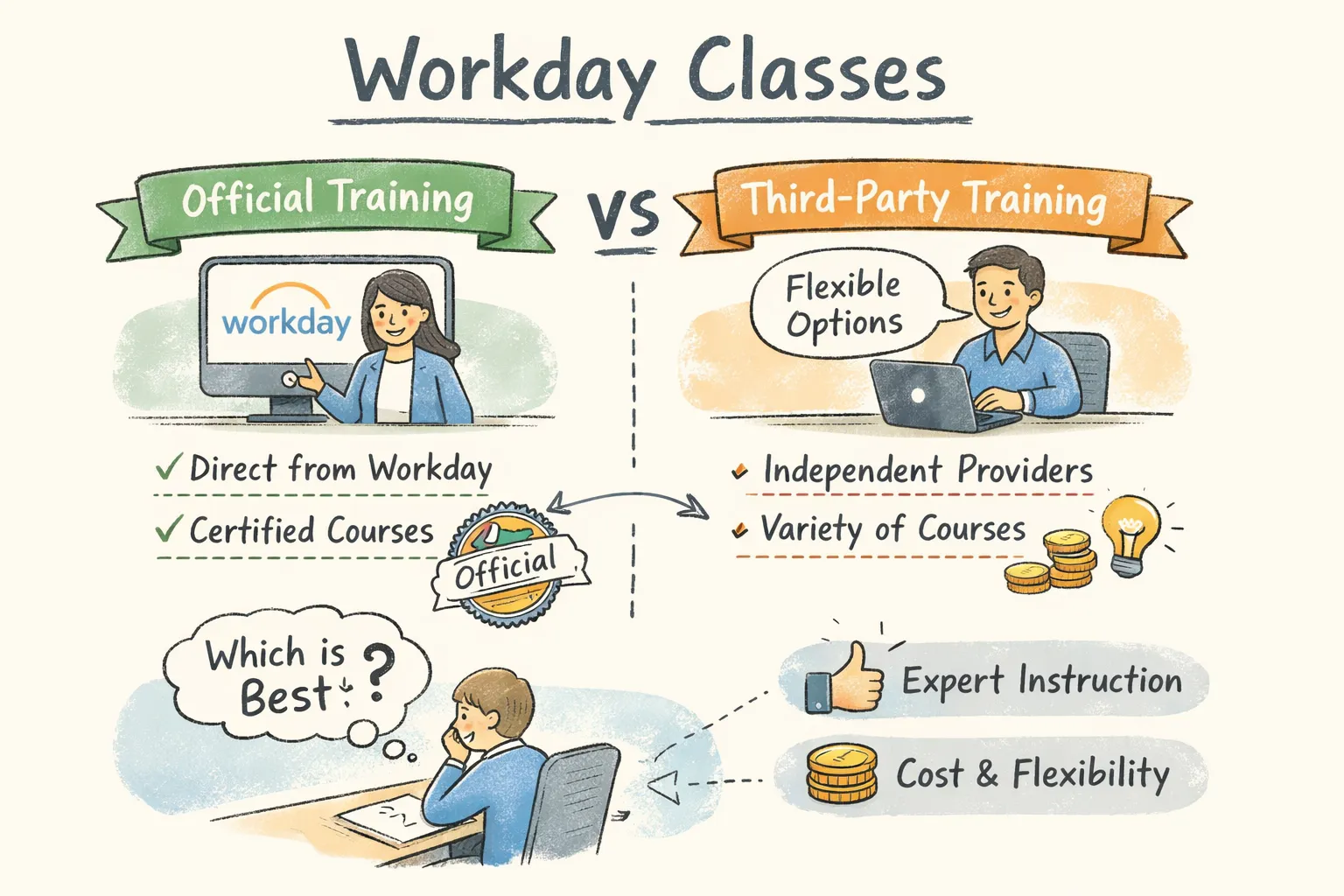
  • Workday Classes: Official vs Third‑Party Training Guide

    Workday Classes: Official vs Third‑Party Training Guide

    Direct answer: Workday classes split into two practical routes: the official Workday Academy and Pro certifications (best when your employer or partner sponsors study and you need vendor recognition) or third‑party bootcamps and self‑study (best when you need affordability, hands‑on labs, and placement support). If you want live tenants plus interview practice, CloudShine runs short, practical Workday bootcamps with live instances, mock interviews and placement assistance.

    Official Workday training: what it is, who it’s for, and the tradeoffs

    Quick takeaway: Official training and Workday Pro carry the strongest enterprise credibility but are often gated to customers/partners and typically paid for by employers.

    What the official path covers

    Workday’s official paths center on Workday Pro certifications and module‑focused courses: HCM Core, Advanced Compensation, Payroll (including country‑specific payrolls), Financial Management, Integrations, Platform Administrator, Adaptive Planning, and specialist tracks. Some Pro paths allow exam‑only routes for experienced implementers; many specialty tracks require coursework via Workday Academy.

    Delivery modes and access limits

    Delivery ranges from ten‑hour on‑demand modules (Learn with Workday) to instructor‑led Academy cohorts and enterprise adoption kits. Crucially, many official classrooms and sandboxes are available only to Workday customers, partners, or employees—confirm access before you plan time or money.

    Recertification and rules

    Workday moved to a two‑year recertification cycle (update, 2024). Exam formats are proctored, scenario‑based, and commonly require an 80% passing score. Specific prerequisites and retake policies vary by module.

    Pros and cons (realistic): Official training is widely recognized and often required for enterprise roles; downside is higher cost, restricted access for independents, and limited placement focus.

    Actionable takeaway: If your employer will sponsor certification, follow the official path for credibility. If you’re independent or changing careers, pair third‑party hands‑on training with exam prep instead of relying solely on vendor courses.

    Third‑party Workday courses: providers, price bands, and what to verify

    Quick takeaway: Third‑party providers fill real gaps: lower entry price, flexible schedules, and (when done right) stronger lab access and placement support for job seekers.

    Price and depth vary sharply. Budget primers on marketplaces (example: Udemy-like courses) run under $20 and teach concepts. Midrange instructors and academies charge roughly $200–$600 for module‑level, instructor‑led training with some labs. Premium bootcamps and exam‑prep packages reach $1,000–$2,500 or more.

    CloudShine positions itself in the practical bootcamp tier: cohort training that emphasizes live tenant access, trainer mentorship (15+ years industry experience), project work, resume coaching, mock rounds and placement assistance—designed for candidates who need end‑to‑end job readiness.

    What to verify before you pay

    • Live instance or sandbox access (shared or dedicated) and exact hours available.
    • Number and nature of real projects or lab tasks included.
    • Trainer background—15+ years is a strong signal for enterprise‑grade instruction.
    • Placement support details and realistic timelines for interview help.
    • Recordings, refund policy, and a sample syllabus or a sample lab exercise on request.

    Actionable takeaway: Shortlist one official option (if eligible) and one third‑party provider with verified lab access. Request a sample lab exercise before you commit. For a recent course-level comparison to help shortlist providers, see a Workday certification courses comparison.

    Syllabus, duration, and lab expectations by common module

    Quick takeaway: Typical module coverage runs 27–40 hours (4–8 weeks); the deciding factor for employability is whether you get guided, live labs and real configuration tasks.

    What you’ll actually learn by module:
    – HCM: employee lifecycle, staffing models, compensation basics, business processes, security and reporting.
    – Financials: GL/AP flows, budgets, procurement integration and reporting.
    – Payroll: pay groups, taxes, deductions, retro calculations and compliance processes.
    – Platform/Admin: security configuration, business process troubleshooting and basic integrations (EIB/Core Connectors).

    Lab expectations matter more than lecture hours. Before enrolling, confirm whether the provider supplies a Workday sandbox or guided simulation, the number of hands‑on lab hours, and sample lab tasks (for example: build a compensation plan, configure a supervisory org, or create an EIB integration).

    Prerequisites: Domain familiarity helps—HR for HCM, accounting for Financials, basic scripting for integrations—but most providers accept beginners while recommending 20–40 hours of prep.

    Actionable takeaway: Demand a real lab task and access window in writing before you pay. A syllabus alone is not sufficient evidence of hands‑on training.

    If you have experience with Oracle Fusion or similar ERP systems and want relevant reading, these CloudShine guides can help bridge domain knowledge: Oracle Fusion Sales Order to Shipment Cycle | Order to Cash Life Cycle | CloudShine, Oracle Fusion Financial Control & Reporting Important Roles | Oracle Financials Cloud | CloudShine, and Understanding Fusion Purchasing Approvals Hierachy | Know about Oracle Fusion Approval Methods | CloudShine.

    A practical decision framework — pick by role, experience and budget

    Quick takeaway: Ask three questions: Are you employer‑sponsored? Are you switching careers? What is your budget and timeline? Use answers to choose a targeted path, not every module.

    Persona paths:
    – Enterprise Employee: employer covers cost → Official Academy + Workday Pro cert.
    – The Pivoter (ERP/Finance pro): 2‑month bootcamp on HCM/Finance + Platform Admin; attempt Pro exam if experience supports it.
    – The Aspirant (new grad): start with a low‑cost intro, then a hands‑on third‑party HCM bootcamp; build two projects for interviews.

    Role→Module mapping (quick scan):

    • HR generalist → HCM Core + Advanced Compensation
    • Payroll specialist → Payroll + country payroll module
    • Finance systems analyst → Financial Management + Integrations basics
    • Platform/admin → Platform Administrator + Security

    Timeline examples: Single module interview readiness: 6–8 weeks with daily practice. Broader generalist readiness: 12–16 weeks including projects and mock interviews.

    Actionable takeaway: Choose the shortest path that demonstrates hands‑on competency for your target role—two well‑built projects beat ten half‑finished modules.

    Cost, time commitment and exact enrollment checklist

    Quick takeaway: Budget realistically: official routes often cost $1.5k–$5k (commonly employer‑funded); third‑party ranges from <$20 to $2.5k+. Plan for 27–40 hours per module plus project time.

    Cost bands:
    – Official Academy/certification: typically $2,000+ (many employers cover this); exam packages often reported in the $1,500–$3,500 range.
    – Third‑party: free/cheap intros on marketplaces, midrange bootcamps $200–$600, premium $1,000–$2,500+.

    Exact enrollment checklist (do these before you pay):

    • Pick your target role and module.
    • Confirm whether official Academy access applies to you (customers/partners often have access).
    • Shortlist 2–3 third‑party providers and request a sample lab task and trainer CV.
    • Confirm live tenant or sandbox hours, cohort schedule, and placement support details.
    • Enroll and set a study calendar; only book an exam after completing labs and mock tests.

    If your role involves procurement or order management, see the CloudShine guide on Order to Cash Back to Back Buy Flow, Step 1: Order Creation, CloudShine for practical order flow context. Likewise, if you come from finance and want to avoid common mistakes, read Common Errors in Oracle Fusion Cost Accounting, CloudShine.

    Sample 6‑week study plan:

    • Weeks 1–2: Core concepts + 5 guided lab tasks.
    • Weeks 3–4: Advanced flows + two real projects.
    • Week 5: Full mock configuration + practice exam.
    • Week 6: Portfolio polish, resume bullets, and interview prep.

    Actionable takeaway: Insist on lab access or a clear refund tied to lab availability. If HR will sponsor it, get written approval and an expected timeline for exam reimbursement.

    How certifications convert to jobs, a 30‑day action plan, FAQs and next steps

    Quick takeaway: Certifications open doors—employers prefer certified candidates and certified professionals often see 10–35% salary uplifts—but hands‑on evidence (projects, tenant screenshots, interview performance) is what closes offers.

    Convert training into a hireable profile:
    – Build two short case studies with screenshots and concise outcomes.
    – Add precise resume bullets listing module, tenant exposure, and key tasks.
    – Run at least three mock interviews (CloudShine includes mock rounds and resume reviews in placement support).

    30‑day action plan (weekly, executable):

    • Week 1: Get tenant access, complete orientation tasks, and finish five basic labs.
    • Week 2: Complete project #1 (configuration + report) and document screenshots.
    • Week 3: Complete project #2 and refine your one‑page case study for interviews.
    • Week 4: Three mock interviews, finalize resume, and apply to prioritized roles.

    For more on why certification matters and how it helps your career trajectory, see this primer on the 8 reasons to become a Workday certified professional. For a concise take on the broader value of certification, this write-up on the value of Workday certification is also useful.

    Recommended providers by need

    Employer‑funded: Workday Academy. Job readiness + live labs: CloudShine bootcamps (practical labs, mentor support, mock interviews). Self‑paced basics: marketplace courses. Certification prep: select mid‑to‑premium third‑party bootcamps with exam practice. If you want a straight how‑to guide on certification steps, read how to become Workday certified.

    FAQs

    Q: How much do Workday certifications cost? A: Varies—combined training and exam commonly range $1,500–$5,000; many candidates get employer sponsorship.

    Q: How long until I’m job‑ready? A: With hands‑on training and two projects expect 6–12 weeks to be interview‑ready.

    Q: Are official classes available to individuals? A: Some on‑demand materials exist, but full Academy access and many certification paths are reserved for customers and partners.

    Q: How often must I recertify? A: Workday moved recertification to a two‑year cycle (verify for your module).

    Final summary: If your employer or partner will sponsor training, choose the official Workday Academy for maximum enterprise credibility. If you’re paying yourself or pivoting careers, pick a third‑party bootcamp that guarantees live tenant access, project work, and placement support—those elements determine hiring success. CloudShine’s short, practical bootcamps combine live instances, experienced mentors, and mock interview rounds to convert learning into job offers. For an extra perspective when choosing vendors, consult a recent Workday certification courses comparison to validate features and pricing.

    Next step: Pick a target role, ask providers for a sample lab task, and schedule your first tenant session within seven days. If you want a placement‑focused route with real tenants and mock interview rounds, check CloudShine’s upcoming Workday bootcamps.
  • Workday HCM Certification: The Practical 6‑Step Plan

    Workday HCM Certification: The Practical 6‑Step Plan

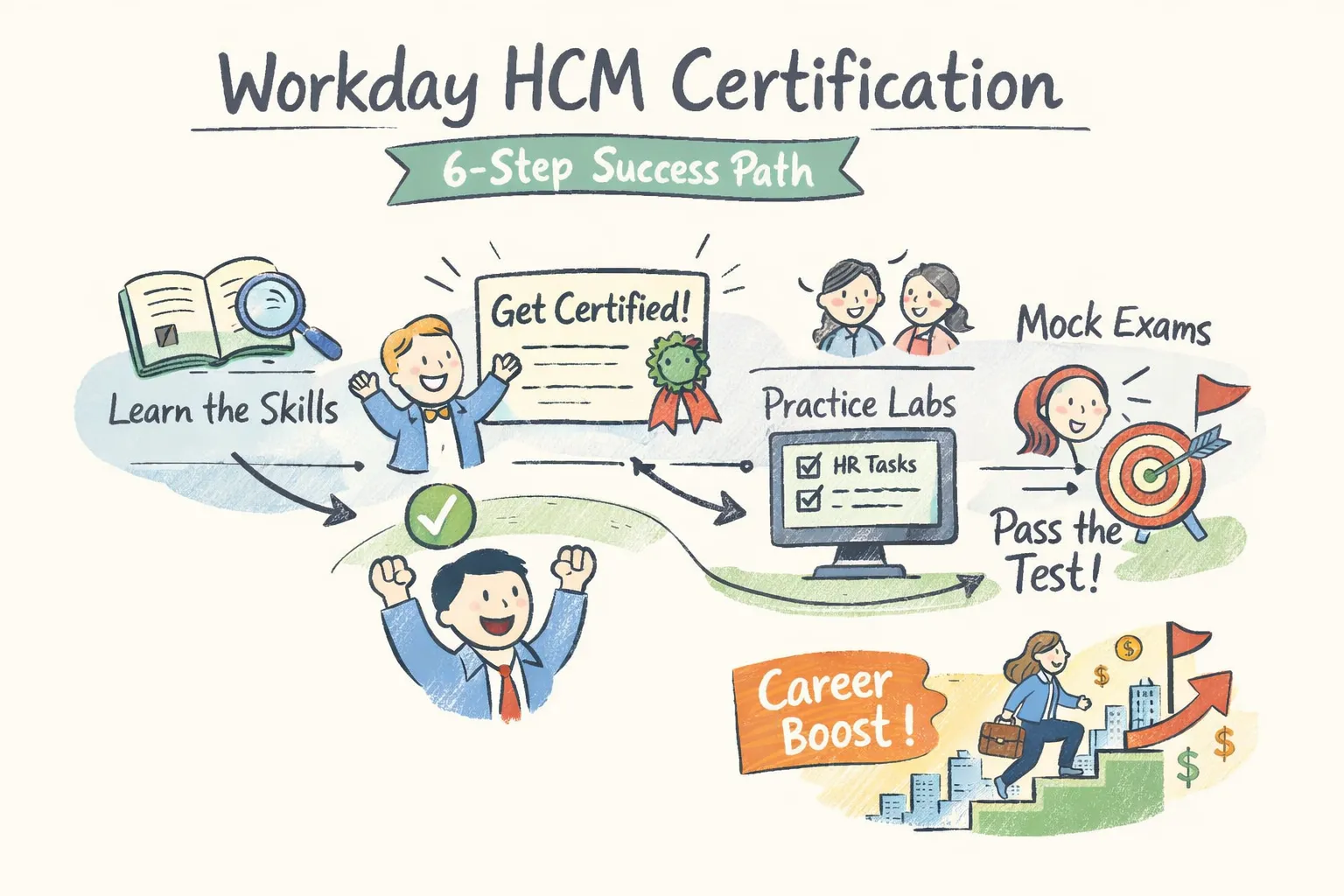
    Yes — you can pursue Workday HCM certification as an independent learner, a customer, or through a partner organization; this article lays out a practical six-step roadmap (courses, hands‑on practice, exam details, costs and timeline) so you can start today. Earning a Workday credential shortens the path to HR/consulting roles and demonstrates platform fluency employers pay for. At CloudShine we train consultants with live instance labs and placement support — below I’ll show you how to replicate that path whether you join a bootcamp or self‑study.

    Who’s eligible — a quick decision checklist

    Most Workday HCM tracks and prep options are available to customers, partners and independent learners via official coursework or third‑party bootcamps. That said, some vendor‑gated exams and advanced tracks are managed through employer relationships (partners or customer accounts) — check access before you pay for a course.

    • Do you have employer/partner access to Workday Learning? If yes, you often get direct course and exam enrollment.
    • Are you targeting consulting (implementer) roles or admin/analyst positions? Consulting often expects partner affiliation or verified project experience.
    • Can you commit 4–8 weeks of focused study? That’s the realistic window for a first certification.

    If you’re unsure: reach out to Workday Learning for access questions, enroll in a third‑party prep bootcamp that includes instance labs, or start with Workday Basics free resources to validate interest before investing.

    The exact 6‑step path (with realistic timeline)

    The path is straightforward: pick a track, learn the foundations, take targeted training or a bootcamp, get hands‑on practice, drill with mocks, and sit the proctored exam. Expect 4–8 weeks if you’re new to HCM systems; experienced admins can compress this to 2–4 weeks.

    1. Pick the right HCM track and confirm eligibility (1–3 days)

    Decide Core vs specialized tracks (Reporting, Payroll, Recruiting). Core is the universal entry point; choose reporting or payroll if you want analyst or payroll specialist roles. Verify whether your employer or the provider gives exam enrollment.

    2. Take foundational courses (Workday Basics or equivalent) (1 week)

    Workday Basics covers navigation, common business processes, and basic security. This week establishes vocabulary and lets you follow configuration walkthroughs instead of getting lost in UI details.

    3. Enroll in HCM Core training or a targeted bootcamp (1–2 weeks)

    Instructor‑led sessions teach configuration, business process design, and common implementation patterns. Expect 2–4 live days or 10–20 hours of structured content from reputable providers.

    4. Hands‑on practice in a live instance or quality lab (minimum 20–40 hours)

    Spend time executing hire‑to‑retire flows, building condition rules, setting security, and writing simple reports. Aim for scenario work (e.g., create an off‑cycle payroll event) rather than passive clicks.

    5. Practice tests and weak‑spot drilling (3–7 days)

    Take two full timed mocks, mark question types you miss, and do targeted drills on business processes, calculated fields, and security. Simulate the exam environment once or twice.

    6. Sit the proctored exam and next steps (day of exam + post‑exam)

    Book the proctored slot, follow ID/proctor rules, and plan for quick post‑exam actions: update your resume and notify your network. If you pass, add the certification to LinkedIn and prepare job‑ready bullets showing real‑world scenarios you can support.

    Exam specifics: Industry reporting for Workday Pro HCM Core lists roughly 50 multiple‑choice questions, ~100–120 minutes, an ~80% passing threshold, and two attempts (policies change — confirm on Workday’s site). Many learners report a 2‑year recertification cadence for individual certificates; verify current validity with official pages.

    Preparation track Typical timeline
    Beginner 4–8 weeks (foundations + bootcamp + 20–40 hours lab + mocks)
    Experienced admin 2–4 weeks (targeted course + focused labs + 1–2 mocks)

    Which HCM tracks exist — pick the right credential

    Choosing the right track increases hiring ROI: align the credential to job titles you want to target (HR admin, reporting analyst, payroll specialist, or functional consultant).

    HCM Core — Foundational credential for administrators and functional consultants; minimal prereqs and the recommended starting point.
    HCM Reporting — For analysts; expects familiarity with calculated fields and basic report writing.
    Payroll — Specialized track for payroll config and compliance; requires payroll domain knowledge.
    Recruiting / Talent & Performance / Learning / Benefits / Compensation — Module‑specific tracks for HR specialty roles; pick based on the function you want to own.
    Integrations / Studio — Technical tracks for integration specialists; requires integration concepts and sometimes Studio exposure.

    If this is your first Workday credential, start with HCM Core and add Reporting or Recruiting depending on the role you want to land.

    Real costs and training options — how to budget and choose a provider

    Be realistic: price depends on whether you use official Workday training, a third‑party bootcamp, and whether live instance access is included. Expect total investments (training + exam prep) in the $1,500–$2,500 range for third‑party programs; exam‑only fees reported in the market run roughly $300–$800.

    Official Workday training is typically enterprise‑priced and often free to partner or customer employees; third‑party bootcamps cost less and add placement/mentorship. Exam fees and policies vary by track and region.

    When choosing a provider, prioritize: live instance access, trainer experience (real implementers), dedicated lab hours, realistic mock exams, and placement support or resume/mocking services. Also review refund/retake terms before you enroll.

    CloudShine spotlight: CloudShine delivers 100% practical labs with live instance access, mentorship from practitioners with 15+ years’ experience, and a placement cell that includes resume building and mock interviews. Choose CloudShine if you need hands‑on instance time plus guided job support rather than theory‑only classes. For readers evaluating cloud platforms side‑by‑side, you may also find useful background in our Oracle Fusion Cloud overview.

    Other legitimate vendors include Multisoft Virtual Academy, comparison guides from Online IT Guru, and CloudFoundation’s Workday training — each trades off price, lab depth, and placement services. Match the provider to your budget and the level of support you need. For broader certification mapping and recommended course lists, see an industry guide like the Workday certifications guide.

    A practical study plan & exam‑day checklist you can use (week‑by‑week)

    This is the “do this” section. Block time and follow the weekly targets below; adjust hours based on experience.

    Week 1 — Orientation & basics: Study Workday basics, HR process maps, and navigation; 8–12 hours. Understand terminology and the core business processes.

    Week 2 — Core HCM modules: Focus on hire‑to‑retire flows, worker data, and security basics; 12–15 hours. Start small labs recreating hiring and termination scenarios.

    Week 3 — Configuration & business processes: Build condition rules, approvals, and transactional flows; 10–15 hours. Create scenarios with parallel approvals and exceptions. If you work across ERP disciplines, reviewing how order and fulfillment cycles are modeled (for example, our order‑to‑cash cycle) can help you understand process orchestration and integrations.

    Week 4 — Reporting & practical tasks: Write simple operational reports and calculated fields; 10–12 hours. Practice filtering data and exporting results. For readers with a finance or reporting focus, our piece on financial control & reporting roles illustrates typical responsibilities that map closely to Workday reporting tasks.

    Week 5 — Mock exams & practice scenarios: Take two full timed mocks, review errors, and drill weak areas (business processes, report writing).

    Week 6 — Exam readiness: Light review, confirm exam logistics, tidy up your resume phrasing to highlight Workday tasks. Prepare for interviews that probe scenario‑based experience.

    Daily routine: 1–2 hours on weekdays and two longer practice blocks (4–6 hours) across the weekend; increase lab hours if you lack real Workday access.

    • Exam‑day checklist: confirm proctor software, valid photo ID, charged device, stable wired internet if possible, quiet room, and pen/paper for scratch work.

    After you pass: add the credential on LinkedIn (certifications section), include 2–3 bullet points showing concrete tasks you can run (e.g., “Configured hire‑to‑retire business process for US employees”), and follow a 30/60/90 plan to apply for roles. If you fail, map missed topics, do a 7–10 day focused re‑study, then rebook.

    FAQs & next steps

    Can independent learners get Workday HCM certified?

    Yes — many tracks and prep routes are accessible to independent learners via official courses (if you have customer/partner access) or third‑party bootcamps that prepare you for the proctored exam. Confirm access requirements for the specific track you want.

    How long does it take to prepare?

    Typically 4–8 weeks for beginners and 2–4 weeks for experienced admins, assuming 8–15 hours of weekly study plus labs.

    How much will it cost?

    Expect $1,500–$2,500 for third‑party bootcamps with labs; standalone exam fees reported in the market range from $300–$800. Official enterprise pricing varies.

    What does the exam look like?

    Workday Pro HCM Core is commonly reported as ~50 multiple‑choice questions with ~100–120 minutes and an ~80% pass score; verify current format on Workday’s certification pages. For practical tips on the certification process and study pathways, see Indeed’s guide on getting Workday HCM certification.

    Do I need Workday access for practice?

    Strongly recommended. If you don’t have employer access, use vendor labs or CloudShine’s live instance sessions to get the hands‑on experience employers expect. If you’re coming from other ERP backgrounds and want to compare module responsibilities, our posts on Oracle Fusion inventory management roles and self‑service procurement roles show how role responsibilities and hands‑on tasks align across platforms.

    Next steps: pick a track, block a 6‑week plan on your calendar, and trial one short lab or module before committing. If you want guided, hands‑on training with placement support, request CloudShine’s Workday HCM bootcamp syllabus or a free consult call to see whether live instance access and mentorship fit your needs. If you’re considering a career change into training roles or simply want another example of a structured certification pathway, review this step‑by‑step guide to becoming a fitness trainer for inspiration on pacing and credential milestones.

    Final note: rules and exam formats change. Always verify eligibility, fees, and exam details on Workday’s official certification pages before booking an exam. You can get certified — but only with a practical plan and the right practice environment.

  • Workday Learning: Practical Guide for HR Leaders 2026

    Workday Learning: Practical Guide for HR Leaders 2026

    Quick takeaway: Workday Learning is a strong fit when your HR stack already runs Workday HCM and you need skills-driven learning tied directly to employee and org data. If your priority is best-in-class content authoring or a low‑cost standalone LMS, evaluate alternatives first.

    This guide shows what the platform actually does, how it plugs into your tech stack, realistic timelines and cost signals, common deployment pitfalls, and a compact POC / RFP checklist you can use immediately. If you want a hands‑on pilot, CloudShine runs practical Workday Learning POCs and admin upskilling to validate fit quickly.

    Quick verdict for HR leaders — should you evaluate it now?

    If your priority is seamless integration with Workday HCM, skills-based development, and centralized compliance reporting, open a formal evaluation now. If your top needs are advanced SCORM/xAPI authoring, gamification, or the lowest possible price, shortlist alternatives first.

    Signals that push to “Yes”: teams already on Workday HCM; a roadmap that requires Skills Cloud and talent mobility; heavy centralized compliance or audit reporting needs. Signals to consider alternatives: heavy internal authoring workflows or xAPI-first analytics needs; a tight licensing budget where a cloud LMS or open‑source option wins on price.

    How CloudShine helps: we run focused POCs and day‑one admin workshops so HR teams can prove integration, surface gaps, and estimate TCO without long ramp-up.

    What the platform actually does — features that matter to HR

    AI personalization and recommendations

    The platform layers machine learning (and Sana capabilities) on top of profile, performance and skills data to recommend learning pathways, micro‑content and mentor or project matches. Practically, this reduces manual assignment work; for example, new hires receive role‑specific onboarding modules plus manager‑recommended stretch tasks based on their Skills Cloud profile. Read a practical breakdown of Workday’s recent AI features to see how these capabilities can amplify human performance.

    Learning paths tied to Skills Cloud

    Learning maps to job profiles and skill taxonomies so completion can update skill records automatically. Use case: identify a 20% skills gap in a sales cohort, auto‑assign a remediation path, and track progress at the team level—tying learning directly to mobility or succession planning. (For an example of how operational role definitions map to learning, see Oracle Fusion Inventory Management Important Roles.)

    Reporting and workforce analytics

    Reports cover completion rates, skills‑gap dashboards, trainer utilization and compliance transcripts. The value to HR and Finance is consolidated evidence for audits and a single source of truth when modeling training ROI or headcount planning. (Related reading: Oracle Fusion Financial Control & Reporting Important Roles.)

    Content types, libraries and limits

    The platform supports video, quizzes, instructor‑led sessions, and SCORM 1.2/2004. LinkedIn Learning can be integrated as a content feed (EIB/SFTP workflows). For vendor guidance on LinkedIn integration and learning experience platforms, consult the official LinkedIn Learning integration guidance and the Workday Marketplace listing for setup details on the LinkedIn, Workday Learning integration. Where documentation is thin: native xAPI hosting is limited—many teams use an external LRS or embed xAPI inside SCORM as a workaround.

    Mobile UX and compliance workflows

    Learner UX is modern and mobile-friendly with enrollment approvals, reminders and audit trails for regulated training. For compliance programs the platform centralizes transcripts and audit logs, which simplifies reporting to regulators or internal auditors.

    Practical tip: expect gaps in advanced gamification and enterprise authoring—many orgs pair the platform with Docebo/Adobe authoring tools or buy third‑party authoring and use SCORM imports. Plan for that integration up front.

    How it connects to your tech stack — integrations, content, identity and data flows

    High‑level pattern: Workday HCM is the source of truth (workers, job codes, org hierarchy, skills) → Skills Cloud and Learning feed personalized assignments → Learning completions feed analytics and talent processes. Most connectors are native or use Workday EIB/SFTP for batch exchange.

    Key integration points

    HCM syncs (job codes, org data, skills) are critical because they make recommendations meaningful and enable lineage in compliance reports. LinkedIn Learning commonly integrates via EIB-outbound + SFTP with scheduled weekly syncs—expect mapping work for content IDs. SCORM works natively; xAPI typically requires an external LRS or an embedded “sidecar” approach. SSO uses SAML/OAuth—IT should validate IdP attributes and session policies before pilot.

    • Integration checklist for IT: required approvals and integration owner; sample data mappings (worker ID, job code, skill IDs); confirm SCORM support and LRS plan; collect API/SFTP credentials; define sync cadence (daily/weekly); confirm data residency and encryption requirements.

    Example data flow: learner completes a module → Learning records completion → Skills Cloud updates inferred skill level → manager and workforce analytics dashboards reflect changed skill totals for succession models. This aligns with common order‑to‑cash workflows (see Oracle Fusion Sales Order to Shipment Cycle) and can be triggered by transactional events.

    Implementation reality — timelines, people, common configuration headaches and pricing signals

    Realistic timeline follows pilot → adapt → evolve. Expect a focused pilot of 8–12 weeks to validate core flows, a core configuration and integrations phase of 3–6 months, and a broader rollout over 6–12+ months depending on content migration and global localization needs. These estimates align with typical Workday module deployments.

    Required roles: executive sponsor; HR product owner; L&D SMEs; IT integration lead; data conversion specialist; and a change manager. (Also consult What is Oracle Fusion Cloud and Why Does It Matter, CloudShine for role mappings in ERP‑centric organizations.) Contract your implementation partner for tenant‑level tasks and escalation procedures.

    Common traps include confusing content hierarchies (lessons vs campaigns), localization gaps, SCORM import errors from certain authoring tools, over‑customized reports that are hard to maintain, and weak governance around who owns learning data. Mitigations: clear naming conventions, early test imports, and a governance RACI set at project start.

    Pricing signals: public list signals show ~$100 PEPM as list pricing in market chatter; typical enterprise discounts of 10–30% are common, and implementation fees can approach an annual subscription in many deals. Treat these as heuristics—request a sample TCO that includes implementation, migration, and support.

    Negotiation levers include bundling other Workday modules, fixed‑scope implementation caps, tying milestone payments to acceptance criteria, SLAs for support, and explicit data ownership clauses.

    CloudShine offering: our 100% practical POCs, live‑instance labs and admin workshops shorten the “adapt” phase and reduce adoption risk by giving your admins real hands‑on experience before go‑live.

    Consider also how transactional triggers can feed learning events—if your org ties training to commerce or fulfillment events, review typical back‑to‑back flows (see Order to Cash Back to Back Buy Flow, Step 1: Order Creation).

    Alternatives, trade-offs and a shortlist for procurement

    Vendor When it wins
    Cornerstone OnDemand Feature‑rich enterprise LMS with deep compliance features.
    SAP SuccessFactors Learning Best if you’re already in an SAP ecosystem.
    Docebo Modern UX and strong AI learning tools for mid‑market.
    Adobe Learning Manager Advanced authoring and sophisticated analytics.
    LinkedIn Learning Content library but not a full LMS.
    Moodle/Totara Open‑source, cost‑effective, but requires more IT support.

    Decision grid in practice: if integration fit is priority, Workday wins; for authoring and deep content features, Adobe/Docebo lead; for price or open‑source control, consider Moodle/Totara. Shortlist based on your top two axes (integration vs authoring vs price).

    POC idea: run identical pilots across 2–3 finalists using the same scope (three courses, SSO, SCORM import, skills tagging, two admin reports) and compare time‑to‑value and admin effort.

    Action plan: compact 30/60/90 checklist, POC scope, vendor questions and KPIs

    Phase Key activities
    0–30 days Executive sign‑off, shortlist vendors, select pilot group, map data fields, assign roles.
    30–60 days Run POC (3 courses, SSO, SCORM import, LinkedIn feed), collect baseline metrics.
    60–90 days Evaluate POC, finalize vendor, negotiate contract, plan training and rollout schedule.

    Compact POC scope: three learner roles, three courses (one compliance, one onboarding, one role‑specific), SCORM import, SSO, skills tagging, and two admin reports (completion + skills gap).

    • Vendor / RFP questions you can copy: provide integration APIs and documentation; confirm SCORM/xAPI and LRS support; share SSO types and a sample SAML config; detail LinkedIn sync (EIB/SFTP) setup; provide a sample implementation timeline and deployment team; explain reporting customization limits; confirm data residency & security certifications; show licensing model (PEPM, discounts); describe renewal escalation; provide customer references of similar size/industry.

    KPIs to track in the brief: completion rate, time‑to‑proficiency, percent of targeted skill gaps closed, compliance completion rate, training cost per learner, and manager recommendation/adoption rate. Stakeholder brief should include objective, pilot scope, success metrics, budget estimate, risks & mitigations, and asks from IT/Legal.

    Final practical step: if you want a hands‑on pilot, CloudShine can run the POC, train day‑one admins, and produce the stakeholder brief so your team can decide with evidence rather than assumptions.

    FAQs

    Q: How is this different from a generic LMS?
    A: The main difference is embeddedness—this learning platform is part of the HCM ecosystem, so its primary advantage is integration with skills, performance and payroll data rather than offering the deepest authoring features. For the vendor’s official product listing, see the Workday Learning product page.

    Q: Does it support SCORM/xAPI and SSO?
    A: It supports SCORM 1.2/2004 natively and SSO via SAML/OAuth; xAPI hosting typically requires an external LRS or a sidecar approach—confirm specifics with your tenant admin and vendor docs.

    Q: How much does it cost?
    A: Market signals show list pricing around $100 PEPM in public commentary, but enterprise deals are negotiated—expect 10–30% discounts and ask vendors for a detailed TCO including implementation fees.

    Q: What’s a realistic rollout time?
    A: Pilot 8–12 weeks, core configuration 3–6 months, enterprise rollout 6–12+ months depending on integrations and content migration.

    Q: Who should run the POC internally?
    A: A small cross‑functional team: an HR/L&D lead, HRIS/IT lead, 1–2 content SMEs, and an executive sponsor for decisions and budget.

    Summary: If integration with Workday HCM, skills-driven development and centralized compliance are strategic priorities, this learning cloud deserves a formal POC. If authoring depth or minimal cost is first, evaluate alternatives first. When you’re ready to validate fit, a tight POC with real integrations and live content will reveal the trade‑offs fast—CloudShine can help run that pilot and train your admins to a day‑one competence level.

  • E-Learning vs. In-Person Training for Oracle Fusion Manufacturing

    E-Learning vs. In-Person Training for Oracle Fusion Manufacturing

    In today’s evolving business environment, staying updated with the latest technologies is crucial for success. One such system is Oracle Fusion Manufacturing, designed to streamline production operations, manage supply chains and improve overall efficiency. Professionals aiming to master this comprehensive platform are faced with a major decision—whether to undertake their learning journey through e learning platforms or traditional in person training.

    Choosing the right training mode can significantly affect how well you understand the system, apply its functionalities in real-world scenarios, and grow your career in an increasingly competitive market.

    Understanding the Two Training Modes

    When it comes to learning cloud based Oracle courses like Oracle Fusion Manufacturing, two primary options stand out: self-directed e learning and conventional in person training.

    E learning provides the flexibility to study at your own pace from anywhere in the world. With recorded lectures, interactive labs, quizzes, and mentorship available remotely, it is particularly suited for busy professionals who cannot commit to fixed schedules. It also enables revisiting complex modules multiple times, ensuring a deeper understanding.

    Conversely, in person training delivers a structured and immersive experience. This method promotes immediate clarification of doubts and peer-to-peer learning, often accelerating the understanding of the subject.

    For a holistic learning experience that extends beyond manufacturing into broader Oracle ecosystems, enrolling in Oracle Fusion applications training can be very valuable, offering exposure to several business modules.

    Key Differences Between E-Learning and In-Person Training

    The ongoing discussion of in person learning vs online learning often circles factors like flexibility, cost, engagement, and effectiveness.

    E learning offers unparalleled freedom: learners can study during lunch breaks, weekends, or late nights, adapting education to their lifestyles. The content is often updated quickly to align with Oracle’s latest software releases, ensuring learners stay current.

    On the other hand, in person training creates a highly engaging environment where learners are encouraged to interact, ask questions, and participate in team activities. The immediate feedback loop accelerates learning, while networking opportunities often lead to professional growth and collaboration even after the course ends.

    Modern programs like Oracle Cloud training online have bridged many of the gaps previously found in remote education, offering live instructor sessions, cloud-based labs, and collaborative project work.

    Does Online Training Result in More Learning?

    When comparing in person learning vs online learning, it’s essential to evaluate effectiveness, not just convenience.

    E learning has gamified elements, video simulations, real-world projects, and adaptive assessments that enhance understanding by appealing to different learning styles.

    However, success in e learning needs a proactive mindset. Without the structured accountability of regular classes, learners need strong discipline and intrinsic motivation to complete modules and apply concepts practically.

    In contrast, in person training naturally enforces discipline through fixed schedules, face-to-face mentor guidance, and collective goal-setting with peers.

    Pros and Cons of Each Approach

    E-Learning for Oracle Fusion Manufacturing

    Advantages:

    • Accessibility: Learn anytime, anywhere, without geographical barriers.
    • Cost Efficiency: No travel or accommodation expenses.
    • Personalised Learning Pace: Focus on topics that need more attention.
    • Regular Content Updates: Immediate updates align with Oracle’s software advancements.

    Limitations:

    • Self-Motivation Required: No external push to keep up.
    • Limited Face-to-Face Interactions: Harder to build immediate professional relationships.
    • Technical Challenges: Requires stable internet and compatible devices.

    In-Person Training for Oracle Fusion Manufacturing

    Advantages:

    • Immediate Doubt Resolution: Real-time clarifications help avoid conceptual gaps.
    • Enhanced Networking: Direct peer and mentor interaction.
    • Structured Environment: Encourages routine and focus.

    Limitations:

    • Higher Cost: Includes tuition, travel, and possibly lodging.
    • Rigid Scheduling: Limited flexibility for busy professionals.
    • Location Dependency: Access may be limited to urban areas with training centres.

    Professionals seeking specialised integration skills alongside manufacturing expertise could also consider enhancing their profiles with Oracle Integration Cloud certifications, combining best practices from both learning modes.

    Choosing the Right Training Mode for Oracle Fusion Manufacturing

    Selecting between e learning and in person training depends largely on your lifestyle, goals, and personal learning preferences.

    If you value flexibility, affordability, and the ability to customise your learning journey, e learning is a strong choice. It’s particularly beneficial for working professionals, individuals with families, or those who prefer learning independently at their own pace.

    If, however, you learn best through immediate interaction, structured classes, and practical teamwork, traditional in person training could be more suitable. Direct interaction with mentors often accelerates problem-solving and strengthens practical expertise far more effectively.

    Another approach is a blended learning model—beginning with self-paced e learning courses to learn the basics, followed by focused, in-person workshops for sharpening advanced skills through real-world application. Regardless of the method chosen, building expertise in Oracle Fusion Manufacturing is bound to give long-term professional benefits across multiple industries.

    Industry Trends and Recommendations

    The rising preference for e-learning reflects how organisations are leveraging technology to streamline training expenses, minimise operational interruptions, and expand access to a wider, geographically dispersed workforce. Online learning platforms, powered by cloud technology, offer realistic, hands-on practice environments where learners can simulate end-to-end manufacturing scenarios all by themselves.

    However, many companies continue to value the effectiveness of in person training for complex topics that demand deeper interaction. Companies are realising that this human touch is magical, for sure. As a result, organisations are increasingly offering a mix—starting with foundational Oracle Fusion Cloud training online modules, followed by in-person boot camps for advanced, collaborative work.

    Microlearning, gamification, and cloud-based simulations are shaping how professionals master platforms like Oracle Fusion Manufacturing. Those who adapt quickly to these blended learning models will be better positioned to lead digital transformation initiatives within their organisations.

    In summary, whether you prefer the independence of e learning or the engagement of in person training, the ultimate goal is mastery over Oracle Fusion Manufacturing—a skill highly sought after in today’s dynamic industries.

    CloudShine understands that no two learners are alike. With flexible programs tailored to various learning styles and professional needs, seasoned instructors, updated courseware, and robust support systems, attendees, without a doubt, receive top-notch training—online or in person.

    If you’re ready to accelerate your career with expert-led cloud based Oracle Fusion training, explore the possibilities at CloudShine today. For more information contact our team at +91-7587 123 123

  • How Oracle Fusion SCM Training Can Boost Your Career

    How Oracle Fusion SCM Training Can Boost Your Career

    Supply chain management has evolved into a critical pillar for organisational success. Managing the end-to-end flow of goods, information, and finances requires suave technology and highly skilled professionals. This is where Oracle Fusion SCM steps in. As one of the most powerful cloud-based supply chain management platforms, it offers companies the flexibility and insight they need to thrive. But how can Oracle Fusion SCM training India transform your career? Let’s explore.

    What is Oracle Fusion SCM Training?

    Oracle Fusion SCM training is an in-depth course with various modules on the Oracle Fusion SCM suite.

    The training equips you to handle supply chain management interview questions with ease and ensures you stand out in an increasingly competitive job market. Whether you’re an experienced professional or a fresh graduate, enrolling in a recognised Oracle SCM cloud training course can open doors you never imagined.

    Career Benefits of Oracle Fusion SCM Training

    When you pursue Oracle Fusion SCM training India, you invest in a career path packed with opportunities:

    • High demand for SCM professionals: As businesses move to cloud-based solutions, companies across industries seek experts proficient in Oracle Fusion SCM.
    • Global career opportunities: Skills in Oracle Fusion SCM are recognised internationally, widening your reach abroad.
    • Excellent salary prospects: Certification and expertise in Oracle Fusion SCM often translate into lucrative compensation packages.

    Skills Gained Through Oracle Fusion SCM Training

    The skill set you develop through structured Online Oracle Cloud training is vast and multifaceted. Here, you can learn:

    • Comprehension of SCM workflows: Understand the supply chain process, from procurement to shipping.
    • Problem-solving and analytical skills: Learn how to optimise supply chain operations by interpreting and acting on data.
    • Technical expertise: Master navigation through the Oracle Cloud platform, integration with other modules, and automation of key supply chain tasks.
    • Effective communication for SCM: Translate complex processes into actionable strategies — a critical ability when responding to supply chain management interview questions.

    Furthermore, you’ll be equipped to tackle even the toughest interview questions with confidence and expertise.

    How Oracle Fusion SCM Training Stands Out

    Oracle Fusion SCM training India focuses on one of the industry’s leading platforms.
    What makes this training truly special?

    • Tailored, role-specific learning: Whether you aim to become a procurement specialist, inventory manager, or supply chain analyst, Oracle SCM cloud training aligns with your career goals.
    • Hands-on labs and simulations: Practical exposure is prioritised to ensure you’re ready for the job and the interview questions and answers.
    • Updated curriculum: As Oracle Fusion SCM evolves, so does the training, incorporating the latest tools, best practices, and industry standards.

    Steps to Get Started with Oracle Fusion SCM Training

    Thinking about beginning your journey with Oracle Fusion SCM? Here’s a roadmap to success:

    1. Research thoroughly and identify training programs offering the best value — like those from CloudShine.
    2. Understand your career goals and pick a training path that matches — procurement, logistics, inventory, etc.
    3. Choose the right learning mode— whether you prefer in-person classes or Online classes for Oracle Cloud training.
    4. Dedicate time for practice through live projects, case studies, and mock interviews.
    5. Prepare for certification exams that will validate your skills and enhance your resume.

    By following these steps, you’ll not only become proficient in Oracle Fusion SCM, but you’ll also be ready to handle any supply chain management interview questions thrown your way.

    Enroll in CloudShine SCM Training Courses Today!

    If you’re serious about levelling up your career with Oracle Fusion SCM training India, CloudShine is a great place to start. With top-tier Oracle Cloud training online, CloudShine combines expertise and hands-on learning to maintain a successful track record.

    Their curriculum prepares you for interview questions and answers. Additionally, they provide flexible learning options, personal mentorship, and cutting-edge resources designed for the real-world challenges of supply chain management.

    Don’t wait for the right opportunity — create it by enrolling today with CloudShine!

    In an economy run by efficiency and innovation, a robust understanding of supply chain management through Oracle Fusion SCM cloud service can be your golden ticket.

    With guidance from a premier provider, CloudShine, and consistent effort, you can transform your career, future-proof your skills, and confidently walk into any interview.

    Start today — because your future in Oracle Fusion SCM is waiting!

  • A Step-by-Step Guide to Implementing Oracle Integration Cloud

    A Step-by-Step Guide to Implementing Oracle Integration Cloud

    Today’s fast-moving digital landscape demands that businesses be agile, connected, and smart. Oracle Integration Cloud (OIC) is designed precisely to meet these needs. OIC streamlines integration with its pre-built adapters and low-code tools. Companies can innovate faster without facing complex technicalities.

    With Oracle Integration Cloud service, corporations can drastically lessen operational silos and enhance their decision-making abilities.

    Pinpoint Business Requirements and Objectives

    Before rushing into implementation, audit existing systems, and processes, and recognise the pain points. Identify which applications should communicate and why. Clear goals ensure focused efforts.

    Defining precise integration objectives early allows you to tailor your approach, selecting features within Oracle Fusion integration that align perfectly with business outcomes.

    Explore Oracle Integration Cloud Features

    Oracle Integration Cloud service brings a powerful set of features to the table. Designed for IT specialists and business teams, OIC empowers organisations with intelligent process automation, effortless API orchestration, insightful predictive analytics, and real-time performance tracking — all housed within a robust cloud-native environment.

    By integrating robotic process automation (RPA) and embedded AI/ML capabilities, businesses can move beyond simple connectivity, into fully adaptive, smart ecosystems. Having a deep grasp of these features through Oracle Integration Cloud online training empowers teams to unleash the full potential of OIC.

    Craft a Comprehensive Integration Plan

    A well-crafted plan can be done by mapping every critical application and understanding the nature of the data exchanges needed. Identify dependencies, risks, and potential bottlenecks. Break the implementation into phases, focusing first on high-impact integrations.

    Assign clear ownership to each phase, ensuring accountability across technical and business teams. Leveraging the architecture flexibility in Oracle Integration Cloud ensures that even as business needs evolve, your integration backbone remains future-proof.

    Initialise Oracle Integration Cloud Setup

    Once the plan is firm, it’s time to initialise your OIC setup. Provision your instance via Oracle Cloud Infrastructure (OCI). Choose the right size and region that matches your operational footprint. Configuration at this stage includes setting up user roles, network connections, and identity management.

    Establishing high-availability clusters ensures that mission-critical integrations stay resilient even during unexpected outages. Implementing best practices for Oracle Integration Cloud security right at the start is crucial to safeguard sensitive data flows.

    Establish and Configure System Connections

    With the environment ready, you can start establishing system connections. Oracle Integration Cloud service makes this remarkably straightforward through its ready-made connectors.

    Adapters handle authentication, data transformations, and error handling automatically, reducing development time dramatically. Handshake testing at this stage ensures your connections are robust and resilient under real-world conditions.

    Build and Customise Integration Workflows

    After connecting systems, it’s time to build your workflows. Using Oracle Fusion integration, you can visually design integrations with drag-and-drop simplicity. Define triggers, set up routing rules, map fields across systems, and create conditional logic without writing complex code.

    Customisation is key here. No two businesses operate alike, so your integrations must reflect your unique processes. Smart features like business indicators and real-time tracking let you monitor workflows closely.

    Set Up Security Protocols and Monitoring Tools

    Security must be baked into every layer of your integration. With Oracle Integration Cloud security, you can configure secure APIs, restrict roles based on least-privilege principles, and establish compliance monitoring.

    OIC’s native dashboards give you visibility into traffic, errors, and performance trends. Alerts can be configured to warn about anomalies, helping your team respond proactively to potential issues. Regular security reviews and updates keep your integration ecosystem safe from emerging threats.

    Run Rigorous Testing and Validation Procedures

    Before moving to production, every integration should undergo rigorous testing. Start with unit tests to verify each integration individually. Later, conduct system integration testing (SIT) to ensure seamless interoperability.

    Document every test case and result meticulously. This validation process often becomes easier after comprehensive Oracle Integration Cloud service online training, where real-world examples are covered in depth.

    Implementing Oracle Integration Cloud is a strategic move towards achieving digital maturity. However, success requires the right technology and expertise. That’s where CloudShine steps in.

    At CloudShine, our Oracle Integration Cloud service training guides you from planning to post-deployment support. Our hands-on approach ensures that your teams become proficient in real-world skills that drive real results.
    Serious about learning OIC and accelerating your digital transformation? Partner with CloudShine today!

  • Integrating On-Premise Applications with Cloud Services

    Integrating On-Premise Applications with Cloud Services

    Are you planning on integrating cloud and on-prem applications? Well, integrating cloud solutions with on-prem applications can offer you a lot of perks. It can increase the performance and reliability of your solution. It can save you some costs to run your environment. Here, we will talk about the various aspects of integrating on-prem applications with cloud-based solutions.

    Understanding on-prem applications and cloud services:

    On-prem applications refer to the hardware infrastructure that you have in your environment. These applications are mainly used to host internal software and data. These on-prem applications offer you greater control over your system. Also, all your sensitive data remains stored within the boundaries of your organisation.

    On the other hand, cloud services refer to the resources that are hosted on remote servers. These servers can be accessed over the network. These solutions are known for their increased scalability and reliability. They are also a lot more cost-effective as compared to on-prem infrastructure. One such reliable cloud solution is Oracle Integration Cloud services.

    Integrating in-house environments with cloud services comes with certain challenges along with various perks. An in-depth understanding of the various systems in your environment can help you to decide on cloud integration.

    Challenges associated with integrating on-prem infrastructure with cloud solutions:

    Legacy system compatibility: A lot of companies have old and outdated systems in their environment. These legacy systems often lack Application Programming Interfaces (APIs) or offer limited API support. This restricts their ability to communicate with cloud solutions seamlessly.

    Data security and compliance concerns: Data security is a multifaceted challenge in cloud integration. As companies exchange huge volumes of data between various cloud applications and services, maintaining data security and compliance can be highly challenging. Any discrepancy can cause huge compliance issues for organisations.

    Latency and performance issues: Latency can be a serious issue for cloud integration. It can significantly impact the speed and efficiency of data transfer. This can bring about performance issues in your system. It can also impact business deliverables and restrict your ability to perform business operations smoothly.

    Key Benefits of the integration:

    There are multiple benefits associated with on-prem app integration cloud service:

    Enhanced scalability and flexibility: Cloud services offer excellent flexibility and scalability for your data needs. You can easily scale up during peak demand or scale down during a slower period using cloud resources. This ensures that you are only paying for how much you consume. This helps in reducing costs and increasing business efficiency.

    Enhanced collaboration: By integrating on-prem applications with the cloud, you get to ensure better collaboration among the team members. Data and insights can be accessed from anywhere and by any person. This helps in making maximum use of data. The various business processes can also be streamlined.

    Disaster recovery and business continuity: Cloud-based systems come with robust disaster recovery capabilities. This ensures that your data remains safe and can be restored quickly even during a disaster. This helps in business continuity planning.

    Data security: Cloud platforms offer robust security features that are more comprehensive than what’s possible in on-prem systems. The security measures like encryption and access control help to keep your data safe at all times.

    Real-time analytics: The cloud platform supports real-time analytics. This allows your business to adapt faster to changing conditions. This is especially true in the case of the fintech industry where real-time insights can offer you a competitive advantage.

    Common Integration Methods:

    APIs and middleware solutions: You can easily make use of Application Programming Interfaces (APIs) and middleware programs to allow effective communication between on-prem infrastructure and cloud services.

    Hybrid cloud models: These models are used to integrate both on-prem systems and cloud solutions. That way, you can enjoy the benefits of cloud services while still retaining connectivity to the on-prem infrastructure.

    Enterprise Service Bus (ESB) and integration platforms: This method of integration consists of rules for how applications can connect to a communication bus middleware. Once an application connects to the bus, it can transform its data and share it with any other connected application.

    Best Practices for Successful Integration:

    Here is a list of some of the best practices that you must follow:

    • Understand the workings and the compatibility of the various systems in your environment.
    • Check for compliance and data security-related issues.
    • Bolster network efficiency to prevent any kind of latency issues.
    • Carefully choose between APIs and File Transfer Protocols.

    You can also opt for Oracle integration cloud service training to know more about the best integration practices.

    Real-World Use Cases:

    Listed below are some of the real-world examples of on-prem infrastructure integration with cloud services:

    Netflix: Netflix happens to be one of the biggest video service streaming service providers. It needs a huge amount of storage to store its various contents. During peak hours, the traffic and demand for its various web services increase. For this, Netflix required scalability. To handle this situation, it has integrated Amazon Web Services into its on-prem infrastructure. Based on the traffic, AWS scales the resources significantly.

    This helps save a huge amount of money on infrastructure costs. It also improves the streaming experience of the users.

    Airbnb: Airbnb has also integrated AWS with its on-prem infrastructure to scale its web applications based on user traffic during peak hours. Before switching to the cloud, the user satisfaction rate was not that high as the site would frequently go down. However, this problem was easily dealt with after integration with AWS. Now the traffic is managed more efficiently and the downtime is also reduced. This has helped in improving the overall experience of the users.

    NASA: NASA has also integrated cloud-based services for data processing and analytics into its on-prem infrastructure. This has been done for its various space exploration missions. These missions require huge amounts of data that need large storage and huge computation power. The integration of cloud-based solutions with on-prem infrastructure has allowed for faster processing and analysis of data. This helps in the decision-making process.

    Conclusion:

    In this dynamic business scenario, companies are rapidly shifting to cloud-based services from on-prem infrastructure. So, if you are willing to integrate into the cloud, then it is high time that you implement Oracle Integration Cloud Services at your organization. This will allow you to ensure that the entire integration process takes place smoothly without leaving any business impact.

  • Navigating the User Interface of Oracle Integration Cloud

    Navigating the User Interface of Oracle Integration Cloud

    Oracle Integration Cloud serves as an extremely powerful platform that helps organizations to seamlessly connect their applications and processes across different environments. The platform comes with various tools and technologies using which you can easily create workflows and streamline business processes. With OIC, you can also streamline your modern digital transformation efforts.

    Main Components of the OIC Dashboard:

    OIC comes with an user-friendly dashboard with real-time visibility into your processes and integrations. The user interface comes with various key performance indicators and metrics. This allows the users to monitor the health and performance of integrations at a glance.

    Key tools and features for users:

    Here are some of the main features that OIC offer to its users:

    Activity Stream: The Activity Stream offers a chronological view of integration activities in your integration cloud service. It displays details of the executed integrations and processes. You can also find details of any errors or exceptions that might have been encountered during the process.

    Error management: OIC also comes with error management capabilities. It allows the users to view and analyse errors during the execution of integrations. It also offers insights into the root cause of the errors. You can get to know more about  OIC error management by opting for Oracle integration cloud service Certification.

    Performance monitoring: The oracle integration cloud service offers performance monitoring features. This helps track integration execution time and throughput. The information can also be used to optimise integrations for better efficiency.

    Reports and analytics: OIC comes with reporting and analytics features. This allows the users to generate custom reports and acquire deeper insights into various integration patterns and trends. You can also enjoy various advanced security features using oracle integration cloud security.

    Creating and Monitoring Integrations:

    Here are some of the basic steps that you need to follow in order to create and monitor integrations in OIC:

    Create the adaptor connection: First, you need to create the adaptor connection. This will help you to create connections between the source and target systems.

    Create the integration: The integrations can be created by clicking on the integration panel on the left. You can also use the orchestration option to create an integration of your choice.

    Design the integration: The integration can be designed using Triggers. You can also customise your integrations based on your exact requirements.

    Activate and run your integration: Next, it is time for you to activate and run your integration. This allows you to test the functionality of your integration.

    Monitor the integration: You can also monitor your integration from the activity stream on the dashboard. You also have the option to track performance metrics and investigate errors and exceptions.

    Customising and Configuring Settings

    There are different ways in which you can customise and configure the settings in oracle fusion integration. Here are a few options:

    Visual designer: You can use the drag and drop interface in order to create integration flows using different protocols and systems.

    Custom mapping: The custom mapping option lets you transform data between different structures and formats.

    Custom adaptors: You can easily design custom adaptors for specific systems and protocols using the advanced features of OIC.

    Alerts and notifications: You have the option to configure different alerts and notifications to acquire deep insights of your system.

    Real-time monitoring: OIC also allows you to monitor the health and performance of your integration on a real time basis.

    Conclusion:

    So, if you are willing to master the various components of the OIC interface, then it is high time that you opt for Oracle Fusion Integration Cloud (OIC) training from Cloudshine. Our expertise training will allow you to make the most of OIC training . You will also be able to create highly advanced workflows without any hassle. We also offer training on other modules of Oracle cloud including SCM, Finance, Oracle hcm cloud certification with hand-on training from the industry experts.

  • System Integration Flows: Best Practices and Techniques

    System Integration Flows: Best Practices and Techniques

    Oracle System integration serves as the most efficient technique used by companies to enhance business performance and reduce costs. It helps in integrating a wide range of business systems which includes applications and databases so that the data exchange can take place smoothly between the components. System integration can also cater to a wide range of business scenarios and applications.

    Here’s a look at how system integration flows help business operations to be carried out smoothly.

    Key Components of an Integration Flow

    An integration flow is made up of various crucial business components:

    Source/target systems: Source/target systems are the most crucial components of integration flows.

    Sources: These are the systems from which the data is generated. They can be of different types like applications, databases, APIs, etc.

    Targets: These are the systems where the transformed data is sent. They can also be of diverse types including applications, databases,  etc.

    Data transformation: This involves aligning the format and structure of the data from the source system so that they match the target system. It also includes the data validation process. This ensures that the data is of high quality and is also consistent before and after transition. Data enrichment is also a part of the data transformation process.


    Error handling: Handling errors is again an important part of system integration services. This involves ensuring that the data is of high quality. The data inconsistencies are identified and eliminated so that they do not compromise the quality of data. Various error-handling techniques are used based on the data being transformed.

    Best Practices for Designing Integration Flows:

    While designing integration flows, certain best practices can be kept in mind:

    • Modularity and scalability:

    It is important to maintain a modular approach while creating integration flows. This will allow you to maintain scalability. You can also add new modules and components to the system whenever required without having to disrupt the existing workflow.

    • Standardized protocols:

    It is also important to follow certain standardised protocols while designing the best integration platform. This will ensure that proper consistency is maintained. It will also reduce the chances of discrepancies and any kind of data handling errors.

    • Security measures:

    Certain security measures also have to be followed. This will help in ensuring that all the systems are compliant. It will also save organisations from having to pay heavy penalties. You can opt for oracle integration cloud training online to learn more about the security measures to be implemented while designing workflows.

    Techniques for Effective Integration

    Different types of integration techniques can be followed while integrating workflows in dynamic business environments:

    • API usage:

    With API integration, you can easily request specific tasks from another system and get results back immediately. This eliminates the need for you to understand the intricacies of that system. 

    • Real-time vs. batch processing:

    Real-time data integration provides immediate updates and responsiveness. This makes it ideal for dynamic environments. On the other hand, batch integration is used to process data at scheduled intervals. This ensures thoroughness and efficiency.

    Challenges and Solutions

    Several challenges may arise while you are trying to design system integration workflows. Here are two of the biggest challenges:

    Complexity: Integrating different systems is a complex process. This is especially true when the systems are using different technologies, data formats, and platforms. This challenge can be eliminated by shifting to the cloud.

    Data issues: Ensuring data security and quality during the integration process is again a challenge. This can be avoided by cleaning, transforming, and enriching the data before it is exchanged between the systems.

    Conclusion:

    And here’s how creating system integration workflows can benefit your business. This will make you aware of the various tools and techniques using which you can create highly advanced integration flows for your business.

    For more details on integration flows, you can opt for oracle Cloud training online at Cloud Shine.

  • Unlock Your Potential: Mastering Oracle Fusion SCM Training in no Time

    Unlock Your Potential: Mastering Oracle Fusion SCM Training in no Time

    Proper and effective supply chain management is essential for success in today’s fast-paced corporate environment. Every company wants their supply chain to work in the right manner.  Oracle Fusion Supply Chain Management (SCM) provides a sophisticated, integrated platform that enables enterprises to reduce their efforts in operations and streamline the process.

    By understanding Oracle Fusion SCM, you can expand your career options and drive operational excellence inside your firm. It is crucial to get the right Oracle fusion SCM training to master different skills and supply chain management. 

    1.Understanding Oracle Fusion SCM

    Oracle Fusion SCM is a comprehensive cloud-based solution for optimizing supply chain operations. It keeps a check on every process and ensures that it is done in the right manner. It handles everything from procurement to order fulfillment, with real-time insight and automation to boost efficiency. 

    By getting Oracle SCM cloud training, you will be able to learn the set of skills to handle the SCM well. Mastering this platform will allow you to better manage resources, collaborate with suppliers, and adapt to changing market demands. You will know how to change the working of the process and fulfill the market demands as per the requirements. 

    2. Comprehensive Training

    Oracle Fusion SCM training provides a detailed overview of the platform’s core modules. It helps to learn better about the core areas like inventory management, product management, and overall supply management. 

    Whether you’re a beginner or an experienced professional, training provides you with the knowledge and hands-on experience to handle supply chain tasks effectively. It provides detailed information about every process and how to handle it. Training courses often feature tutorials, case studies, and hands-on activities to help you achieve competency rapidly.

    3. Collaborative Supplier Relationships

    One of the most notable aspects of Oracle Fusion SCM is its ability to build collaborative supplier relationships. It helps to maintain good relationships with the suppliers and know about their demands and requirements in a better way. 

    Suppliers and stakeholders can collaborate more effectively by using platforms that allow for smooth communication and real-time updates. Through the training process, you will be able to learn how to use these tools that will boost supplier performance and strengthen collaborations.

    4. Process Automation

    Oracle Fusion SCM automates important supply chain activities, reducing manual work and errors. This reduces the chance of any human error and ensures that the process is done with precision. Automation allows organizations to cut expenses, enhance order accuracy, and streamline inventory management. 

    They can rely on automation and save their resources as well. Learning to use automation in Oracle Fusion SCM is critical for knowing the platform and delivering operational gains. You can learn many skills like inventory checkups, reviewing procedures, and many other things from reliable SCM training in India.

    Oracle Fusion

    → 10+ yrs exp trainer

    → Corporate training

    → Certification support

    → Flexible Timings

    → Real-World Projects

    → Free Cloud Instance

    5. Mastering Oracle Fusion SCM

    For mastering Oracle Fusion SCM it is crucial to learn about the terminologies and reach out to good training courses. Cloud SCM subject areas include Product Management, Inventory Management, Procurement, and Order Management, among others. You learn about all these topics in detail and use the right strategies and procedures to excel in supply chain management. 

    Also, it allows you to manage your supply chains most productively and cost-effectively, providing you an advantage in your career.

    6. Introduction to key concepts in Oracle Fusion SCM:

    • Procurement – Learn how to use integrated technologies to manage procurement processes, create purchase orders, and communicate with suppliers. You need to know how the procurement is done and how to be in contact with the suppliers. 
    • Inventory Management – Inventory management is very crucial, as it assures that you will be able to supply on time and in the right amount. Master inventory tracking, demand planning, and product fulfillment to ensure seamless supply chain processes. 
    • Order Management – When the orders are flooded, it is crucial to manage them properly to ensure that you don’t face any order issues. Gain hands-on experience managing orders from start to finish, guaranteeing accurate delivery.
    • Manufacturing – Learn how to streamline manufacturing operations, monitor production, and increase productivity. The manufacturing process requires a lot of precision as it ensures that the products are manufactured in the right manner and quality. 
    • Supply Chain Planning – Investigate forecasting and planning methods that help supply meet demand efficiently. You should anticipate and know how much supply will be needed and how it should be planned.

    7. Best Practices for Efficient Learning

    It is important to learn about the basics and get advanced knowledge about the SCM. Through Oracle Fusion SCM online training you can get wider knowledge about the essential skills and practices. When mastering Oracle Fusion SCM, use these recommended practices for efficient learning:

    Set Specific Goals: 

    Determine what you want to achieve with Oracle Fusion SCM training, such as boosting job performance or obtaining certification. By setting achievable goals you can help the firm to get desirable results.

    Hands-on Practice: 

    Applying what you’ve learned is essential for mastering the platform.

    Join Communities: 

    Participate in online forums and communities where experts share ideas, tips, and experiences connected to Oracle Fusion SCM.

    Utilize Training Resources: 

    Make use of the video lessons, case studies, and documents supplied throughout training. By using the well-informative training resources and platforms you will be able to get the most appropriate information. 

    8. Staying Updated and Continuing Education

    Oracle is constantly updating its Fusion SCM platform with new features and enhancements. Staying up to speed on the latest releases and extending your education with advanced courses will guarantee you remain adept in the platform and can take advantage of the latest improvements. 

    You need to be well-updated about the dynamics in the industry. Also, learning new courses can help you polish your skills and learn more.

    Conclusion

    Mastering Oracle Fusion SCM is an effective method to strengthen your supply chain management skills, increase operational efficiency, and take your business forward. You may maximize the potential of this complex platform by using an organized learning strategy and receiving extensive instruction.

    Are you ready to take the next step? Enroll in Oracle Fusion SCM Training with cloudshinepro today! Cloudshine’s industry-leading training can help you expand your skills and become a supply chain management specialist.

    Oracle Fusion SCM Cloud Training

    Weekday / Weekend Batches