CloudshinePro

Author: csp@admin

  • Oracle Developer Training: Clear Paths, Costs & Plan

    Oracle Developer Training: Clear Paths, Costs & Plan

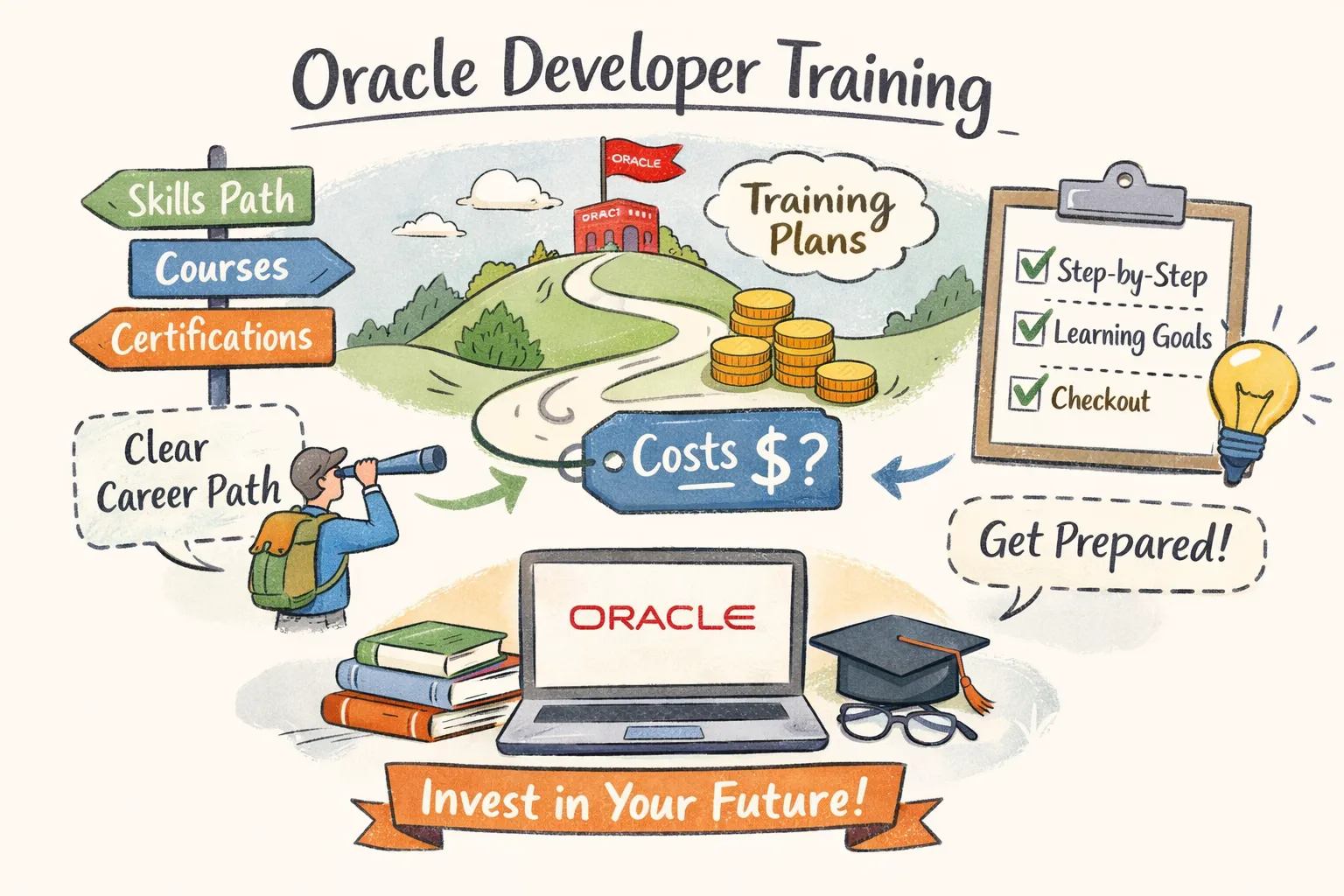
    If you want to become an Oracle developer, follow a hands‑on sequence: SQL → PL/SQL → APEX → OCI, pair that learning with one role‑aligned certification (APEX or OCI), and commit to a 3–6 month, milestone‑driven plan. At CloudShine we teach the same sequence with live cloud instances, mentor feedback and placement support so you get both the credential and the project experience employers want.

    Which training path fits you?

    Pick a path based on timeline, budget, credential value and whether you need placement help. The core trade-offs are simple: official Oracle courses give recognition and direct alignment with exams; Coursera offers structured lessons at lower monthly cost; self‑study is cheapest but slowest; instructor‑led bootcamps (CloudShine style) speed hiring with live projects and interview prep.

    Match by persona:

    • Pivoter (experienced IT/ERP): Choose Oracle University or an intensive CloudShine bootcamp plus certification prep—you need recognized credentials and live instance work to translate ERP knowledge to cloud apps. (See our Master Oracle Fusion SCM Training Quickly: Your Path to Success.)
    • Aspirant (recent grad): Use Coursera or Oracle Academy for core skills, then a short capstone (APEX app) and CloudShine’s placement support to build a hireable portfolio.
    • Skilled dev upskilling: If you already know SQL/Java, target 1Z0‑771 (APEX) or 1Z0‑1084‑26 (OCI) with focused hands‑on labs and one capstone project.

    Recommendation in one line: if hiring is the goal, choose a bootcamp with live instances and placement support; if time and money are constrained, combine Oracle Academy + OCI Free Tier + focused self‑study and one exam.

    Certification map — which Oracle exams to take and in what order

    Certifications validate different employer needs: database fundamentals, low‑code app development (APEX), or cloud‑native dev skills (OCI). Pick one primary cert and a supporting DB cert.

    Key exams and where they fit:

    1Z0‑771 — Oracle APEX Cloud Developer Professional. Covers APEX app design, SQL Workshop, REST, security and PWA concepts. Ideal for web/app developer roles. Exam: ~90 minutes, ~50 questions (verify current format on Oracle: Oracle Certification).

    1Z0‑1084‑26 — OCI Certified Developer Professional. Cloud‑native app dev on OCI: functions, containers, APIs, and integration patterns. (See our Oracle Integration Cloud Service Certification: Your Ultimate Guide.) Target this if you expect to build microservices and serverless apps.

    1Z0‑1114‑26 — Redwood Application Developer Associate. Useful where UI/UX and Oracle’s Redwood Design System matter.

    Database SQL / PL/SQL associate & professional. Start here if you lack SQL and procedural DB skills; these are the foundations employers expect.

    Order to follow: Database SQL associate → PL/SQL basics → APEX (1Z0‑771) for app developers OR OCI Developer (1Z0‑1084‑26) for cloud roles → advanced add‑ons (Redwood, AI integrations, analytics).

    Best courses and bootcamps: where to learn and what to buy

    There are three practical learning tiers: official, structured online, and bootcamps. Each has a place depending on your goal.

    Official Oracle options. Oracle Academy / Learn offers free modules for SQL, PL/SQL and APEX foundations. For instructor‑led and self‑paced official material see Oracle Training. Oracle’s APEX Developer Professional is ~22 hours of guided labs—use this when you’re ready to follow the exact exam objectives (see APEX training here).

    Coursera and third‑party. Coursera specializations (Oracle SQL and PL/SQL tracks) are solid for step‑by‑step learning and include graded exercises; audit free, pay for certificates. Udemy can fill gaps cheaply but vet recency and reviews.

    Bootcamps — when you need hiring help. CloudShine’s bootcamp is built for conversion to employment: 100% practical labs, live Oracle instances, mentors with 15+ years’ experience, the 60:24 practical rule (instructor hours balanced with lab time), resume polishing and mock interviews. Choose a bootcamp if you want live projects, a portfolio and direct placement assistance. Read about typical career transitions in The Path to Becoming an Oracle Fusion Consultant: Skills and Challenges.

    How to pick a course: match the syllabus to the target exam objectives, confirm lab access, and prefer options that include a capstone project you can publish to GitHub or APEX Gallery.

    A practical 3–6 month study plan (weekly schedule, milestones, deliverables)

    Assumption: beginner→certified with 15–20 hours/week = ~4–5 months. Push to 25+ hours/week to compress to ~3 months.

    Phase plan and deliverables:

    Weeks 1–4 — Foundations (SQL & schema design). Focus: SELECT, JOINs, aggregates, indexing basics and normalization. Deliverable: 10 query exercises and a one‑page schema design doc for a sample app.

    Weeks 5–10 — Core development (PL/SQL & APEX basics). Focus: stored procedures, packages, exception handling, and build a CRUD APEX app. Deliverable: A basic APEX expense manager (CRUD, validations).

    Weeks 11–14 — Advanced & Cloud. Focus: RESTful services, OCI basics (Functions, Object Storage), security patterns. Deliverable: APEX app with an external REST integration or an OCI Function + DB microservice. For migration and implementation guidance see our Oracle Cloud Implementation Best Practices: Tips for A Successful Migration, CloudShine.

    Weeks 15–18 — Exam prep & portfolio. Take full timed mocks, fix weak areas, publish project repos and a deployment README, and prepare interview demos.

    Sample weekly schedule (15 hrs/week): Mon/Wed/Fri — 2 hrs video + 1.5 hrs lab; Tue/Thu — 2 hrs coding exercises; Weekend — 4 hrs review + one practice test every other week. Milestone checklist: SQL proficiency test passed; PL/SQL mini‑project; APEX app deployed; two mocks ≥80%.

    Costs, labs and free resources — concrete numbers and money‑saving hacks

    Budget items you will pay for: exam attempts, lab access and optionally a paid course or bootcamp. Verify current prices on Oracle’s site before purchase.

    Typical costs (ballpark):

    • Exam attempt: commonly around $245 USD per exam.
    • OCI self‑paced lab access: 1‑month ≈ $29; 12‑month ≈ $299 (Oracle self‑paced labs).
    • OCI Free Tier: $300 trial credit (30 days) + always‑free services for hands‑on work.
    • Coursera: subscription model (~$39–$79/month depending on promos).

    Budget scenarios: low‑cost self‑study $0–$400; mid‑range (Coursera + one exam + short lab) $200–$800; bootcamp with placement $800–$4,000+. Use these hacks to save:

    – Audit Coursera courses for free and pay only for the months you need. 
- Use Oracle Academy and APEX free labs as your primary practice environment. 
- Buy a one‑month lab subscription only for intensive final exam prep. 
- Watch for Oracle “Race to Certification” promotions that include free exam attempts.

    Pass the exam and get hired — portfolio, interview prep, and how CloudShine helps

    Passing an exam is necessary but not sufficient for hiring. Employers look for live projects, measurable impact and the ability to demo solutions under pressure.

    Exam tactics: practice on live instances under timed conditions, prefer debugging labs over passive reading, and take the exam only after two full‑length mock tests with 80%+ scores. For 1Z0‑771 expect a 90‑minute test; confirm on Oracle’s site.

    Portfolio & interview checklist: build three short projects with README and demo links — (1) APEX expense manager with REST API; (2) PL/SQL batch loader with error handling and audit logs; (3) OCI Function + DB microservice. Resume bullets should quantify work (data volumes, latency improvements, integration points). Be ready to whiteboard schema design, optimize SQL, explain REST & OAuth flows, and demo your APEX app in 5 minutes. Consider adding analytics as an advanced add‑on (for example, see our piece on Oracle Analytics Cloud In Finance Applications), which can boost interviews for data‑heavy roles.

    How CloudShine converts training to interviews: we provide live Oracle instances for realistic labs, mentors with 15+ years of experience, a 60:24 practice balance, resume and LinkedIn optimization, mock technical and HR interviews, and placement introductions. Request a free bootcamp snapshot or demo instance to map your background to a 3–6 month plan and see sample capstone projects.

    FAQs

    How long does Oracle developer training take to become job‑ready?

    Typically 3–6 months depending on prior experience; 15–20 hrs/week is realistic for beginners, 25+ hrs/week accelerates to ~3 months.

    Which certification should I start with as a new developer?

    Start with a Database SQL associate or APEX Cloud Developer Professional (1Z0‑771) if you plan to build web apps. Choose OCI Developer (1Z0‑1084‑26) for cloud‑native roles.

    How much do Oracle exams and lab access cost?

    Exam attempts are commonly around $245; Oracle self‑paced labs are typically $29 for 1 month or $299 for 12 months. Always confirm current pricing on Oracle MyLearn.

    Can I prepare for Oracle certification with Coursera or Udemy only?

    Yes for fundamentals and structured lessons, but add official hands‑on labs (OCI/Oracle Academy) and practice tests for exam readiness. Use a bootcamp if you need placement support.

    Actionable next step:

    Pick your target exam today, open an OCI Free Tier account, and schedule the first four weeks: SQL drills + a small schema design deliverable. If you want a guided, placement‑focused route, request a CloudShine demo or bootcamp snapshot to see how your background maps to a 3–6 month conversion plan.
  • Technical Consultant Training: Roadmap, Courses & Certs

    Technical Consultant Training: Roadmap, Courses & Certs

    Yes — with focused technical consultant training you can be interview‑ready in 3–12 months depending on background and chosen route. Pick one track (cloud, ERP functional, ServiceNow/CRM, or integrations), earn one vendor certification, and complete two practical projects that you can demo.

    This guide gives copyable roadmaps (3/6/12 months), the exact certs and courses that hiring managers respect, project templates you can finish, and an interview checklist. I’ll also show CloudShine’s live‑instance bootcamp approach so you can compare a DIY plan versus guided, hands‑on training.

    Choose a path and timeline — pick the 3, 6 or 12‑month template that matches your background

    Fast‑track — 3 months (for experienced IT pivoters)

    Weekly commitment: 20–30 hours. Focus: one primary certification (cloud or platform fundamentals), one polished project demo, and three interview stories tied to that project. Outcome: a resume and LinkedIn profile tailored for junior consultant roles.

    Accelerated — 6 months (for career switchers with domain knowledge)

    Weekly commitment: 10–15 hours. Focus: one main cert plus a smaller supporting cert, two end‑to‑end projects, a documented playbook, and a short demo video for each project. Outcome: GitHub repo, portfolio case studies, and consistent interview practice.

    Comprehensive — 12 months (for beginners)

    Weekly commitment: 6–10 hours. Focus: foundational certs, three small projects, a portfolio site, basic networking and internship/contract outreach. Outcome: broader coverage and time to land an internship or entry role.

    How to choose: if you’ve done Dev/Ops or ERP admin work already, choose 3‑month. If you come from a related business function (finance, HR systems), choose 6‑month. If you’re new to IT, choose 12‑month. Block the weekly hours on your calendar for the next 30/60/90 days and treat that as non‑negotiable.

    Actionable takeaway: Decide your route today, slot weekly hours for the next month, and commit to one cert + two projects as your minimum viable hiring package.

    What hiring managers actually want — a two‑axis skills map

    Hiring managers hire for outcomes, not badges. They want two buckets: technical skills that reduce ramp time, and consulting skills that make you useful in client conversations.

    Technical skills employers commonly test: cloud fundamentals (AWS/Azure), SQL/data handling, a scripting language (Python/JavaScript) for integrations, API/REST knowledge, Infrastructure as Code basics (Terraform), and platform configuration (Oracle Fusion module flows).

    Consulting skills employers test: process mapping (Procure‑to‑Pay, Hire‑to‑Retire), requirement gathering, clear runbooks and test cases, stakeholder communication, and handover documentation.

    Role mapping (non‑negotiables):

    • Cloud/Infra Consultant — AWS/Azure basics, Terraform, CI/CD familiarity, monitoring basics.
    • ERP Functional Consultant — domain process knowledge (HCM/Finance/SCM), config screenshots, test scripts.
    • ServiceNow/ITSM Consultant — CSA knowledge, incident/CMDB design, integration basics.
    • Integration/Technical Consultant — APIs, middleware basics, ETL or scripting, data validation plans.

    For a focused integration certification path, see Oracle Integration Cloud Service Certification: Your Ultimate Guide.

    Example from practice: CloudShine’s 60:24 model pairs 60 hours of instructor‑led scenarios with 24+ hours of dedicated live‑instance labs. Students learn a process in class, then immediately perform the configuration in a live Oracle/Cloud instance — that mapping is what turns knowledge into interview anecdotes.

    Actionable takeaway: Build a one‑page skills map listing six technical must‑haves and four consulting must‑haves; prepare one interview example for each consulting skill.

    Certs and courses that actually move the needle — what to take and when

    Choose one primary certification aligned to the job you want; supplemental certs fill obvious gaps (for example, ITIL for process roles).

    High‑impact certs by track:

    Cloud: start with AWS Certified Cloud Practitioner ($100 exam) then move to Solutions Architect Associate ($150). For Azure, AZ‑900 then AZ‑104. These prove cloud literacy and basic design skills.

    ERP/Enterprise apps: Oracle Cloud Foundations or specific Oracle Fusion module tracks for functional roles. Oracle Cloud Foundations can be free at times; application exams typically range $95–$245. Learn more about the career progression in The Path to Becoming an Oracle Fusion Consultant: Skills and Challenges.

    ServiceNow: Certified System Administrator (CSA) is the gateway (exam ~$300 plus mandatory admin training). CAD/CIS tracks follow for dev/implementation specialties. For more context on the ServiceNow role and expected skills, see this ServiceNow technical consultant career guide.

    Salesforce: Salesforce Administrator (ADM‑201) for CRM roles; widely recognized by employers.

    Process/Delivery: ITIL Foundation helps consultants speak the same language as delivery managers and clients.

    How to use course providers: combine vendor docs and free vendor learning (AWS Skill Builder, Microsoft Learn) for fundamentals, use Pluralsight/Coursera or Udemy for guided paths, and use a live lab or bootcamp when you need instance access. Always verify current exam fees and schedule early so your study has a hard deadline. For implementation and migration checklists and tips, see Oracle Cloud Implementation Best Practices: Tips for A Successful Migration, CloudShine.

    Actionable takeaway: Pick a primary cert aligned to your target job and schedule the exam within the first 6–8 weeks; back that up with weekly lab time.

    Hands‑on projects and portfolio deliverables you can finish and show

    Certificates are currency; projects are proof. Recruiters want to see you actually delivered a configuration, migration, or integration.

    • ERP Functional (3–6 weeks): Build a Hire‑to‑Retire flow in a sandbox — deliver: process map, configuration screenshots, test scripts, and a 7‑minute recorded demo.
    • ServiceNow Implementation (2–4 weeks): Implement Incident + CMDB + simple email webhook — deliver: flow diagram, exportable XML, configuration notes, demo video.
    • Cloud + Integration (2–4 weeks): Deploy a sample web app to AWS with Terraform, attach RDS, add a basic CI/CD pipeline — deliver: repo, Terraform files, architecture diagram, cost runbook.
    • Data Migration Playbook (1–3 weeks): ETL from CSV to Oracle/Salesforce with validation and rollback — deliver: migration plan, scripts, validation logs.

    Present each project as a one‑page case study, a sanitized GitHub repo or private repo with screenshots, and a 3–7 minute demo video that ties the technical work to a business outcome.

    Actionable takeaway: Choose two project templates that match your target role and schedule them as milestones in your roadmap.

    How to apply and interview as a junior technical consultant

    Your resume must read like a consulting brief: role title, two‑three project bullets with outcomes, technologies used, and your specific contribution. Example bullets you can copy:

    • ERP: “Configured Oracle Fusion HCM Hire‑to‑Retire flow (security, workflows, business rules); reduced manual onboarding steps in test scenario; produced test scripts and 7‑minute demo.”
    • Cloud: “Deployed sample Node web app to AWS using Terraform; automated CI/CD pipeline with CodePipeline; documented cost runbook and rollback steps.”

    LinkedIn: make your headline target‑role specific (e.g., “Aspiring Oracle Fusion Functional Consultant | HCM / Payroll Configuration”). In outreach, lead with a one‑line value pitch and link to a one‑page case study.

    Interview prep: be ready to walk through a configuration, whiteboard an integration, or debug a failed deployment. Prepare STAR stories for consulting skills (requirement gathering, stakeholder handovers). Have a 30/60/90 plan you can present on request. For a practical primer on how to enter the field, see how to become a technical consultant (practical steps and hiring expectations).

    Placement support: structured programs that include mock interviews, resume reviews and placement cells shorten the path. CloudShine provides live instance labs, mentor review sessions and a placement cell focused on resume polishing and mock interviews — those are the features that typically shave weeks off your job search.

    Actionable takeaway: Have one 30/60/90 plan, a one‑page case study, and a 60‑second pitch linking your project to business impact ready before each interview.

    Budget, copy‑and‑paste 3/6/12‑month plans, and next steps

    Route Weekly Hours Key Milestones Certs & Projects Estimated Spend (ballpark)
    3‑month Fast‑track 20–30 hrs Week 1: cert study; Week 4: exam; Weeks 5–12: project + demos AWS Cloud Practitioner → Project: Cloud + Integration $400–$1,500 (exam, labs, course)
    6‑month Accelerated 10–15 hrs Months 1–2: certs; Months 3–5: two projects; Month 6: interviews Primary cert (Oracle/ServiceNow) + supporting cert; two end‑to‑end projects $800–$3,000
    12‑month Comprehensive 6–10 hrs Quarter 1: fundamentals; Q2–Q3: projects & portfolio; Q4: internships/apply Foundational certs, 3 small projects, portfolio site $500–$2,500

    Quick ROI note: focused projects + one meaningful cert + a polished resume typically unlock interviews faster than collecting multiple certificates without demonstrable delivery.

    Final checklist:

    • Pick a track (cloud, ERP, ServiceNow, or integration).
    • Schedule your primary certification and a lab session within 72 hours.
    • Choose two projects and add them to your calendar as milestones.
    • Prepare one 30/60/90 plan and a one‑page case study for each project.
    • Book at least five mock interviews (peers/mentors/recruiters).

    If you prefer a guided path with live instances and placement support, CloudShine’s practical bootcamp model (the 60:24 rule, trainer mentors, and a placement cell) is an example of how the process can be compressed and de‑risked. If you are deciding whether to modernize existing systems, read Top 10 signs that it’s time for modern cloud applications.

    FAQs

    How long until I can get a junior technical consultant job?

    With prior IT experience: 3–6 months. From non‑IT backgrounds: 6–12 months with disciplined study and two demonstrable projects.

    Which certification should I start with?

    Align cert to your target role: AWS Cloud Practitioner for cloud roles, ServiceNow CSA for ITSM work, Oracle foundations or a module cert for Oracle Fusion functional roles.

    Do I need to code?

    Basic scripting (Python/JavaScript) and SQL are highly useful, especially for integration and automation tasks. You don’t need to be a full‑stack developer for most junior consultant roles.

    How much will training cost?

    Expect $400–$3,000 depending on route: exam fees, lab subscriptions, and a quality bootcamp if you choose one. Verify current exam prices before you budget. For market compensation context, see Technical Consultant salary data.

    What’s the single most important thing to get hired?

    A short portfolio: one cert + two practical projects with a 3–7 minute demo that ties work to a business outcome.

    Final word: pick a route, block the hours, and start your first lab within 72 hours. One certification plus two finished projects will change how recruiters evaluate you. If you’d like a live‑instance path with mentor support and placement assistance, CloudShine offers hands‑on bootcamps built around those exact milestones.

  • Oracle Integration Cloud Training: 2026 Course & Cert Guide

    Oracle Integration Cloud Training: 2026 Course & Cert Guide

    Direct answer: If you want practical, job‑ready Oracle Integration Cloud training in 2026, choose an instructor‑led program that includes OCI Gen2 live labs, exam‑aligned practice, and placement support. That combination closes the gap between passing 1Z0‑1042‑25 and actually being hireable on integration projects.

    The reason this matters is simple: current integration roles require hands‑on experience with Gen2 instance management, adapters, and orchestration patterns—theory alone won’t make you interview‑ready. Read on for role‑matched paths, a crisp certification roadmap, a short course comparison (including CloudShine’s practical model), an 8‑week build plan, and a lab checklist you can use in interviews.

    Which training path fits your role (pick one, quickly)

    Direct answer: Match the training format to your starting point—bootcamps for career pivots, official learning paths for certification alignment, and self‑paced for targeted top‑ups.

    Pivoter (experienced ERP consultant): Take an intensive instructor‑led bootcamp with live Gen2 OIC labs and migration scenarios to translate ERP skills to integration patterns. For a deeper view on the career trajectory and typical challenges, see The Path to Becoming an Oracle Fusion Consultant: Skills and Challenges | Oracle scm cloud training.

    Aspirant (recent grad / junior): Enroll in a hybrid program that combines guided labs, mentorship, and placement support so you can build portfolio integrations quickly.

    Developer / Integrator: Pick a deep, exercise‑heavy course that forces you to implement REST/SOAP adapters, mappings and orchestrations end‑to‑end.

    Architect / Lead: Choose training with design patterns, B2B, scalability and OCI networking so your decisions are defensible in interviews.

    Corporate buyer: Use enterprise “Recruit‑Train‑Deliver” options that include post‑training ramp support and role alignment.

    Quick checklist to decide:

    • Prerequisites: Do you already have 6–12 months OIC experience?
    • Lab type: Live Gen2 instances vs simulated screenshots.
    • Time to complete: Bootcamp (4–12 weeks) vs self‑paced (variable).
    • Placement/mentorship: Is mock interview/resume support included?

    Actionable takeaway: If a course lacks Gen2 live labs, eliminate it for job readiness—no exceptions.

    Certification roadmap: the exam cheat‑sheet and timeline

    Direct answer: The immediate professional target is the Application Integration Professional exam (1Z0‑1042‑25). Know the blueprint, prioritize Orchestrated Integrations, and time your attempt around the retirement window.

    At‑a‑glance: exam code 1Z0‑1042‑25 (note: this version retires 29 May 2026), 90 minutes, ~60 multiple‑choice questions, passing score roughly mid‑60s to high‑60s (commonly reported ~68%). The professional level expects about 12 months of OIC experience.

    Topic weightings you should respect: Getting started (~18%), Connections/Adapters (~21%), Orchestrated Integrations (~40%), Scheduled Integrations (~11%), Testing/Monitoring (~16%). That means you must be excellent at orchestrations—it’s nearly half the exam.

    Prep resources to gather: Oracle University learning path materials, official hands‑on exercises, Gen2 live labs (or paid lab access), and at least two timed practice exams. Also review the OCI 2025 certification learning paths announcement for the latest exam and learning path updates.

    Exam‑day checklist (three steps): Register and confirm the retirement window; run a final lab that covers an Orchestrated + Scheduled flow; take two timed practice exams in the week before.

    Actionable takeaway: Spend 40–50% of your practical lab time on orchestrated integrations and fault handling; these topics decide the score.

    Compare top courses: official, bootcamps, and self‑paced (where CloudShine fits)

    Direct answer: Oracle University maps perfectly to the exam blueprint; self‑paced platforms are low‑cost; instructor‑led bootcamps deliver the fastest route to hireable skills—if they provide Gen2 instances and placement coaching.

    Provider Format Lab Type Teacher Experience Placement Support Price Range Notes
    Oracle University (official) Instructor‑led + self‑paced learning path Curated labs / LiveLabs (varies) Oracle trainers Limited Higher Best blueprint alignment; may be slower for hands‑on Gen2 practice. Oracle’s GenAI lab resources such as GenAI LiveLabs can supplement hands‑on exposure.
    CloudShine (practical bootcamp) Instructor‑led, live batches Live OIC Gen2 instances, 100% practical labs Mentors with 15+ years Resume, mock interviews, placement guarantee tiers Affordable (tiered) Job‑ready model: 60:24 training:labs, portfolio deliverables
    Self‑paced (Udemy, ACG) On‑demand video Usually simulated or demo accounts Varied None Low Good for experienced candidates topping up specific skills
    Boutique bootcamps Short intensive Project focus (varies) Varies Sometimes Medium Quality varies—check Gen2 coverage and lab depth

    Decision triggers: Budget under $200 and prior experience → self‑paced + targeted labs. Need cert + hire in 2–3 months → instructor‑led bootcamp with live Gen2 instances (CloudShine fits this). Corporate upskill → enterprise training with recruiting support. If you need a refresher on why technical Fusion skills matter when selecting a training path, review Why Should You Learn Oracle Fusion Cloud Technical?, CloudShine.

    Decision note: also read our takeaways from industry events for broader context: Unlocking the keys to continuous innovation: Takeaways from the Oracle Cloud SCM Virtual Summit, CloudShine.

    8‑week practical study plan (what to build)

    Direct answer: Follow an outcome‑driven plan that emphasizes shipped integrations, not slides. Expect 8–12 hours/week for a fast track; 4–6 hours/week if you stretch to 12 weeks.

    1. Weeks 1–2: OCI fundamentals, provision Gen2 access, build a “Hello REST” integration. Deliverable: working REST call + short README.
    2. Weeks 3–4: Adapters & connections — SOAP, REST, DB, FTP/SFTP; add error handling. Deliverable: two integrations using different adapters.
    3. Week 5: Data mapping, lookups, XSLT transformations. Deliverable: complex mapping with unit tests.
    4. Week 6: Orchestrated integration & human tasks (VBCS/PCS sample). Deliverable: end‑to‑end flow with a human approval step.
    5. Week 7: Monitoring, troubleshooting, integration agent install, basic B2B patterns. Deliverable: logs/alerts demo and resubmission test.
    6. Week 8: Mock exam, edge‑case labs (large file transfer, PGP), final portfolio polish and interview prep.

    Built‑in checks: Take timed practice exams at weeks 6 and 8; record short demos for each deliverable to show employers.

    Actionable takeaway: Ship one portfolio integration per week—three polished demos are enough to get an interview.

    Hands‑on lab checklist — must‑complete exercises & acceptance criteria

    Core Lab Acceptance Criteria Est. Time
    REST integration → ATP DB 3 successful CRUD journeys with unit tests 4–6 hours
    SOAP/WSDL adapter WSDL imported, operations tested, faults handled 3–4 hours
    FTP/SFTP file transfer with PGP Scheduled pull, PGP decryption, no data loss on load 3–5 hours
    ERP/HCM sync Idempotent sync + audit logs 5–8 hours
    Orchestrated flow with human task UI forms, human task, completed process instance 4–6 hours
    On‑prem agent install & test Agent passes test payload to private endpoint 2–4 hours
    Gen1 → Gen2 migration demo Export archive + migration checklist documented 2–4 hours

    Portfolio deliverable: Package three of the labs as short demo videos plus a README that lists acceptance tests and outcomes.

    Actionable takeaway: Use these acceptance criteria as interview test cases—show evidence, not theory. For migration-specific guidance and checklists, see Oracle Cloud Implementation Best Practices: Tips for A Successful Migration, CloudShine.

    If you need HCM‑specific lab guidance for the ERP/HCM sync scenario, consult Benefits of Oracle Fusion HCM Cloud Online Training, CloudShine for targeted exercises and examples.

    FAQs and next steps

    Q: How long to pass the Application Integration Professional exam?
    A: If you have 6–12 months of OIC experience, plan 8–12 weeks of focused study. Newcomers should plan 3–4 months including hands‑on labs.

    Q: Do I need OCI Gen2 skills to pass?
    A: Yes. Gen2 concepts, instance management and migration scenarios are part of current training and the 2025/2026 exam emphasis.

    Q: Are self‑paced courses enough for hiring?
    A: They help if you already have hands‑on experience. If you lack production exposure, choose an instructor‑led program that provides live Gen2 labs and placement mentoring.

    Q: Does CloudShine include live OIC Gen2 instances and placement help?
    A: Yes. CloudShine’s practical batches include live instance hours, mentor support (trainers with 15+ years), mock interviews, resume help and placement guarantee tiers—contact us for current batch details and availability.

    Summary: Prioritize live Gen2 labs, orchestrated integration practice, and placement support. If you need the fastest route to hireable skills, pick an instructor‑led bootcamp that gives live instances and interview prep.

    Next step: If you want the fastest job‑ready route, choose a bootcamp with Gen2 live labs and interview practice—contact CloudShine for current schedules, batch syllabus and placement options.

  • OIC in Oracle: Practical Guide to Adapters & Events

    OIC in Oracle: Practical Guide to Adapters & Events

    Short answer: Oracle Integration Cloud (OIC) is Oracle’s iPaaS for connecting SaaS, on‑premises and cloud systems using low‑code integrations, prebuilt adapters, visual flows and event‑driven pub/sub. At CloudShine we teach these patterns on live Fusion instances so learners can build production‑style integrations the same week they learn the theory.

    Quick answer: what OIC does and when to pick it

    Direct takeaway: OIC lets you glue enterprise applications together with visual integrations and built‑in monitoring—use it when you need reusable, auditable connectivity across Oracle Cloud apps, third‑party SaaS, and on‑prem systems.

    Typical scenarios include real‑time syncs (Oracle ERP Cloud ↔ Salesforce), HCM hire events that trigger onboarding flows, and scheduled bulk file/DB loads into ADW or ATP. Compared to ad‑hoc scripts, an iPaaS provides governance, retries, observability and a maintainable artifact registry—important for audits and teams that hand off work.

    ERP example: when an employee is hired in Oracle HCM, OIC can receive the business event, publish it, and trigger integrations that create AD accounts, provision hardware requests, update payroll feeds, and notify managers.

    Actionable takeaway: if you manage Oracle Fusion projects or are migrating legacy integrations to the cloud, evaluate OIC first—it usually reduces delivery time and operational risk versus bespoke point‑to‑point scripts.

    Anatomy: core components and what each one actually does

    Application Integration

    The orchestration engine builds request/response flows, scheduled jobs and message routing. Use it for synchronous lookups (e.g., payroll validation on demand) and for batched ETL (nightly GL loads) with adapters handling connectivity and schema translation.

    Process Automation & Visual Builder

    These are low‑code tools for human workflows, approvals and simple forms. Use Process Automation for hire→manager approval→IT provisioning sequences and Visual Builder to build small custom front ends or extension pages embedded into SaaS UIs.

    Integration Analytics & Monitoring

    Runtime dashboards show throughput, success/failure rates and slow flows. When a flow fails, check Monitoring → Traces → Message Details first: tracking ID, adapter error, and payload are usually enough to identify auth, schema or network issues.

    Projects (Gen3) and artifact management

    Projects group integrations, connections, libraries and policy artifacts. Apply RBAC so developers can create flows while ops manage production activation and secrets. Use libraries for shared mappings and JS utilities to avoid duplication.

    Security & hybrid connectivity

    Hybrid connectivity uses an on‑prem agent that initiates outbound TLS calls—no inbound firewall openings. OIC supports OAuth2, basic auth, and client‑cert patterns; map auth patterns to adapter capabilities before design.

    Actionable mapping: before building, decide whether you need real‑time vs batch, how many endpoints, and audit/transaction needs. Pick the component set that matches those constraints.

    Adapters & connectors: categories, examples, and how to choose

    Adapters are the reusable connectors that do the heavy lifting. Categories in plain language: application adapters for SaaS (Oracle ERP/HCM, Salesforce), database adapters (Oracle DB, ATP, MySQL), technology adapters for messaging/files (FTP/SFTP, Kafka, JMS), universal adapters for REST and SOAP, and the Rapid Adapter Builder for custom needs.

    Simple mapping: want real‑time order sync with Salesforce—use the Salesforce adapter. Need nightly bulk GL files—use FTP or DB adapter for better throughput and transactional control.

    Decision checklist (quick read): determine push vs pull; whether adapter supports transactions; required auth type (OAuth2/client cert); expected volume and latency; and whether the endpoint is on‑prem (will you need the on‑prem agent?).

    Common mappings: Oracle ERP Cloud Adapter for ERP events and REST/SOAP endpoints; Salesforce adapter for CRM record syncs; Database adapter for bulk writes or reporting into ADW/ATP; Kafka or OCI Streaming for high‑throughput event pipelines.

    Rapid Adapter Builder is useful when there is no prebuilt adapter but the target exposes a documented REST API—build an adapter once and reuse it across projects. For details on the available adapters and their capabilities, see the Oracle Integration component adapters documentation.

    Actionable takeaway: start with a REST (universal) connection to validate the flow quickly, then swap to a specialized adapter when you need richer features or performance guarantees.

    Event‑driven integrations: how they work and a sample trigger configuration

    Conceptually OIC supports pub/sub: a publisher emits events and subscribers react independently. This decouples producers from consumers and lets multiple downstream integrations listen to the same event (logging, notifications, enrichment).

    Trigger sources you’ll commonly use are Oracle SaaS business events (ERP/HCM/SCM), inbound REST/webhooks, OCI or Apache Kafka streams, and OIC’s native pub/sub. For the official flow and examples on publishing and subscribing to events in OIC, review the publishing and subscribing events guide.

    Example HCM hire event (simple JSON):

    {
      "workerId": "W12345",
      "firstName": "Priya",
      "lastName": "Kumar",
      "hireDate": "2026-02-20",
      "position": "Analyst",
      "department": "Finance",
      "country": "IN"
    }

    Include lightweight header fields for filtering (e.g., department, country). Header filters avoid wasted executions; for example, set header.department == “Finance” to limit subscribers to Finance hires.

    • How to wire triggers: define the event schema → enable SaaS to emit or build a publishing integration → create a subscribing event integration with header filters → map and process the payload.

    Actionable takeaway: model events around business lifecycles—Hire, OrderCreated, InvoicePaid—and keep payloads small and stable to simplify mapping and retries.

    Hands‑on: step‑by‑step event‑driven integration you can copy

    Objective: when HCM emits a hire event, create a user in an HR app and send a notification email.

    1. Create connections — make an HCM trigger connection (Oracle HCM Cloud adapter with Business Events) and Invoke connections (REST adapter to the HR app, Email or webhook). Test each connection. See Oracle’s connection creation guide for supported patterns and connection steps.
    2. Create the Publishing Integration — if you synthesize events, build a short app integration that publishes using Publish Event; otherwise enable the SaaS business events catalog.
    3. Create the Subscribing Integration — select Integration Pattern = Event Driven and drag the HCM trigger onto the canvas as the source.
    4. Define the event schema and add header filters (example: header.department == “Finance”).
    5. Add invoke steps — call the HR API to create the user and add a notification action (email or Slack webhook); keep downstream calls asynchronous where possible.
    6. Map fields with the visual mapper; validate and map a stable identifier (employeeId) for tracing.
    7. Add error handler and retry policy; route failed messages to a fault queue for manual inspection.
    8. Activate the integration.
    9. Test: simulate the event via SaaS test UI or Postman (POST sample JSON), capture the OIC trace ID and follow the message in Monitoring → Traces → Details.
    10. Deploy/export to staging: create an export package and import into target environment, then retest end‑to‑end.

    Test & validation checklist: verify connection tests, confirm mapper validation, exercise header filters with both matching and non‑matching values, confirm trace correlation IDs, and reprocess a failed message to validate your fault queue.

    Common gotchas and fixes: missing SaaS privileges (grant business event access); firewall or agent blocks (ensure agent outbound to OIC over TLS 443); schema mismatches (adjust mapper or add a lightweight transform); expiring tokens (use OAuth client credentials and refresh handling).

    CloudShine lab exercise: we preseed an HCM sandbox hire event and complete the 10 steps above in a 90‑minute hands‑on session on live instances. Learn more about our practical training approach in Benefits of Oracle Fusion HCM Cloud Online Training, CloudShine.

    Actionable takeaway: run this lab in a sandbox, capture the trace id when something fails, fix the root cause and reprocess the trace to validate recovery.

    Security, architecture notes, monitoring, troubleshooting, and next steps

    Architecture note: current Oracle Integration (Gen3) runs on OCI with compartmentalization and tenancy isolation; hybrid flows use connectivity agents that initiate outbound TLS. Gen2 reached end‑of‑life; migrate to Gen3 when possible to access newer adapters and AI mapping features. For broader integration concepts and the Gen3 model, see Oracle’s integrations concepts documentation.

    Security best practices: prefer OAuth2 for SaaS adapters, enforce TLS on endpoints, use RBAC inside Projects, rotate credentials and store secrets in a secure vault. Minimize stored credentials in integrations.

    Network checklist: agent needs outbound HTTPS (443) and SFTP uses 22; for private links use FastConnect/VCN service gateways and verify firewall rules early when a connection fails.

    Monitoring and debugging workflow: use Runtime → Monitoring → Traces → Message Details; search by tracking ID; enable debug logging for a narrow window; monitor KPIs on the dashboard for throughput or error spikes.

    Troubleshooting quick reference: Auth errors: check scopes and client secrets. Agent failures: verify agent health and outbound 443. Mapping errors: validate the schema and required nodes. Duplicates: add idempotency keys or dedupe logic.

    Next steps: implement small event payloads, keep heavy enrichment asynchronous, reuse connections and libraries, and consider OCI Streaming for scale. If you’re migrating legacy integrations, our Oracle Cloud Implementation Best Practices: Tips for A Successful Migration, CloudShine article outlines practical migration steps and checkpoints.

    Where to learn more: Oracle Integration documentation, adapter guides and Rapid Adapter Builder docs — and CloudShine’s hands‑on OIC workshops that include live instances, practical labs and placement support to get you interview‑ready. For a perspective on continuous improvement in cloud projects, see Unlocking the keys to continuous innovation: Takeaways from the Oracle Cloud SCM Virtual Summit, CloudShine.

    FAQs

    • Is OIC suitable for hybrid integrations with on‑prem systems? Yes — use the OIC connectivity agent and database/file adapters for secure hybrid connectivity.
    • Which adapter should I pick for Oracle ERP Cloud → Salesforce sync? Use Oracle ERP Cloud adapter for events plus the Salesforce adapter to invoke CRM operations; fall back to REST for nonstandard endpoints.
    • How do I test event‑driven flows without production SaaS? POST sample event JSON via Postman to the trigger endpoint or use the SaaS sandbox business events test UI.
    • How can CloudShine help me learn faster? CloudShine provides live Oracle instances, 100% practical labs and mock interviews to make learners job‑ready. Read why you should consider technical learning paths in Why Should You Learn Oracle Fusion Cloud Technical?, CloudShine.

    Two final points: build the hire→HR flow in a sandbox, capture trace IDs for failures, and add idempotency before you go to production. If you want a repeatable lab path, try a free OIC trial and run the CloudShine 90‑minute hands‑on exercise to convert theory into runnable artifacts. For additional background on OIC connection patterns in hybrid scenarios, Oracle’s connection patterns for hybrid integrations is a useful reference.

  • Oracle VBCS Quickstart — Build an App (vbcs oracle)

    Oracle VBCS Quickstart — Build an App (vbcs oracle)

    Short verdict: Oracle Visual Builder (VBCS) is a browser-based low-code platform that gets you from idea to a hosted UI in hours. Use it for quick SaaS extensions, internal forms, PWAs and prototypes that need Oracle SSO; it is not a drop-in substitute for heavy Java stacks like ADF. This guide gives a practical 7-step browser walkthrough so you can build, test and publish a small app now.

    What Oracle Visual Builder is — and when to choose it

    Visual Builder is a cloud PaaS low-code app builder. You design pages with drag-and-drop components, declare Business Objects that auto-expose REST endpoints, wire visual action chains (with optional JavaScript), and publish to an Oracle-hosted runtime. Identity integration is built in, so apps can inherit IDCS SSO easily for Oracle Cloud tenants.

    Pick VBCS when you need fast UI + REST integration and single sign-on into Oracle Cloud: custom tabs in ERP/HCM, internal approval workflows, small PWAs, or prototypes that must be demo-ready quickly. Don’t pick VBCS when your project is a large server-side Java system, needs complex transaction semantics, or requires heavy on‑prem middleware — that’s where ADF, OCI Functions or a traditional Java stack fit better.

    Real example: one CloudShine student built a Time‑off Request form in a half-day, exposed it as a custom tab inside Oracle HCM via the service catalog and IDCS SSO, and the HR team started using it the next week. That’s the kind of quick win VBCS is built for.

    Core features, integrations and realistic limits

    VBCS focuses on visual productivity, REST connectivity and cloud hosting. The most practical features to know:

    • Visual Page Designer — drag components, responsive grid and a property inspector for bindings and styles.
    • Business Objects — declarative data models that generate CRUD REST endpoints; you can import Excel for test data.
    • Action chains & JavaScript — visually compose flows (submit, validate, call REST) with JS hooks for custom logic.
    • Deployment targets — responsive web apps, PWAs, mobile wrappers, and Oracle SaaS custom tabs with IDCS SSO.

    Integration is REST-first. VBCS includes a service catalog for Oracle SaaS and OIC, and Visual Builder Studio (VBS) for Git and CI/CD. Operational realities: VBCS expects REST APIs, so design backends with filters/pagination; private backends require VCN/load balancer setup; watch Oracle deprecations (e.g., Process → OCI Process Automation) and tenancy quotas. Decider: if your app is a UI layer over REST services with an Oracle identity domain, VBCS is a strong fit.

    Quick hands-on: A 7-step browser app build & publish (do this now)

    1. Provision or access VBCS — 5–15 min.Goal: get a working VBCS instance. Actions: Sign into OCI console → Developer Services → Visual Builder → Create instance (Quick Start). If you don’t have a tenancy, use the 30‑day $300 trial or join a CloudShine lab for instant access to preconfigured instances.

      Gotcha: ensure your account has a compartment and IAM permissions; trial users often forget compartment setup and see an error.

    2. Create a new app — 5 min.Goal: New Application → Web app template. Actions: Home → New Application → choose Blank or template → set Name and App ID. App IDs must be unique and avoid spaces/special characters.

      Gotcha: using spaces or special chars in the app ID prevents publishes; use dashes or camelCase.

    3. Add data: Business Object or REST backend — 10–20 min.Goal: create a Business Object (BO) for a zero‑backend demo, or connect to an external REST service. Actions: Data Designer → New Business Object → add fields → enable REST; OR Services → New REST Endpoint → test in Postman first.

      Tip: start with a BO to prototype without backend complexity; switch to a real REST service when ready.

    4. Build the UI pages — 15–30 min.Goal: drag a List, Form and CRUD controls onto the canvas and bind them to your BO or REST variable. Actions: Palette → drag List/Table → set Data Provider → configure bindings in Property Inspector.

      Gotcha: avoid loading all records in a table — enable pagination or server-side filtering during development.

    5. Wire actions and validation — 10–20 min.Goal: create action chains for Create/Update/Delete and add basic client-side validation. Actions: Action Designer → New Action Chain → call BO operations or REST calls → add toasts for success/error.

      Gotcha: authentication and CORS issues often surface now; fix service connection auth before extensive wiring.

    6. Preview and debug — 10–20 min.Goal: use Run/Preview to test flows, watch network calls and console logs. Actions: Run → open preview → use browser DevTools for network/traces and to simulate slow networks.

      Tip: test with real-ish data volumes to spot performance problems early.

    7. Publish and optional extras — 10–20 min.Goal: Publish the app, choose public or private route, optionally enable PWA and configure SSO/IDCS. Actions: App Dashboard → Publish → copy the URL or configure custom domain/VCN. For step‑by‑step instructions on publishing from the VBCS console, review the publishing tutorial.

      Gotcha: private endpoints require VCN and load balancer; SSO requires correct IDCS client setup and matching tenant settings.

    Quick checklist: you should now be able to tick off — app runs in Preview; CRUD operations succeed; logs show no auth/CORS errors; published URL opens for intended users.

    Pricing, trials and a small-project cost method

    VBCS runtime is billed per OCPU per hour; Visual Builder Studio has a free tier (20 GB). There’s no single per-seat sticker price publicly listed — use the OCI Cost Estimator. Start with the 30‑day $300 trial to validate designs before committing.

    How to estimate: Monthly cost ≈ OCPU_hourly_rate × OCPUs × Avg_hours_per_day × Days_in_month + storage + network egress.

    Hypothetical example (illustrative only): If 1 OCPU = $0.50/hr, running 1 OCPU for 8 hours/day × 20 days → 0.5 × 1 × 8 × 20 = $80/month plus storage and network. Use OCI Cost Estimator for exact regional rates and always label these numbers as test estimates.

    Decision note: for a tiny single‑page demo, VBCS can be heavier than consumer low-code tools. But for Oracle-centric extensions that must integrate with Fusion apps and IDCS, the built-in integrations and managed hosting often justify the cost — see our piece on Evolvement of Oracle Fusion Financials, CloudShine for context on Fusion integrations.

    Common pitfalls, performance traps and pro tips

    Authentication & Service Connections: 401s are the most common blocker. Test endpoints in Postman first, use the correct auth type (Oracle Cloud Account vs OAuth2) and prefer a dedicated BOBackend when mapping Oracle backends.

    CORS & Certificates: Self-signed certs cause failures; enable proper CORS origins for VBCS domains and use valid certificates in production.

    Overfetching & Slow REST: Don’t load entire tables in the client. Use server filters, pagination or OIC bulk adapters for large transfers. Add timing logs in production to spot slow endpoints.

    Pro tips: use Visual Builder Studio for CI/CD and branching; enforce naming conventions for connectors; clean obsolete app versions regularly; add action-chain error handlers and retries for flaky backends. For guidance on integrating VBCS with Oracle content services and other platform services, consult the Oracle integration guide.

    Next steps, docs, CloudShine workshops and FAQs

    Read the official Oracle Visual Builder pages and Visual Builder Studio docs for version-specific notes; start with Oracle’s Oracle Visual Builder product page to understand editions and feature scope. Practice labs to try in order: a BO CRUD app, a REST integration with SSO, then a VBS pipeline and staging flow.

    If you prefer guided, instance-based labs, CloudShine runs short, practical VBCS workshops where students get live Oracle instances, trainer mentorship, and placement-focused feedback — useful for turning a demo into an interview-ready project. See our training overview at Benefits of Oracle Fusion HCM Cloud Online Training, CloudShine for how our hands-on sessions are structured.

    If you’re evaluating whether to modernize broader systems, our roundup of Top 10 signs that it’s time for modern cloud applications, CloudShine can help prioritize projects. For migration and tenancy setup best practices, refer to Oracle Cloud Implementation Best Practices: Tips for A Successful Migration, CloudShine. And for supply chain-focused Oracle integrations, read Unlocking the keys to continuous innovation: Takeaways from the Oracle Cloud SCM Virtual Summit, CloudShine.

    FAQs

    How long to build a simple VBCS app?

    A basic CRUD app with a Business Object can be built and published in 30–90 minutes. Time increases if you add SSO, private endpoints, or complex integrations.

    Do I need an OCI tenancy?

    For production yes. For evaluation you can use Oracle’s 30‑day $300 trial. CloudShine labs are an alternative for immediate hands‑on access without provisioning delays. For migration and tenancy readiness tips, see Oracle Cloud Implementation Best Practices: Tips for A Successful Migration, CloudShine.

    How does VBCS pricing work?

    Runtime is billed per OCPU‑hour; Visual Builder Studio includes a free tier. Use OCI Cost Estimator and run small tests to measure real costs for your usage pattern.

    Can I extend VBCS with code?

    Yes. Action chains allow JavaScript hooks and you can add custom JET components. For heavy server-side logic, prefer OCI Functions or OIC integrations.

    Actionable takeaway: Follow the 7-step walkthrough now with a trial account or CloudShine lab. Build a small CRUD app, add SSO if you need it, and use the OCI Cost Estimator to validate costs before committing to production.

  • OIC Integration: Practical Patterns & Top Connectors

    OIC Integration: Practical Patterns & Top Connectors

    Quick answer: oic integration is a pragmatic enterprise iPaaS when you need low‑code connectors, hybrid on‑prem/cloud reach, and built‑in monitoring and governance. At CloudShine we validate patterns with small PoCs on live OIC instances before production — it quickly exposes limits such as throughput, connector quirks, and error‑handling behavior.

    Is OIC the right choice for your project?

    Direct answer: Choose OIC if your environment is Oracle‑heavy (Oracle completes its move to Fusion Cloud ERP), you require hybrid connectivity (on‑prem agents + cloud), or you want accelerated delivery using visual designers. Avoid it when you need a minimal, lightweight event bus for extremely high‑frequency microservice meshes.

    Fit / Maybe / Avoid — short decision matrix in plain terms:

    • Strong fit: Oracle Cloud ERP/HCM/Sales modules, Salesforce integrations, scheduled file ETL to Oracle targets.
    • Consider carefully: Mixed heavy SAP / non‑Oracle stacks where you prefer specialized SAP middleware or when Snowflake is the central data plane (no native adapter in many releases).
    • Avoid: Ultra‑low latency event meshes (Kafka-level), or when you need a tiny bare‑metal event broker.

    How to decide (quick checklist):

    • Is your stack Oracle Cloud or major SaaS (Salesforce, NetSuite)? → Strong fit.
    • Do you need on‑prem access? → OIC supports Connectivity Agents.
    • Estimate peak messages/hour before selecting a pricing plan.

    Actionable takeaway: Run a 2‑week PoC on a single business flow (e.g., Salesforce→ERP or nightly file→GL) to validate latency, error modes and license sizing.

    What OIC provides and how to pick connectors

    Direct answer: OIC packages drag‑drop designers, prebuilt adapters, mapping tools, monitoring dashboards and Gen3 project governance. Use dedicated adapters when available (Salesforce, Oracle apps); fall back to REST/SOAP or staged files for other targets.

    Core capabilities in practice: visual integration designers, prebuilt adapters for Oracle apps and common SaaS, lookup tables and reusable libraries, runtime dashboards, and Gen3 Projects for RBAC and release management.

    Connector guidance — practical rules

    Use these pragmatic rules when choosing adapters:

    • Salesforce: Prefer the native adapter for CRUD and event patterns — it reduces mapping friction and supports bulk operations (see Salesforce adapter capabilities).
    • SAP: Use SAP adapters where available, otherwise SOAP/IDoc through an on‑prem agent for ECC/ERP connections.
    • Snowflake: No common built‑in adapter — use the Snowflake REST APIs or staged files + Snowpipe for bulk loads.
    • Workday: Integrate via REST/SOAP adapters and test tenant rate limits early.

    Pro tip: For high volumes or latency‑sensitive flows, prefer coarse‑grained calls and batch transfers rather than many fine‑grained synchronous requests.

    CloudShine note: Our hands‑on labs include connector demos so learners see adapter quirks and rate‑limit behavior before real deployment — a good primer if you want to learn Oracle Fusion Cloud Technical.

    Practical integration patterns and step‑by‑step flows

    Direct answer: Start with small, well‑scoped patterns — SaaS‑to‑SaaS orchestration, scheduled file loads, pub/sub for decoupling, and a parking‑lot for reliable retries.

    App‑Driven Orchestration (SaaS → SaaS)

    When: A Salesforce record change must update Oracle Cloud.

    Flow: Salesforce adapter (trigger) → Mapper → Oracle adapter invoke → Audit/log.

    Steps: create connections, configure the trigger, map fields with lookups to normalize codes, add an error scope for transient failures, and write unit tests for typical record shapes.

    Pro tip: Use lookups to convert external codes to internal IDs to prevent downstream rejects.

    Scheduled Orchestration (File → ERP)

    When: Nightly GL or inventory uploads.

    Flow: Scheduler → FTP/Agent read → Transform to FBDI/CSV → ERP invoke → Archive + alert.

    Steps: schedule the job, read via agent for on‑prem files, validate and map to FBDI templates, upload and archive the source file, and set alerting on failures.

    Parking‑Lot (persist‑and‑dispatch)

    When: Unreliable downstream endpoints or traffic spikes require safe persistence and retries.

    Pattern: Request Persister inserts payload into ATP/DB table with STATUS=’NEW’ → Scheduled Dispatcher selects limited batches and invokes Async Processor → Processor attempts target invoke, updates STATUS to PROCESSED or ERROR.

    Quick steps: create an ATP table (ID, PAYLOAD, STATUS, ERROR_INFO, timestamps), import persister/dispatcher/processor IARs, schedule the dispatcher with a batch size, and implement status transitions with observability. For guidance on handling throttling and retry behaviour with this approach see Oracle’s parking‑lot pattern guide.

    Publish‑Subscribe (decoupled events)

    When: Multiple consumers need the same event (order created).

    Flow: Publisher writes to OIC Messaging queue → Multiple subscribers process independently. This isolates spike impacts and allows independent scaling.

    Actionable takeaway: For every pattern include a simple diagram and one importable IAR or template during your PoC to speed validation; capture runtime metrics to refine batch sizes and schedules.

    Enterprise best practices — design, security, monitoring & CI/CD

    Direct answer: Treat integrations like application code — modularize, centralize security and logging, enforce RBAC, and use Gen3 Projects + REST API pipelines for CI/CD.

    Design & governance: Build small reusable child integrations, enforce naming/versioning conventions, and centralize shared lookups and connections inside projects to prevent secret sprawl — follow established Oracle Cloud implementation best practices for governance and migration hygiene.

    Security & reliability: Deploy Connectivity Agents for private on‑prem access, use OAuth2 for endpoints, rotate credentials, and implement parking‑lot or dead‑letter flows for transient failures.

    Monitoring & observability: Track messages/hour, success rate, mean time to retry, latency percentiles and queue depth. Configure alerts on error‑rate thresholds and queue backpressure.

    CI/CD & deployments: Use Gen3 Projects to export artifacts and drive automated promotion through GitHub/OCI DevOps pipelines using OIC REST APIs. For practical CI/CD approaches from the product team see Oracle’s guidance on CI/CD approaches for Oracle Integration. Automate activation and rollback to reduce manual errors.

    Production readiness checklist:

    • Central error handler with logs routed to a searchable store (Elasticsearch/OCI Logging).
    • RBAC with least privilege on connections and projects.
    • Functional and light load test harness before promoting to production.

    Actionable takeaway: Build a deployment template (project export + automated tests) and require it for every production change.

    Sizing, licensing and cost estimation

    Direct answer: OIC pricing commonly follows messages/hour tiers with BYOL options — estimate based on peak messages/hour, ancillary services (API Gateway, Data Integration), and a buffer for bursts.

    How to estimate (stepwise):

    • Inventory flows and endpoints; count actions per business transaction (e.g., order = 3 calls).
    • Estimate peak transactions/hour and multiply by actions to get messages/hour.
    • Map to Oracle’s messages/hour packs and add 20–30% headroom.
    • Include extras: API Gateway calls, Data Integration, storage and compute.

    Example: 5,000 peak transactions/hour × 3 touches = 15,000 messages/hour → choose the nearest pack and add buffer. Verify current rates with Oracle before committing.

    Actionable takeaway: Capture actual traffic on your PoC flows for two weeks to validate the sizing model before purchasing capacity.

    First 30 days: quick‑start checklist and next steps

    Direct answer: Start small — deliver one end‑to‑end flow, get monitoring and a parking‑lot in place, then iterate security and CI/CD.

    Week by week plan (scannable):

    • Week 1: Choose one business flow, provision a dev OIC instance, create source/target connections, import a sample IAR.
    • Week 2: Build the flow (trigger→map→invoke), add basic error scopes and unit tests.
    • Week 3: Add monitoring dashboards, parking‑lot retry, and run functional + light load tests.
    • Week 4: Export the project, wire a simple promotion pipeline to stage, document runbooks and schedule a cutover window.

    CloudShine next steps: If you want hands‑on exposure, CloudShine’s labs let you practice the same flow on a live OIC instance with trainer feedback — a low‑risk way to validate connectors and sizing before you buy. You can also review the benefits of Oracle Fusion HCM Cloud online training if your project touches HR integrations.

    Actionable takeaway: At the end of 30 days you should have one hardened integration, basic monitoring and alerts, and a promotion template for controlled releases.

    Conclusion

    OIC is a pragmatic iPaaS for hybrid, Oracle‑centric landscapes. Validate with a focused PoC, size by messages/hour, adopt modular design and Gen3 project governance, and automate releases with REST API driven CI/CD. If you prefer guided hands‑on practice, CloudShine’s live labs mirror these steps so you can validate connectors, throughput and error handling under real conditions — and read our takeaways from the Oracle Cloud SCM Virtual Summit for additional perspective on continuous innovation.

    FAQs

    Q: Does OIC have a Snowflake adapter?
    A: Not commonly as a built‑in adapter; use Snowflake REST APIs or staged files with Snowpipe for bulk loads — validate in PoC.

    Q: How do I estimate OIC costs?
    A: Capture peak messages/hour from a PoC, map to Oracle’s messages/hour packs, add 20–30% buffer and factor in API Gateway or Data Integration extras.

    Q: Can I connect on‑prem SAP securely?
    A: Yes — use the Connectivity Agent for private access and SAP adapter or SOAP/IDoc routes; test end‑to‑end latency on a PoC.

    Q: What KPIs should I monitor?
    A: Track messages/hour, success/error rate, mean time to retry, latency percentiles, and queue depth/backpressure.

  • Oracle VBCS: Practical Guide to Build Web & Mobile Apps

    Oracle VBCS: Practical Guide to Build Web & Mobile Apps

    oracle vbcs is Oracle’s low-code cloud platform for building responsive web and mobile apps with drag-and-drop UI, business objects, REST integration and one-click hosting. In this guide you’ll build and publish a simple Employee Directory, review integration patterns, and get a decision matrix to choose between Visual Builder and Visual Builder Studio for your project or career.

    Why this matters: VBCS accelerates internal tools and Fusion extensions; a basic app can be created and published in roughly 35 minutes—our real-world baseline used in CloudShine live labs. What you’ll get: a short conceptual tour, a step-by-step walkthrough you can repeat on a real instance, integration best practices, and clear next steps for learners.

    What Visual Builder is — a quick take and core features

    Takeaway: Visual Builder (VBCS) is a browser-based, low-code PaaS for creating and hosting PWAs and multichannel applications that integrate with Oracle Cloud and external REST APIs. It bundles a visual WYSIWYG UI builder (Oracle JET components), app-level business objects, and built-in publishing.

    Core capabilities in plain language: Drag-and-drop page design with a Live View preview; Business Objects for app data; Service Connections to consume REST or SOAP (Swagger/OpenAPI supported); staging and one‑click publish; optional Git integration for source control; PWA support and SSO via IDCS. You get a built-in runtime and a small tenant DB for prototypes.

    Why it’s useful: VBCS is ideal for replacing spreadsheets with multi-user apps, creating internal dashboards, or extending Oracle Fusion user interfaces without hiring a full stack team. Use the 35-minute “hello world → publish” as your first milestone. At CloudShine we provide students with a pre-provisioned VBCS workspace so everyone repeats each step on a working instance.

    Build, connect and deploy a simple app — a 35‑minute walkthrough (Employee Directory)

    Direct takeaway: Follow these exact steps to build an Employee Directory PWA: create the app, add a Business Object, design pages, connect to an API or CSV, then test, stage and publish.

    1. Create app (2–3 minutes): In VBCS click New Application → select Web (or Mobile) → Empty Template. Give it a name and predictable application ID (example: org.app.employee) so later bindings and Git links are easy to find.
    2. Business Objects (5–8 minutes): Open the Data Designer → + Business Object, name it “Employee” and add fields: id, name, email, role, phone. Populate a few sample rows manually or import a CSV to speed testing.
    3. Build pages (10–15 minutes): In Page Designer drag a Table component bound to Employee BO, add a Form for edits, and a Search box for filtering. Arrange navigation and responsive sections; use Live View to preview mobile breakpoints instantly.
    4. Connect to REST (5–8 minutes): Service Connections → New REST → paste endpoint root or import a Swagger file; test the endpoints. For Fusion endpoints use the service catalog; for Autonomous DB expose ORDS REST handlers.
    5. Test, stage & publish (3–5 minutes): Run Test Application mode and walk through CRUD flows. Stage the app (choose whether to populate stage with development data) and then Publish. Copy the live URL and verify PWA installability (HTTPS, manifest, service worker). For details on staging and publishing see the stage and publish tutorial.

    Troubleshooting checklist (quick):

    • CORS errors — add allowed origins or use VBCS proxy; check backend CORS settings.
    • 401/403 — validate service connection auth, OAuth client scopes, and IDCS settings.
    • Empty page after publish — confirm page route and component bindings are correctly set and published.

    Actionable tip: name components and bindings clearly (Table_Employees, Form_EditEmployee), commit small changes to Git frequently, and keep one canonical sample dataset for rapid testing.

    Integration patterns & common pitfalls — IDCS, Autonomous DB, OIC and REST

    Direct takeaway: Integration is VBCS’s strength and the place where most projects stall—get identity, REST authentication and CORS right early to avoid late surprises. For an official overview on integrating Visual Builder with other Oracle services see the Oracle docs on how to integrate Oracle Visual Builder Cloud Service.

    IDCS / SSO

    Best practice: Provision VBCS in the same identity domain as your target Oracle services for seamless SSO. For Fusion extensions, enable required OAuth client scopes and mark services as “Accessible to application extensions” when necessary. If you must work across domains, plan confidential client registration and policies up front.

    Autonomous DB / Database access

    Production pattern: Use ORDS to expose REST endpoints from Autonomous DB (ATP) and consume those endpoints from VBCS service connections. VBCS has a small tenant DB for prototypes, but for production you’ll typically route data via ORDS or use wallet-based DB connections configured in the VBCS tenant database settings.

    Oracle Integration Cloud (OIC)

    Use OIC when orchestration, transformations or adapters are required. Enabling Visual Builder in an OIC instance is a one-time admin action; afterward, set IAM policies and CORS to allow embedding and backend calls from the Visual Builder runtime.

    REST best practices

    Prefer Swagger/OpenAPI for auto-generation and clarity. Use proxy authentication for external APIs, implement retries and error mapping, and keep sensitive business logic on server-side integrations rather than client bindings. Document endpoints and expected payloads for maintainability.

    Common pitfalls include mismatched identity domains (broken SSO), missing CORS headers (embedding fails), and confusing VBCS Business Objects with Fusion custom objects (data model mismatches). Hand this short admin checklist to infra teams: identity domain alignment, OAuth client registration, and CORS policy entries for the VBCS published origin. For a deeper look at Fusion architecture differences see Difference between Oracle Fusion Middleware and Oracle Fusion Applications, CloudShine.

    VBCS vs Visual Builder Studio — how to choose

    Direct takeaway: Use VBCS for fast standalone low-code apps and PWAs; choose Visual Builder Studio when you need enterprise packaging, CI/CD pipelines and Fusion extension deployment workflows.

    Scenario Choose VBCS if… Choose Visual Builder Studio if…
    Quick internal app or PWA You want a working app live in minutes with minimal setup Not necessary unless you need CI/CD or Fusion packaging
    Version control & CI/CD Small team with manual deployments You need Git repos, build pipelines and automated Fusion deployments
    Fusion extension with pre-federation Possible but requires extra federation steps Designed for Fusion packaging and pre-federation with Fusion test instances
    Small team / standalone project VBCS is simpler to start and maintain VBS adds complexity that may be unnecessary

    Tradeoffs: VBS brings enterprise-grade DevOps features but increases setup complexity; VBCS gets you running quickly but has limits around storage, DB choices and enterprise pipeline automation. Practical path: learn VBCS first—build a working app—then add VBS when you need governance and CI/CD. That’s the training path we follow at CloudShine. For an Oracle perspective on VB vs VB Studio see the Oracle blog post comparing the products: VB vs VB Studio: what’s the difference. For the official product details check the Oracle Visual Builder page.

    Enterprise use cases, limits, pricing and career fit — should you invest time?

    Direct takeaway: Visual Builder is a practical choice for internal tools, Fusion extensions and citizen-developer projects; understand OCI billing and integration dependencies before moving to production.

    Common enterprise use cases: approval and workflow forms, mobile sales PWAs, HR self-service pages, Fusion UI extensions, and lightweight admin dashboards. These are exactly the scenarios that benefit from a rapid low-code approach. For context on Fusion financials and extension scenarios see Evolvement of Oracle Fusion Financials, CloudShine.

    Limitations & cost signals: starter instances include a small built-in DB and runtime; production typically consumes additional OCI resources (OCPU hours, storage, OIC connectors), which can increase monthly costs. Use the OCI Cost Estimator and run a proof-of-concept budget before long-term commitments.

    Licensing summary: VBCS can be consumed as standalone OCPU-hour billing or bundled with OIC user-hour models. Oracle public pricing varies—contact Oracle for precise quotes and use the free trial credits to validate technical fit.

    Career fit: Roles that benefit are Oracle low-code developer, Fusion extension consultant and integration specialist. Expect to become productive on basic apps in 2–4 weeks; deeper Fusion extension skills require more hands-on projects. CloudShine’s 100% practical labs, live VBCS/Oracle instances and placement cell shorten this ramp—consider joining a workshop or a lab batch to get interview-ready faster. Read more about career progression in The Path to Becoming an Oracle Fusion Consultant: Skills and Challenges | Oracle scm cloud training.

    Next steps checklist:

    • Build the 35‑minute Employee Directory on a VBCS instance.
    • Implement one integration (Autonomous DB via ORDS or a Fusion API) and validate SSO/CORS.
    • Compare VBCS vs Visual Builder Studio for your delivery model; if needed, attend a CloudShine lab to practice.

    For broader reading on continuous improvement and cloud adoption practices see Unlocking the keys to continuous innovation: Takeaways from the Oracle Cloud SCM Virtual Summit, CloudShine.

    Conclusion & FAQs

    Quick wrap: If your goal is a fast, secure way to deliver PWAs and Oracle-integrated apps, start with Visual Builder (VBCS). If you require enterprise pipelines, versioning and Fusion packaging, add Visual Builder Studio when you scale. Use the 35‑minute app as your concrete learning milestone.

    Q: How long does it take to build a basic app in VBCS?

    A: A simple “hello world” or Employee Directory can be created and published in about 35 minutes using the steps above; plan longer for integrations and production readiness.

    Q: Can VBCS connect to Autonomous Database?

    A: Yes. The common pattern is to expose ATP via ORDS (REST) and consume those endpoints from VBCS service connections, or configure the tenant database to use an ATP wallet for direct DB access in controlled scenarios.

    Q: What is the main difference between VBCS and Visual Builder Studio?

    A: VBCS provides the runtime and quick hosting for low-code apps; Visual Builder Studio adds Git, CI/CD and enterprise deployment pipelines for Fusion extension packaging and team-based delivery.

    Q: Is learning Visual Builder worth it for my career?

    A: Yes—it’s practical for roles that extend Fusion, build internal tools, or specialize in Oracle integrations. Expect to reach basic productivity in weeks; hands-on labs and real instances accelerate hiring readiness. For why to focus on Oracle Fusion Cloud technical skills, see Why Should You Learn Oracle Fusion Cloud Technical?, CloudShine.

    If you want a repeatable path, try the 35‑minute app on a real instance and, if needed, join a CloudShine hands-on lab to practice integrations and placement-prep.

  • Oracle OIC in 15 Minutes: Features, Pricing & Quick Start

    Oracle OIC in 15 Minutes: Features, Pricing & Quick Start

    Direct answer: Oracle Integration Cloud (oracle oic) is Oracle’s OCI‑hosted iPaaS for connecting cloud, on‑prem and third‑party systems with low‑code integration flows, process automation, API management and embedded AI. If you need production‑grade, Oracle‑native integrations for Fusion apps (ERP/HCM) and modern platforms like Salesforce or Snowflake, OIC is a strong candidate.

    Why care: it shortens delivery time with 50+ adapters, a visual mapper, monitoring/tracing, and AI scaffolding for prototypes. At CloudShine we teach OIC using live instances and a focused 15‑minute lab so learners can reproduce the REST→JDBC integration below and become job‑ready.

    What is Oracle Integration Cloud and when to pick it

    Oracle Integration Cloud is an integration and automation platform bundled on OCI. It combines prebuilt connections, a low‑code flow designer, process automation, API gateway capabilities and real‑time observability in a single console.

    Common use cases: synchronizing CRM records to ERP, automating hire‑to‑onboard HR processes, real‑time event routing, and B2B or EDI exchanges. Architecturally it breaks down to: Connections/Adapters → Integration Flows (visual mapper) → Process Automation → API Gateway → Monitoring/Analytics.

    Data anchor: OIC ships with 50+ adapters and supports REST/SOAP, JDBC, MQ and file protocols; Gen3 Projects add component reuse and RBAC for team delivery.

    Actionable takeaway: If your project involves Oracle Cloud apps plus third‑party systems and you want governed, low‑code delivery, add OIC to your shortlist and verify adapter coverage early.

    Core components and features that matter

    Connections & Adapters: Prebuilt adapters (Oracle ERP/HCM, Salesforce, SAP, NetSuite) cut integration time by removing low‑level plumbing. Protocol adapters (REST, SOAP, JDBC, MQ, FTP) let you integrate anything else without writing an adapter from scratch.

    Integration Flows (visual, low‑code): The canvas supports triggers, invokes and a mapper with suggested field matches. Reusable components and lookups speed prototyping and reduce duplication across integrations.

    Process Automation: Use drag‑and‑drop for approvals, human tasks and long‑running processes (procure‑to‑pay, hire‑to‑retire). It’s not only event wiring — it orchestrates people and systems.

    API Management & Gateway: Expose flows as secure APIs with auth, rate limiting and caching. Managing traffic at the gateway reduces unnecessary backend message volume and simplifies monetization or partner access.

    Observability & Monitoring: Built‑in dashboards, message tracing, and error streams let you track transactions end‑to‑end. Kafka/Spark streaming and connectors provide operational telemetry for enterprise SLAs.

    Security & Scalability: Runs on OCI tenancy, with encryption at rest/in‑transit, tenancy isolation and deployment patterns for high throughput and redundancy.

    Actionable takeaway: For your first POC verify adapter availability, test mapping complexity with real sample payloads, and confirm trace logs show full request→response paths.

    Connectors and adapters — who OIC plugs into

    Oracle SaaS adapters: Native adapters for Oracle ERP Cloud, Oracle HCM Cloud and Oracle Sales/Service Cloud are the fastest path for Fusion integrations and preserve transactional semantics.

    Third‑party adapters: OIC includes adapters for Salesforce, SAP (Commerce/ERP), NetSuite, Service Cloud, Shopify, PayPal and more. Recent releases also add adapters for OpenSearch and partner‑built connectors like Google Sheets.

    Protocol/database adapters: REST, SOAP, JDBC, Oracle DB, IBM DB2, Microsoft SQL Server, FTP, WebSocket and MQ cover most integration needs when a prebuilt adapter doesn’t exist.

    Workday & Snowflake notes: Workday commonly integrates via REST APIs or a prebuilt Workday adapter when available; Snowflake is typically integrated via JDBC or staged files in OCI Object Storage with Snowpipe for near‑real‑time vs batch decisions.

    Custom connectors: The Rapid Adapter Builder creates reusable adapters for REST APIs when you need a repeatable, managed connector.

    Decision checklist: prefer prebuilt adapters for SaaS; fall back to protocol adapters for flexibility; build custom adapters only for reusable, complex integrations.

    Actionable takeaway: Inventory endpoints, map available adapters, then choose prebuilt → protocol → custom in that order.

    Pricing decoded — editions, billing metrics and example scenarios

    Two billing models exist: the legacy OCPU model and the current message‑pack model charged per 5,000 messages/hour. Editons typically include Standard and Enterprise, with feature differences around API visibility and advanced management.

    Scenario Typical configuration Representative monthly signal
    PoC / small team 1× 5K messages/hr Standard (PAYG) ≈ €800 / month (signal only)
    Small production 2–3× 5K packs or a small BYOL commitment €1,600–€2,400 / month (approx.)
    Enterprise Multiple packs, API gateway, visibility Plan for multi‑pack scale + redundancy; contact Oracle

    Cost tips: batch messages, reduce polling cadence, separate dev/test from prod, enable BYOL if eligible, and front APIs with a gateway to limit unneeded message churn. Always confirm regional pricing with Oracle—these figures are guidance, not quotes.

    Actionable takeaway: Build a simple usage estimate (expected peak messages/hr × retention factor) and ask Oracle for a tailored quote; keep dev/test distinct to avoid surprises.

    AI in OIC — what it helps with and what to watch

    The OIC AI Assistant can accept natural‑language prompts to generate an integration skeleton (triggers, adapters, nodes) and suggest mappings. OCI AI adds Vision (OCR), Generative models, Language (entity extraction) and Speech for real tasks like invoice automation or smart routing.

    Examples: Vision + OCR → extract invoice fields → transform in OIC → create ERP invoice. LLM classifies incoming cases and routes them to proper systems via OIC flows.

    Risks: AI speeds scaffolding but can suggest incorrect mappings or leak sensitive data. Treat AI output as a first draft and validate everything, especially PII‑bearing fields.

    Best practices: human‑in‑the‑loop validation, avoid sending raw PII to external LLMs, audit AI suggestions and control access via RBAC.

    Actionable takeaway: Use AI for scaffolding and mapping suggestions — don’t skip validation or security gates before production activation.

    15‑Minute Quick Start — build a REST trigger → JDBC insert

    Lab overview: this lab creates a REST endpoint that accepts JSON and inserts a row into a test JDBC table. Pre‑reqs: active OIC trial or CloudShine lab access, credentials for a test DB, Postman/curl and sample JSON.

    1. (2 min) Create and test a REST connection: define relative URI and POST schema; use sample JSON to auto‑detect the request schema.
    2. (3 min) Create JDBC/DB connection: configure connection string/credentials, test connectivity to your test schema.
    3. (2 min) Create an App Driven Orchestration integration and name it; pick or create a package.
    4. (3 min) On the canvas drag the REST trigger, configure the request schema and sample payload.
    5. (3 min) Add JDBC invoke, specify an INSERT SQL operation, open the mapper and map fields.
    6. (1–2 min) Activate, send a test payload via Postman, validate the DB record and review trace logs.

    Troubleshooting checklist:

    • Credential failures — check stored secrets and agent groups for on‑prem DBs.
    • Schema mismatches or nulls — validate sample payload and mapper test output.
    • Timeouts — verify network/agent configuration and increase JDBC timeouts where required.

    Next steps to productionize: add error handlers and retries, secure the endpoint with OAuth or API Gateway, add monitoring alerts and message DLQ patterns.

    CloudShine note: CloudShine provides a preconfigured OIC lab with this REST→JDBC skeleton, recorded steps and interview‑ready exercises—useful if you prefer guided, hands‑on training plus placement support.

    Quick FAQs

    Q: Is there a native Workday adapter? A: Workday is commonly integrated via REST APIs; check the current adapter list—OIC offers REST connectivity and adapter options when available.

    Q: Can OIC connect to Snowflake? A: Yes. Common patterns are JDBC queries/invokes or staging files in OCI Object Storage with Snowpipe for near‑real‑time vs batch loads.

    Q: How does Oracle bill OIC? A: Either legacy OCPU or the message‑pack model (5K messages/hr packs). Use the message‑pack model for modern deployments and request a region‑specific quote.

    Q: Will AI create perfect mappings? A: No. AI speeds scaffolding and suggests mappings, but you must validate transforms and sanitize sensitive fields.

    Key takeaways & next move

    OIC is a pragmatic, enterprise iPaaS for Oracle‑centric and hybrid landscapes: it bundles connectors, low‑code flows, monitoring and useful AI scaffolding under OCI governance. For a quick confidence boost, clone the 15‑minute lab and verify adapter coverage for your target systems.

    If you want structured, hands‑on training with live instances and placement support, CloudShine runs focused OIC workshops and labs that replicate the steps above and prepare you for real interviews.

  • Oracle Fusion SCM Online Training: Best Courses Compared

    Oracle Fusion SCM Online Training: Best Courses Compared

    Quick takeaway: If your goal is exam alignment, choose Oracle University for official content and certification paths. If you need real implementation experience and a job within months, pick a provider that offers full Fusion sandboxes, mentor‑led labs and placement support. For a focused module refresh, a targeted third‑party track can be faster and cheaper.

    Quick CloudShine note: At CloudShine we teach using live Oracle Fusion instances with a 60:24 practical model (60 hours instructor‑led + 24+ dedicated lab sessions), a placement cell for resume and mock interviews, and project deliverables you can show in interviews — that combination is what separates certification from hireability.

    Short answer: Best Oracle Fusion SCM courses by career goal

    Pivoter (experienced ERP consultant): Choose a hands‑on implementation track that gives sandbox time and mentor troubleshooting. CloudShine’s Oracle Fusion SCM implementation program is designed for pivoters: real instance practice, troubleshooting-led labs and interview-ready artifacts. Oracle University is a strong backup for official content and exam alignment.

    Aspirant (fresh grads/career starters): Combine Oracle University’s Learning Subscription (process essentials + module courses) with a third‑party lab program or CloudShine’s placement package. The subscription gives you the syllabus; the lab program gives you portfolio work.

    Corporate teams / Hiring managers: For fast ramp‑up use CloudShine’s Recruit‑Train‑Deliver corporate program or Oracle’s bespoke corporate workshops. CloudShine focuses on delivery readiness for go‑live; Oracle provides official role‑based curriculum for standardized training.

    Decision rule: If you need a job inside 6 months prioritize live labs + placement; if you need a cert on your résumé, prioritize Oracle University content and official exam prep.

    How to compare courses: format, labs, certification support and value

    What matters when you evaluate a course is simple: can you configure and run end‑to‑end business processes in a real Fusion instance, and can you present that work to employers? Delivery format and marketing language matter less than sandbox access, trainer seniority, exam alignment and placement support.

    Scoring Criterion 0–5 (ask provider)
    Lab access (sandbox type, duration) 0–5
    Trainer experience (years + implementation background) 0–5
    Certification alignment (covers exam topics / vouchers) 0–5
    Project work (end‑to‑end deliverable included) 0–5
    Placement assistance (resume, mocks, hiring links) 0–5
    Price clarity & refund policy 0–5

    Use the above table to score providers. Example rule: any course ≥24/30 that also offers placement assistance becomes a primary shortlist candidate.

    Must‑ask provider questions (send this email):

    • How many hours of live Fusion instance access do students get and for how long?
    • Is the instance a full sandbox for end‑to‑end P2P/O2C scenarios or scripted lab snapshots?
    • Do you include exam vouchers or official practice tests?
    • Can I see a sample project deliverable (config workbook, FBDI file, OTBI report, recorded demo)?
    • What is your refund, reschedule or transfer policy?

    Provider breakdown: Oracle University, Vinsys, TechLeadsIT and CloudShine

    Oracle University

    What it is: The official learning subscription and role‑based learning paths (Process Essentials, module workshops). Pros: authoritative, directly mapped to Implementation Professional exams, official labs via MyLearn. Cons: subscription model can be generic and often self‑paced; you may still need extra mentor time to learn implementation troubleshooting. For Oracle’s official SCM role‑based training see Oracle University’s SCM training.

    Vinsys

    What it is: Instructor‑led third‑party SCM tracks that claim live projects. Pros: interactive classrooms and focused modules. Cons: lab‑hour totals and refund policies are often not public — verify sandbox depth before committing. See one vendor’s course detail at Vinsys Oracle Fusion SCM certification.

    TechLeadsIT

    What it is: Live and self‑paced module tracks across Procurement, Inventory, WMS and Manufacturing. Pros: modular choices if you only need one domain. Cons: confirm whether sandboxes are full‑instance and validate trainer seniority. Example provider listing: TechLeadsIT’s Oracle Fusion SCM course.

    CloudShine

    What it is: A practical Oracle Fusion training provider focused on implementation skills, live instance access and placement support. Differentiators: the 60:24 model (60 hours instructor‑led + 24+ lab sessions), uninterrupted access to Fusion instances, mentor‑led batches, recorded deliverables and a placement cell offering resume building and mock interviews. Who it’s best for: pivoters and aspirants who need implementation experience and interview readiness quickly. For guidance on selecting corporate training partners see our How to Choose Oracle Cloud Training Institute for Corporate Training guide.

    Note on pricing: Public rates vary and many providers custom‑price for corporate vs individual training; contact providers for current quotes and use the rubric above to evaluate value.

    Certification path explained: Implementation Professional tracks and a recommended checklist

    Oracle’s SCM certifications are role‑based (Implementation Professional) mapped to modules: Procurement, Inventory, Order Management, Manufacturing, WMS and Logistics. Oracle updates exam codes with each release (examples include 1Z0‑1077‑25 for Order Management); always confirm codes on Oracle University before booking. For background on how Oracle ERP Cloud compares to older on‑prem EBS, see our Oracle ERP Cloud (Fusion) vs Oracle EBS (Comparison Summary).

    1. Complete the Oracle Fusion Cloud Applications SCM Process Essentials path to learn business flows and OMBP.
    2. Take a module‑specific course (Procurement, Inventory, Order Management, etc.).
    3. Complete hands‑on lab projects that show end‑to‑end P2P or O2C flows.
    4. Use practice exams and mock implementations with your mentor to close gaps.
    5. Book the Implementation Professional exam when your mock scores are consistently above pass threshold.

    Exam checklist: confirm the exact exam code and retire/replace dates, required experience, exam duration and question mix, whether your training includes official practice questions or vouchers, and whether the provider offers pre‑exam recaps.

    Hands‑on labs & sandbox access: what good labs include and red flags

    High‑value lab features are not flashy — they let you complete real tasks: full Fusion instance access, end‑to‑end scenarios (P2P, O2C), FBDI/data migration practice, OTBI reporting, ability to export configuration snapshots and a long enough access window to finish a project (weeks, not hours).

    How to validate a vendor’s lab claim: ask for a sample lab brief, exact access window and instance type, and request to see a student deliverable or recorded demo. If they refuse, treat that as a red flag. You can also try Oracle’s free cloud lab modules to validate hands‑on approaches before you buy a subscription: Oracle free hands‑on lab activities.

    Red flags to watch for: “hands‑on” that is only recordings; no instance or very short access windows; ambiguous deliverables; trainers who can’t show implementation CVs.

    Using labs for hiring: produce a short project workbook, export config screenshots, include FBDI files you loaded, and record a 5–10 minute demo of the business flow — this is the single most effective portfolio piece for SCM interviews.

    Choose, enroll & get job‑ready: checklist, 90‑day roadmap and FAQs

    Enrollment checklist Why it matters
    Confirmed lab hours and access window Guarantees you time to finish a project
    Trainer CV (15+ years preferable) Signals real implementation knowledge
    Exam voucher or practice tests Reduces exam cost and speeds certification
    Placement services and mock interviews Prepares you to present work and clear interviews
    Clear refund/transfer policy Protects you if dates or product change

    90‑day practical roadmap (time guidance: working pros 8–12 hrs/week, full‑time learners 20+ hrs/week):

    1. Weeks 1–2: Foundation — Process Essentials, navigation, configuration basics.
    2. Weeks 3–6: Module deep dives — Procurement, Inventory, Orders with daily lab tasks.
    3. Weeks 7–9: End‑to‑end project — configure, load via FBDI, transact, report and record a demo.
    4. Weeks 10–12: Exam prep, practice tests, mock interviews and portfolio polish.

    FAQs

    Q: What’s the difference between instructor‑led and self‑paced SCM training? Instructor‑led gives live troubleshooting, mentor feedback and cohort accountability; self‑paced is cheaper but often lacks deep sandbox time and interview prep. If you’re evaluating HCM or HR‑adjacent tracks, see our overviews on Benefits of Oracle Fusion HCM Cloud Online Training and Benefits of Oracle Fusion Human Capital Management.

    Q: How many lab hours are enough to be implementation‑ready? You need enough time to complete at least one full P2P or O2C project — practically, that means multiple weeks of instance access plus a minimum of 24+ focused lab hours beyond classroom time.

    Q: Do these courses usually include an Oracle exam voucher? Some do (Oracle University subscriptions often bundle exam attempts); always confirm voucher inclusion before buying.

    Q: How do I showcase lab work on my resume and in interviews? Export your config workbook, include screenshots of key setups, attach FBDI files and a 5–10 minute recorded demo that walks an interviewer through the business flow.

    Final action: Use the rubric above to score two‑three providers, then confirm lab access and placement support before you pay. If you want a quick course‑fit assessment, request a 15‑minute CloudShine consultation — we’ll score your shortlist and recommend the best 2–3 options aligned to your goal.

  • Oracle Fusion Apps Training: Courses, Costs & Cert Plan

    Oracle Fusion Apps Training: Courses, Costs & Cert Plan

    If you’re comparing oracle fusion apps training options, this guide shows what each provider actually delivers (Oracle MyLearn, third‑party bootcamps, and hands‑on vendors like CloudShine), how much time and money to plan for, and a step‑by‑step certification plan for ERP, HCM, SCM and CX roles. I cut the marketing: you’ll get a decision framework, timelines, and interview‑ready checklists so you can pick a path and become hireable.

    Sources: Oracle University/MyLearn pages for course names and subscriptions, public list prices (flagged as estimates). Always verify latest exam codes on Oracle’s certification portal before booking.

    Quick verdict: MyLearn, a bootcamp, or a hands‑on provider?

    Short answer: Oracle MyLearn is the canonical catalog and certification source; third‑party bootcamps buy you schedule flexibility; if your goal is immediate job readiness with real instance practice, a hands‑on provider like CloudShine usually gets you there fastest.

    What each gives you: MyLearn provides official role paths, Process Essentials, and implementation certification tracks (subscription access to many modules). Third‑party bootcamps add condensed schedules and varied pricing. Hands‑on vendors focus on live instance time, project deliverables and placement support.

    Hard facts (approximate): Oracle Cloud Applications Learning Subscription is commonly cited around $4,995/year; hands‑on labs individually are often $29/month or $299/year; certification exam fees are roughly $245 — verify regionally and for 2026 exam versions.

    Who should pick what:

    • Pivoter (experienced ERP/HCM pro): pick instructor‑led + implementation labs or CloudShine’s practical bootcamp to convert existing skills quickly.
    • Aspirant (graduate/newcomer): start with free Process Essentials and one paid lab month; consider a hands‑on placement track for faster hiring.
    • Enterprise (HR/CTO buying training): choose MyLearn subscription for breadth or CloudShine’s 25–30 day corporate upskilling if you need a recruit‑to‑ready program.

    One‑line decision rule: Want official certs + catalog depth → MyLearn; want live system practice + placement → CloudShine; want low cost/flexibility → self‑paced + pay‑per‑lab.

    Role‑based roadmaps: start here for ERP, HCM, SCM and CX

    Start with Oracle’s free Process Essentials to learn the business flow, then pick 2–3 core modules and finish with an Implementation Professional cert plus one hands‑on project to prove you can deliver.

    ERP (Finance / Procurement)

    Sequence: ERP Process Essentials → Common Features Fundamentals → General Ledger / Payables / Receivables implementation courses → Implementation Professional (example: General Ledger 1Z0‑1054‑26). Expect 60–120 hours total depending on experience. For a short read on platform differences and migration considerations, see the Oracle ERP Cloud (Fusion) vs Oracle EBS (Comparison Summary).

    HCM

    Sequence: HCM Process Essentials → Global HR / Recruiting / Time & Labor fundamentals → HCM Implementation Professional tracks. Plan 50–100 hours to reach implementer readiness. For focused online learning options and course benefits, review the Benefits of Oracle Fusion HCM Cloud Online Training and high‑level product advantages in Benefits of Oracle Fusion Human Capital Management.

    SCM & PLM

    Sequence: SCM Process Essentials → Inventory / Procurement / PLM courses → module implementation cert. Time: 50–120 hours depending on module complexity and prior supply‑chain knowledge.

    CX (Service / Field Service)

    Sequence: CX Process Essentials → Service fundamentals → Service/Field Service Implementation Professional. Focus on one service cycle (case → resolution → customer feedback).

    How to choose modules: scan target job descriptions and prioritize modules that map to a full business cycle (Hire‑to‑Retire, Procure‑to‑Pay, Order‑to‑Cash).

    Actionable checklist: pick 2 core modules, complete one end‑to‑end scenario in a live instance, and earn Process Essentials as a baseline credential.

    Formats, labs and realistic budgets

    Budget and timeline depend on format: free for orientation, low for self‑paced + lab, mid/high for instructor‑led or corporate programs. Decide by how much live instance time you need.

    Format breakdown:

    • Free Process Essentials (MyLearn preview) — orientation and flow maps.
    • Self‑paced + pay‑per‑lab — low cost; labs commonly $29/month or $299/year (estimate).
    • Oracle Learning Subscription — broad access, typically listed around $4,995/year (confirm with Oracle). Learn more about Oracle’s training and subscription options on the official Oracle training page.
    • Instructor‑led / Bootcamps — variable pricing; ask for lab hours and project deliverables.
    • Corporate upskilling (CloudShine) — intensive 25–30 day programs focused on job readiness, live instances and placement assistance (contact for pricing).

    Typical market ranges (approximate): Aspirant (self‑paced): $0–$700; Serious pivot (instructor‑led + projects): $1,500–$5,000; Enterprise cohort: negotiable and volume‑discounted.

    Time planning: part‑time learners should budget 3–6 months; full‑time bootcamps can compress learning into 4–8 weeks.

    Actionable takeaway: compute ROI — training cost vs expected salary uplift and time‑to‑hire — and always ask vendors for explicit lab hours and placement metrics before you buy.

    Certification study plan: an 8‑week blueprint + exam strategy

    Follow a paced, lab‑heavy plan: learn concepts, immediately apply them in a live instance, then validate with practice exams and interview walkthroughs.

    8‑week blueprint (high level):

    • Week 1 — Complete Process Essentials and get lab access; run a guided starter scenario.
    • Weeks 2–4 — Deep dive into two core modules: do configuration tasks and one business scenario per module.
    • Week 5 — Build one end‑to‑end process (e.g., Procure‑to‑Pay or Hire‑to‑Retire) in the lab and document all steps.
    • Week 6 — Take timed practice exams; identify gaps and review weak areas.
    • Week 7 — Mock interviews and scenario walkthroughs; refine how you explain config decisions.
    • Week 8 — Sit the exam; post‑exam, produce a one‑page project summary for your resume and LinkedIn.

    Lab checklist (must‑do tasks): configure enterprise structure, create ledgers/GL, set up supplier/payment terms, load sample data, run a reconciliation/report, perform an integration test.

    Exam strategy: aim for >85% on mocks before booking; practice time allocation, flag questions and return, and learn Oracle’s exam format from the cert page. Book labs before the exam so you can reference real screenshots in interviews. For official certification details and exam listings, check Oracle’s certification portal.

    How to evaluate providers and get interview‑ready

    Direct answer: buy a program that provides live instance hours, measurable deliverables, and interview practice — not just slide decks.

    Vendor evaluation — 8 non‑negotiables:

    • Live Oracle Fusion instance access with specified hours/duration.
    • Trainer credentials: 10–15+ years of real project experience.
    • Practical curriculum with at least one end‑to‑end scenario.
    • Mock interviews, resume review, and placement support.
    • Reasonable batch size, recorded sessions, and post‑class lab access.
    • Clear mapping to Oracle certification paths and delta exam support.
    • Measurable alumni outcomes (placement rate, sample job titles).
    • Transparent refund/retake policy.

    Exact questions to ask vendors: “How many live instance hours do I get?”, “Can I see a sample week‑by‑week syllabus?”, “What is your placement rate for Fusion roles?”, “Who will mentor my lab projects?”

    CloudShine example (what we provide): live Fusion instances, 60:24 teaching/lab balance, mentors with 15+ years of implementation experience, scenario‑based curriculum, mock interview & resume cell, and a 25–30 day corporate upskilling option. Ask for alumni placement stats and concrete project samples. For a deeper view on why to pursue a technical Fusion track, see Why Should You Learn Oracle Fusion Cloud Technical?.

    Resume bullet templates (translate lab work into employer language):

    • Configured Oracle Fusion General Ledger structures and executed data loads supporting Procure‑to‑Pay reconciliations.
    • Implemented Payables setups and automated supplier payments using bank‑file integrations.
    • Delivered end‑to‑end Hire‑to‑Retire configuration including workforce structures and payroll validation scenarios.
    • Built inventory and procurement flows in Fusion SCM; executed cycle counts and stock reconciliation.
    • Created custom reports for month‑end financial close and reconciled ledger anomalies.
    • Led a migration exercise: test data load, validation, and post‑go‑live support runbook.

    Actionable takeaway: choose the vendor that gives measurable project deliverables you can show and speak to under interview pressure.

    FAQs

    Q1: How long does it take to become job‑ready in Fusion Cloud?
    A: Typically 2–6 months part‑time or 4–8 weeks full‑time in an intensive program with hands‑on labs. Tip: prioritize one full end‑to‑end scenario and lab time over reading slides.

    Q2: Which certification should I take first?
    A: Start with Oracle Fusion Process Essentials, then target the Implementation Professional for the module you’ll implement (e.g., Financials General Ledger). Match the cert to target job descriptions.

    Q3: Do Oracle MyLearn courses include hands‑on labs?
    A: Many MyLearn paths include labs; Oracle also sells lab access separately (commonly $29/mo or $299/yr). Verify per course. For the official Process Essentials orientation, see the Oracle Process Essentials page for details on what’s included and how to enroll: Process Essentials.

    Q4: How hard are the Fusion certification exams?
    A: Moderate to challenging. Aim for >85% on practice tests before attempting; official passing scores and formats are listed on Oracle’s certification portal.

    Q5: Can a provider guarantee placement?
    A: No reputable provider ethically guarantees a job. Choose vendors with demonstrable placement processes (mock interviews, resume prep, employer introductions); request metrics. CloudShine offers a placement program with defined services — ask for performance numbers.

    Final takeaways & next steps

    Two quick points: (1) Start with Process Essentials and at least one month of lab access; (2) If your goal is hireability, prioritize live instance time and a project‑based deliverable you can present.

    Next steps:

    • If undecided: do the free Process Essentials course today and try one paid lab month.
    • If you need fast job readiness: request CloudShine’s syllabus and alumni placement stats or ask Oracle for a MyLearn trial.
    • If buying for a team: request a 25–30 day corporate plan and a formal ROI estimate.

    Quick comparison

    Provider Strength Typical cost Best for
    Oracle MyLearn Official curriculum, certifications, broad catalog Subscription ≈ $4,995/yr; labs $29/mo (est.) Certification depth and product updates
    Third‑party bootcamps Schedule flexibility, focused cohorts Variable ($1,500–$5,000 typical) Flexible schedules and shorter timelines
    CloudShine Live instances, 100% practical labs, placement support Contact for pricing (corporate plans available) Immediate job readiness and recruit‑to‑ready upskilling

    For context on Oracle’s broader shift and product focus, you may also find the CloudShine write‑up on Oracle’s platform migration useful: Celebrating a milestone: Oracle completes its move to Fusion Cloud ERP.