CloudshinePro

Author: csp@admin

  • Oracle SaaS, PaaS & IaaS: Which OCI Model to Choose?

    Oracle SaaS, PaaS & IaaS: Which OCI Model to Choose?

    Quick answer and CloudShine hook — the short verdict

    SaaS when you want packaged business applications with minimal ops; PaaS when you need managed developer platforms and fast extensibility; IaaS when legacy fidelity or OS‑level control is non‑negotiable. Most real projects land on a hybrid: SaaS for core processes, PaaS for new integrations and analytics, and IaaS for legacy adapters or specialized performance needs.

    If you searched for guidance on “oracle saas paas iaas”, this article provides a practical map, a decision checklist, and a two‑week POC pattern to lock your model. OCI’s growing PaaS catalog and Universal Credits options shift the cost tradeoffs—so don’t pick by habit.

    What you’ll get: a concise service map (OCI → SaaS/PaaS/IaaS), a cost vs control framework (Universal Credits explained), tenancy and SSO patterns, a migration playbook, a decision checklist, and four short FAQs. At CloudShine we use these patterns in hands‑on migration workshops and live labs; this is the same checklist we run with students and enterprise teams.

    How Oracle’s catalog maps to SaaS, PaaS and IaaS — a practical service map

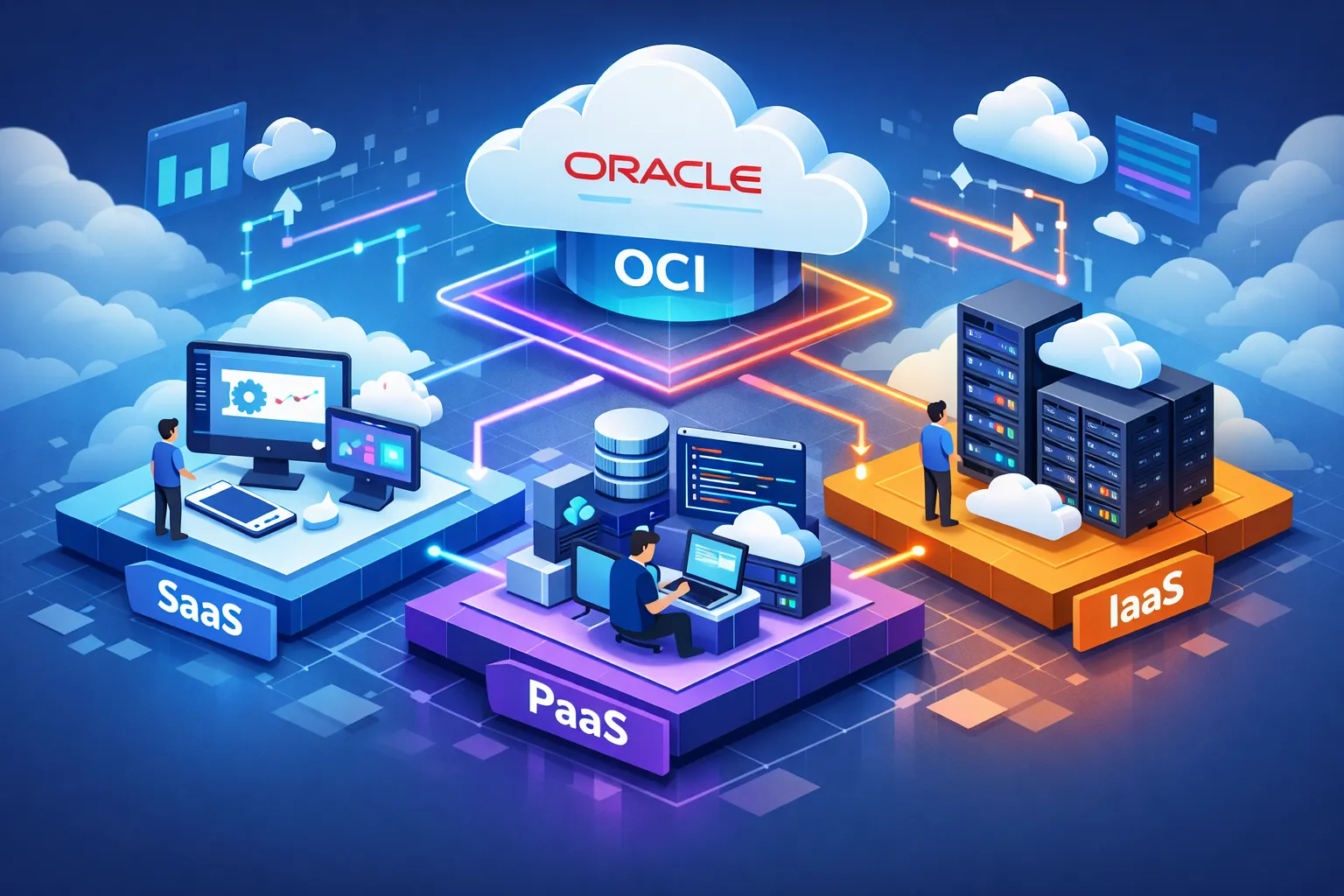
    Oracle separates Oracle Cloud Applications (the ready‑to‑use apps) from OCI platform and infrastructure services. The simplest classification rule: if Oracle runs the application and you only configure it, it’s SaaS; if Oracle manages the runtime/platform but you deploy code or extensions, it’s PaaS; if you manage OS, network and storage, it’s IaaS.

    SaaS (managed applications): Fusion Cloud ERP, HCM, SCM, Oracle CX and NetSuite. These are subscription products you configure; Oracle operates updates and infrastructure.

    PaaS (managed platforms): Autonomous Database, Integration Cloud, API Gateway, Oracle Kubernetes Engine (OKE), OCI Functions, Visual Builder, Analytics/BI Cloud. Oracle manages the platform layer and provides developer tooling and extension APIs.

    IaaS (infrastructure): Compute (VMs/bare metal), Block/Object Storage, Virtual Cloud Network (VCN), Load Balancer, FastConnect, Bastion, Network Firewall, KMS. You provision and operate the full stack above firmware.

    Edge cases: Exadata and some database offerings sit between PaaS and IaaS—treat them as managed infrastructure when you need hardware fidelity (IaaS characteristics) and as platform when Oracle manages the DB operations (PaaS characteristics). Always confirm the update and maintenance responsibility in the service docs for borderline offerings.

    Actionable tip: create a one‑page inventory of your apps and tag each with who “owns the stack” (you vs Oracle). Use that as the first filter in your model decision.

    Trade‑offs: cost, control, customization (Universal Credits explained)

    Your choice is a three‑way trade: operational overhead, customization surface, and cost predictability. SaaS minimizes ops, PaaS strikes a balance with managed services you can extend, and IaaS maximizes control at the cost of running everything yourself.

    Universal Credits (UCC) apply to OCI IaaS and PaaS services, not Oracle SaaS applications. UCC offers annual prepaid commitments (discounted rate card) or Pay‑As‑You‑Go (monthly billing). Typical negotiation patterns: small commitments (~$500K/yr) often net ~10% discounts, $1M–$5M can reach ~15–20% or more; larger strategic deals go deeper. Metering is service specific: OCPU‑hour for compute/DB, GB/month for storage, AI/Inferencing units for AI services, and asset‑based minimums for some managed apps. See Oracle’s pricing information for a starting reference when modeling commitments.

    Heuristics to choose by business need: choose SaaS when standardization and speed to value trump customization; choose PaaS when you want managed services with extension points; choose IaaS for lift‑and‑shift, strict compliance, or when OS‑level control is required. For a quick checklist on modernization readiness, review our top 10 signs that it’s time for modern cloud applications. For costs, build a 12‑month TCO that combines SaaS subscription fees, projected PaaS metering (OCPU/AI units), and conservative UCC drawdown estimates versus PAYG invoices.

    Tenancy, identity and security patterns when combining SaaS with PaaS/IaaS

    Make tenancy and identity decisions before migration—these are expensive to change later. Default to a single OCI tenancy with well‑designed compartments: separate compartments by environment (prod/stage/dev), team, or tenant. Use distinct VCNs and dedicated node pools for noisy or performance‑sensitive workloads. For detailed guidance on tenancy patterns, see Oracle’s multi‑tenancy best practices.

    For identity, federate your corporate IdP to OCI Identity Domains or use OCI IAM with federated SAML/OIDC to provide unified SSO across Oracle SaaS and your custom PaaS/IaaS apps. Enforce RBAC with least privilege and use JWTs for service‑to‑service auth in microservice patterns.

    Data segregation: schema‑per‑tenant is lower cost and easier to scale for many tenants; DB‑per‑tenant provides stronger isolation for compliance‑sensitive workloads. Choose based on scale, backup/restore SLAs, and regulatory requirements.

    Security guardrails to enforce from day‑one: enable Cloud Guard, centralized Logging and Monitoring, KMS for tenant keys, bastion hosts for admin access, and network firewalls. Start with the CIS OCI Landing Zone as your minimum baseline.

    Practical blueprint items to produce before a POC: compartments and mapping, CIDR ranges, IAM groups and policies, logging destinations, key management plan, and an incident response contact list.

    Migration patterns and a one‑page playbook

    Match the migration pattern to the business goal: speed, cost reduction, modernization, or process change.

    Lift‑and‑shift (rehost) preserves existing VMs and configs for the fastest migration. Replatform swaps in managed services like Autonomous DB or right‑sized VMs to reduce ops without rewriting. Refactor modernizes apps into microservices and PaaS to gain agility — higher ROI but longer delivery. Replace with SaaS when Fusion or NetSuite meets your functional needs and you want to transfer operations to Oracle.

    Tools you’ll use include OCI Migration Hub and Oracle migration services for discovery and lift‑and‑shift, Database Migration Service and GoldenGate for DB replication, Resource Manager (Terraform) for infra as code, Cloud VMware Solution for VMware migrations, and Data Transfer appliances for large data seeding. For operational guidance and checklists, consult our Oracle Cloud implementation best practices.

    Two‑week POC playbook (run this exactly):

    1. Inventory and classify target app by model (SaaS/PaaS/IaaS).
    2. Choose a candidate app with low business risk but representative workloads.
    3. Provision target resources and follow the tenancy blueprint.
    4. Replicate data (DMS/GoldenGate) and run functional smoke tests.
    5. Execute performance tests and capture metering for 30 days of simulated load.
    6. Review cost estimate, finalize cutover runbook, and test rollback end‑to‑end.

    Cutover highlights: validate replication lag, switch DNS with low TTL, run smoke tests and business validation, have rollback triggers defined, and communicate cutover windows to stakeholders.

    Decision checklist, hybrid recipes, CloudShine options, and FAQs

    Use this one‑page checklist to lock your model before execution.

    Criterion Question / Note
    Business priority Speed to market, customization, cost, or compliance?
    App type Standard ERP, custom web app, database, batch job?
    Team skills Cloud DB & Kubernetes skills available?
    Ops appetite Do you want to operate middleware or hand it to Oracle?
    Cost tolerance Willing to commit to UCC or prefer PAYG flexibility?

    Three hybrid recipes you can reuse: First, SaaS ERP (Fusion) as the core, Autonomous DB for analytics (PaaS), and IaaS VMs for legacy interfaces. Second, a PaaS‑first modernization: Autonomous DB + OKE for stateless services, keeping VMs during refactor. Third, IaaS lift‑and‑shift with a 12–18 month refactor roadmap to extract services to PaaS.

    CloudShine option (practical and hands‑on): we run a two‑day migration readiness workshop with live OCI instances, hands‑on labs, a 25‑point tenancy checklist, and placement support for trained consultants. Book a free 30‑minute migration checklist review with CloudShine to validate your plan.

    FAQs

    Does Universal Credits cover Oracle SaaS? No. Universal Credits apply to OCI IaaS and PaaS services. Oracle SaaS applications (Fusion, NetSuite) use separate subscription contracts.

    How do I tell if an OCI service is PaaS or IaaS? Check who manages updates and the surface area for extensions: managed runtimes and developer APIs indicate PaaS; raw compute, storage, and network primitives indicate IaaS.

    When should I replace on‑prem ERP with Oracle Fusion SaaS? Replace when Fusion maps to your processes and you value rapid TTM and reduced ops. If you need heavy customization, consider a phased route: integrations on PaaS and adapters on IaaS. See our Fusion vs EBS comparison and the evolvement of Oracle Fusion Financials to help with a phased decision.

    What tenancy and SSO pattern should I use for mixed SaaS + custom apps? Default to a single OCI tenancy with compartments, federate your IdP for SSO, and enforce least‑privilege IAM. Use separate tenancy only for strict regulatory or billing isolation.

    Summary: pick SaaS for speed and minimal ops, PaaS for managed extensibility, IaaS for control. Start with the one‑page inventory, run the two‑week POC, and use the decision checklist above. If you want hands‑on support, book CloudShine’s migration readiness workshop or a free 30‑minute checklist review.
  • Learn Oracle Integration Cloud: 8‑Week Practical Path

    Learn Oracle Integration Cloud: 8‑Week Practical Path

    Direct answer: If you want to learn Oracle Integration Cloud and be job‑ready, follow this 8‑week hands‑on program: after eight weeks you’ll be able to build, monitor, and troubleshoot production‑grade integrations, complete 2–3 portfolio projects, and be ready to pursue the OCI Application Integration certification. CloudShine provides practical bootcamps with live OIC instances, mentor hours and placement support if you prefer guided practice.

    What this 8‑week plan delivers (outcomes & how to use it)

    Direct answer: By the end you’ll be comfortable with connections and adapters, data mapping and transformations, fault handling and retries, monitoring with Integration Insight, export/import for DevOps, and at least one end‑to‑end SaaS sync. You’ll also have 2–3 deliverables (integration ZIPs, Postman collections, run logs) suitable for interviews.

    Why this works: passive watching teaches concepts; building teaches engineering judgment. The Practical Pro approach here is test small, measure, iterate — design a tiny integration, break it, fix it, then expand. That sequence compresses learning time and produces artefacts you can show employers.

    Practical starting checklist you can paste into your task manager: commit 6–10 hours/week (scale up to 12–15 for a 4‑week sprint), secure lab access (OCI trial, Luna Labs or CloudShine labs), build your first REST trigger and a REST→DB flow, create a scheduled file job, and complete one hybrid SaaS→SaaS sync as the capstone.

    Actionable takeaway: Block two lab sessions this weekend and create a tiny “Hello‑World” REST integration in your first session.

    A week‑by‑week practical roadmap (flexible 4–8 week plan)

    Direct answer: This plan scales: compress weeks for a sprint or stretch them for part‑time learning. Each week builds testable skills — fundamentals → adapters & patterns → mapping & error handling → automation → hybrid scenarios → DevOps and certification polish.

    The structure matters: each week includes one measurable deliverable you can run and screenshot. Treat failures as data: log them, apply a fix, and re‑run.

    Week 1 — Foundations

    Sign up for OCI Free Tier or Luna Labs, explore the OIC console (see navigating the OIC user interface), and learn REST vs SOAP basics. Deliverable: a “Hello World” trigger that echoes input back to Postman with an active integration.

    Week 2 — Adapters & connections

    Build connections: REST, Database and FTP. Test with Postman and a local DB (or Autonomous DB). Deliverable: a REST → DB insert integration with successful Postman tests.

    Week 3 — Data mapping and fault handling

    Master the mapper, assign actions and expression functions. Create a fault policy and exercise retries. Deliverable: XML/JSON mapping plus a simulated mapper error showing fault policy behavior.

    Week 4 — Scheduling, file processing and monitoring

    Implement scheduled polling, file parsing (CSV→JSON), and set up Insight dashboards for runtime visibility. Deliverable: scheduled SFTP→DB job with an Insight chart that shows runs and errors.

    Week 5 — SaaS adapters and hybrid connectivity

    Configure SaaS adapters and the Connectivity Agent for on‑prem resources. Deliverable: a basic ServiceNow → Oracle Fusion supplier sync (demo data).

    Week 6 — Process automation & Visual Builder basics

    Design a simple approval flow integrating OIC with Visual Builder or a low‑code approval form. Deliverable: an approval workflow that pauses and resumes based on a manual approval action.

    Week 7 — DevOps: export/import and CI/CD

    Practice exporting integrations (ZIP), versioning artifacts, and a CI/CD checklist (export, import to test tenancy, smoke tests). This week is also a buffer for fixes.

    Week 8 — Certification prep and portfolio polish

    Take mock exams, map Oracle learning objectives to your labs, finalize documentation: README, architecture diagram, test outputs. Deliverable: a polished project repo and scheduled exam date.

    Resources: Oracle docs and tutorials, Luna/LiveLabs sessions, official Oracle University learning paths, our Practical Quick‑Start Guide, and compact YouTube walkthroughs (search “Oracle Integration Cloud 3 tutorials”). For guided, hands‑on lab exercises see the K21 Academy step‑by‑step lab walkthroughs.

    Actionable takeaway: Choose the 4‑week sprint or 8‑week steady pace now and block the same weekly slots on your calendar for the next two months.

    Get hands‑on: set up your OIC practice environment (OCI Free Tier, Luna Labs, CloudShine labs)

    Direct answer: You need a live OIC instance to learn integrator skills. Use the OCI trial credits for extended practice, Luna Labs for short sandboxes, or CloudShine for continuous lab access with mentor support.

    Note on limits: Oracle Integration is not Always Free — it uses trial credit. Luna Labs gives short timed sandboxes without a credit card. Live instances let you test real adapters and the Connectivity Agent, which is essential for hybrid scenarios.

    1. Create an Oracle account and sign up for OCI Free Tier details (verify card; note $300/30 days trial vs Always Free differences).
    2. In OCI Console: Developer Services → Integration → Create instance (select compartment, region and edition).
    3. Open the Integration Console, create a compartment/service user, and create your first connection (REST) to validate connectivity.
    4. Alternative: go to luna.oracle.com, find OIC labs and launch a temporary sandbox for one‑hour sessions. For a short guide on creating a free trial OIC instance see this community post: create a free trial OIC instance.
    5. CloudShine option: enroll in a bootcamp to get extended live instance access, mentor hours and placement coaching under the 60:24 practical rule (see our CloudShine Quick‑Start for bootcamp details).

    Troubleshooting tips: If you can’t see Integration in your region, check home‑region selection; for agents, ensure firewall allows outbound HTTPS to Oracle endpoints and open the required ports for the agent host.

    Actionable takeaway: Provision one test integration within 45 minutes following step 1–3 above; note the console URLs and save credentials securely.

    Core OIC concepts, adapters and integration patterns you must master

    Direct answer: Focus on connections/adapters, triggers/invokes, mapping, orchestration, fault policies and Integration Insight. Master these and you can design resilient production integrations.

    Each concept explained briefly, with a practical micro‑exercise:

    Connections & adapters

    One‑line: adapters are prebuilt connectors (REST, DB, FTP, SaaS). Exercise: create REST, Database and FTP connections and validate with Postman and a sample query.

    Mapping & transformations

    One‑line: use the visual mapper to convert JSON↔XML and apply functions. Exercise: map a CSV→JSON pipeline and validate field transforms.

    Integration patterns

    One‑line: scheduled polling, event‑driven webhooks, request/response and pub/sub are the building blocks. Exercise: implement a scheduled file poll and a webhook trigger for near‑real‑time updates.

    Fault handling & monitoring

    One‑line: fault policies prevent silent failures; Insight surfaces runtime patterns. Exercise: force a mapper error and observe error logs, retries and Insight metrics.

    Hybrid & Connectivity Agent

    One‑line: the agent enables secure on‑prem access. Exercise: register an agent and transfer a sample file from a local VM to cloud storage through OIC.

    Actionable takeaway: Run one 60–90 minute lab per concept and export the integration ZIP plus screenshots as proof of work.

    Three practical sample projects (beginner → hybrid production)

    Direct answer: Build these three projects to create interview‑ready deliverables: a quick REST→DB starter, a scheduled SFTP file pipeline, and a hybrid SaaS sync with conflict handling.

    Project A — Beginner (1–3 hours): REST echo → DB write

    Goal: REST trigger, map payload to DB insert, test with Postman. Deliverables: integration ZIP, Postman collection, one‑page README with setup steps.

    Project B — Intermediate (1–2 days): Scheduled file processing (SFTP → DB → Notification)

    Goal: scheduled poll of SFTP, transform CSV→JSON, upsert DB, send email on failures. Deliverables: sample data, integration ZIP, Insight run logs showing successful runs and handled errors.

    Project C — Advanced (2–7 days): Hybrid SaaS sync (ServiceNow → Oracle Fusion supplier sync)

    Goal: secure REST/SOAP connections, agent for on‑prem fields, mapping, conflict resolution logic, fault policies and monitoring. Deliverables: runnable integration, mapping docs, test cases and deployment notes.

    Interview tips: For each project include a simple architecture diagram, test outputs (screenshots or logs), and a short note on what you’d change for production (idempotency, batching, scaling limits). If you’re aiming for Fusion roles, read our guide on the path to becoming an Oracle Fusion consultant and consider fast Oracle Fusion SCM training to round out your profile.

    Actionable takeaway: Start Project A this week and push artifacts to a GitHub repo you can link in interviews.

    Certification strategy, recommended courses and FAQs

    Direct answer: Aim for the OCI Application Integration Professional certification (current track) and pair Oracle University learning paths with hands‑on labs. The 1Z0‑1042‑26 code maps to integration design, adapters, orchestration, scheduled integrations and troubleshooting.

    Certification plan: map each exam objective to a lab in your portfolio. Spend 2–4 focused weeks of revision, do 5–10 hands‑on labs that mimic exam scenarios, and take 2–3 mock tests. For a deep dive into certification objectives see our Oracle Integration Cloud Service Certification guide and check the official Oracle University certification pages for current exam details.

    Recommended learning resources:

    Oracle University — official, certification‑aligned courses and labs; use for objective mapping. K21 Academy / Apps2Fusion — step‑by‑step lab walkthroughs for common scenarios. CloudShine bootcamp — live instances, mentor guidance and placement coaching for accelerated readiness. For official product details and integration capabilities see the Oracle Integration product page.

    FAQ

    Can I use OCI Always Free to practice OIC?

    Short answer: no. Oracle Integration Cloud is not part of Always Free; use the $300/30‑day trial credits or Luna Labs for temporary sandboxes.

    How long until I’m job‑ready?

    With full‑time focus you can reach job‑readiness in 4–8 weeks; part‑time learners typically need 8–12 weeks to build the same portfolio and confidence.

    Do I need strong programming skills?

    No. Most work is configuration, mapping and expression writing. Basic JSON/XML familiarity and simple scripting helps but heavy coding is rarely required.

    Which certification should I pick first?

    Target the Application Integration Professional track aligned to OIC (check Oracle University for the current exam code and objectives). Map each objective to a lab before scheduling the exam.

    Conclusion & next steps

    One‑line: This practical 8‑week path turns concepts into demonstrable skills — live integrations, monitoring, error handling, and a portfolio you can show recruiters.

    Three‑step CTA: 1) Provision a lab (OCI trial or Luna Labs) this weekend, 2) build Project A and commit artifacts to GitHub, 3) if you want mentor‑led practice or placement help, contact CloudShine to discuss the OIC bootcamp and live instance access.

    Further reading: for step‑by‑step labs and extended practice guides see the K21 Academy walkthroughs linked above, and refer to the official OCI Free Tier documentation when you provision your tenancy.

  • Pick the Right Oracle Developer Course: A Practical Guide

    Pick the Right Oracle Developer Course: A Practical Guide

    If you want rapid entry into Oracle application development, pick an APEX-first oracle developer course (APEX Foundations → APEX Developer Professional → ship a portfolio app). If your goal is cloud-native development or microservices on Oracle Cloud, target the OCI Developer Professional path and pair it with PL/SQL plus a container/Functions capstone. For career pivots, combine structured labs, a deployable capstone, and targeted interview prep to move into production roles within 4–6 months.

    This guide is written for three reader types: the Aspirant (new graduate or entry-level), the Pivoter (ERP/DB professionals moving to cloud), and the Enterprise learner (teams or managers upskilling staff). Read on to compare providers, estimate time and cost, and follow a concrete study path you can start today. If you prefer a guided, bootcamp-style experience with live Oracle instances and placement support, CloudShine’s instructor-led option (60:24 practical hours, mentor access, mock interviews and resume help) is discussed where relevant.

    Which developer track fits your goal?

    Aspirant / New grad — Best short path: APEX Foundations + a solid SQL/PL‑SQL primer, then build one APEX app. You can reach a minimum hireable portfolio in ~90 days if you practice daily and publish a working app.

    Pivoter / ERP consultant — Best for established professionals: APEX Developer Professional plus a PL/SQL deep dive and basic OCI. Four to six months of structured study and migration projects will show employers you can modernize legacy systems.

    Cloud‑native developer — Best for microservices and DevOps: OCI Developer Professional (1Z0‑1084‑25) with a container/Functions project and CI/CD. Expect six months or more depending on prior container experience.

    Why these tracks matter: APEX dramatically shortens time-to-product because it’s low-code and database-native; PL/SQL remains the database backbone for complex business logic; OCI knowledge makes your work deployable and observable in production.

    Quick evaluation checklist (use this when scanning any course):

    • Hands-on labs with real Oracle or OCI instances (not just screenshots).
    • A capstone or deployable project that you can link on your resume.
    • Mentor or instructor access for Q&A and code review.
    • Placement support or interview prep (mock interviews, resume help).
    • Clear mapping between syllabus and certification objectives.

    How top providers stack up

    Oracle University

    What it is: Official learning paths, exam-aligned content, and sanctioned labs. Strengths are accuracy, up-to-date curricula, and direct exam mapping. Weakness: instructor-led pricing can be high and lab access may require subscriptions. Best use: final-stage certification preparation and hands-on exam labs.

    Coursera

    What it is: Structured specializations with deadlines, quizzes, and project submissions. Strengths include guided pacing and recognized course certificates; weaknesses are limited live mentorship and variable depth on platform-specific admin tasks. Best use: beginners who like guided learning and project-based assessments.

    Udemy

    What it is: On-demand video courses often focused on SQL, PL/SQL, and exam prep. Strengths are low sale prices and compact topic coverage; weakness is inconsistent quality—pick high-rated instructors and updated syllabi. Best use: targeted skill topping or exam-cram modules.

    Bootcamps / Private training

    What it is: Intensive mentor-led programs that combine labs, projects, and placement assistance. Strengths are speed-to-job and personalized feedback; cost is higher. Best use: career pivoters who want a fast, supported track into employment. For guidance on selecting a provider for enterprise or team engagements, see How to Choose the Right Oracle Implementation Partner: Key Considerations, CloudShine.

    CloudShine (practical option)

    What it is: A hands-on, placement-focused training provider with live Oracle/Cloud instances, practitioner mentors and a placement cell. Strengths include the 60:24 practical hours model (60 hours instructor-led + 24+ lab hours), resume and mock-interview support, and corporate-ready project scenarios. Best use: candidates who want instructor guidance plus tangible placement assistance rather than fully self-paced study. For an example training track you can review, see Master Oracle Fusion SCM Training Quickly: Your Path to Success.

    Pricing snapshot (approximate): Oracle lab subscriptions $29/month or $299/year; Oracle certification costs typically $245 per attempt; Udemy sale prices typically $10–$20; Coursera subscription around $49/month. Verify current rates before enrolling.

    Evaluate course quality beyond ratings by checking the syllabus for explicit exam-objective mapping, the presence of sample labs or capstones, and instructor background (industry experience >10 years is a useful signal).

    Certification map: APEX, OCI Developer, Database / PL‑SQL

    APEX pathway

    Core steps: APEX Foundations (~3 hours) then APEX Developer Professional (~22 hours). Typical certification: APEX Cloud Developer Professional (exam 1Z0‑771). Topics: low-code app builder, SQL Workshop, REST integration via ORDS, security, PWAs, and deployment on OCI.

    OCI Developer Professional (1Z0‑1084‑25)

    Exam format and focus: 90 minutes, multiple‑choice and scenario questions, emphasis on containers, Oracle Functions, API Gateway, Events/Streaming, observability and deployment patterns. Passing score commonly reported near 68%—verify on Oracle’s exam page before scheduling: OCI Developer Professional exam details. Hands-on lab practice with Functions, OKE, and API Gateway is essential.

    Database / PL/SQL certifications

    Coverage: SQL fundamentals and Oracle SQL specializations, PL/SQL programming, stored procedures, performance and optimization. These certifications remain core evidence of database competency for most Oracle roles and pair well with either APEX or OCI tracks.

    Costs and logistics: Plan for ~$245 per exam attempt, plus optional lab subscriptions ($29/month or $299/year) or the OCI trial credit ($300) to run hands-on scenarios. On test day expect scenario-style questions—practice time management and focus the last two weeks on labs and timed practice exams.

    Practical study plans and the hands-on lab checklist

    90‑day Beginner plan (Aspirant): Aim for 10–12 hours/week. Weeks 1–2: SQL basics and simple queries. Weeks 3–6: PL/SQL fundamentals and stored procedures. Weeks 7–10: APEX Foundations and a small CRUD app. Weeks 11–12: polish, deploy the app, take practice exams. Deliverable: a deployed APEX app and three clear resume bullets describing its business value.

    180‑day Pivoter plan: Deepen PL/SQL, complete APEX Developer Professional labs, add ORDS and REST endpoints, learn basic OCI services like Object Storage and Compute, and execute a migration capstone (legacy form → APEX). Deliverable: end-to-end app with data integration and deployment notes.

    270–365 day Cloud‑native path: Prepare for the OCI Developer Professional exam while containerizing parts of your app onto OKE, build serverless Functions and an API Gateway, and automate releases with a CI/CD pipeline. Deliverable: a microservices demo with observability and a README that explains architecture and deployment steps.

    Hands-on lab checklist (must-do items):

    • Create an OCI trial tenancy and enable the always-free resources for initial practice.
    • Provision an APEX workspace and build a CRUD application using shared schema objects.
    • Enable ORDS and expose one REST endpoint for your app.
    • Publish static assets or exports to OCI Object Storage and test public access.
    • Containerize one component, push to OCIR, and deploy to OKE or run as a Function.
    • Integrate basic monitoring/logging (OCI Monitoring and Logging) and collect metrics during a simple load test.

    Weekly time allocation example: 10–12 hours/week — allocate roughly 6 hours to labs and 4–6 hours to instruction, reading and practice exams.

    Employer lens: what hiring managers actually want

    Top skills listed first on job posts are APEX development, advanced SQL/PLSQL, REST APIs via ORDS, query performance tuning, and practical OCI familiarity. Java appears less often unless the role is explicitly cloud-native or microservices-focused.

    Titles and expectations: An “APEX Developer” should show deployed APEX apps and dashboards; a “PL/SQL Developer” must demonstrate stored procedures, packages and performance tuning examples; an “OCI Developer” needs a containerized app or Functions endpoint plus CI/CD evidence.

    High‑impact projects to showcase (describe in your repo and resume): an expense-management app with approval workflows; an approvals/workflow system with email notifications and audit trail; a reporting dashboard with parameterized queries; a REST-enabled backend using ORDS; a small containerized async worker using OCI Functions or a job queue.

    Interview prep: prepare to walk through your app architecture, justify design trade-offs, read basic execution plans for performance questions, show logs and monitoring during a demo, and rehearse common PL/SQL scenarios (bulk processing, exceptions, performance pitfalls).

    Final recommendation, immediate next steps, and FAQs

    Match your persona to the quickest path: Aspirant → APEX-first (90 days, low cost); Pivoter → APEX + PL/SQL + basic OCI (4–6 months); Cloud‑native → OCI Developer Professional + containers and CI/CD (6+ months). Cost ballpark: $0–$300 for self-study + exam fees (~$245) versus $500–$2,500+ for instructor-led or bootcamp options depending on provider and placement services.

    Three-step actionable plan:

    • Choose the right Oracle implementation partner and select your track (APEX / OCI / PL/SQL) and enroll in one course mapped to that goal.
    • Reserve hands-on time: activate an OCI trial, buy a one-month lab subscription if you need extended instances, and follow the 90/180/270 plan that fits your timeline.
    • Build and publish one capstone app, take a practice exam, then schedule the official certification attempt.

    CloudShine’s practical bootcamp-style option is designed for candidates who prefer live, mentor-led instruction with direct instance access and placement support—request a free counseling call via CloudShine’s contact page to discuss batch schedules and placement options.

    FAQs

    How much does certification cost and how long to prepare? Exam fees are typically around $245 per attempt. Prepare time ranges from 2–3 months for APEX beginners to 6+ months for OCI cloud-native roles depending on prior experience.

    Which is quicker to job-readiness: APEX or OCI? APEX is faster to ship production apps and often faster to job-readiness; OCI skills are higher-value for cloud-native roles but usually take longer to master.

    Can I pass with only Udemy/Coursera and self-study? Yes—many candidates certify through self-study, but success requires disciplined hands-on labs and at least one deployable project to show employers.

    What projects should I build to get hired? Build a business-facing APEX app with workflows, a REST-enabled backend using ORDS, and one containerized component or Function to demonstrate cloud readiness.

    How do I get affordable OCI/APEX labs? Use the OCI free trial ($300 credit + always-free tier) for initial practice, then consider Oracle’s lab subscriptions ($29/month) if you need sustained hands-on access.

    Actionable takeaway to copy-paste into your planner: enroll in an APEX or OCI course this week; activate an OCI trial; set 10–12 hours/week for hands-on labs; complete one capstone app by week 12; book a practice test and one mock interview before scheduling your official exam.

    Final note: pick a single track, focus on shipping one real app, and make your learning visible. Employers hire demonstrable results; certifications help, but a working, documented project will get you the interview. If you want guided, practical instruction and placement support, CloudShine’s practical bootcamp-style option is designed for exactly that outcome—get a free counseling call and start building.

  • OIC in Oracle Fusion: Patterns, Adapters & Best Practices

    OIC in Oracle Fusion: Patterns, Adapters & Best Practices

    Direct answer: Oracle Integration Cloud (OIC) gives you a unified, low‑code platform to connect Fusion SaaS with cloud and on‑prem systems using prebuilt adapters, visual orchestration patterns and process automation. This guide shows which integration pattern to pick, how to wire OAuth/connectivity, and how to build and monitor a supplier/customer push end‑to‑end. At CloudShine we teach this exact flow using live Fusion instances and hands‑on labs.

    Who should read this: integration developers, Fusion consultants, and CloudShine trainees who need a pragmatic, project-ready reference. By the end you’ll be able to pick a pattern, configure an OIC connection to Fusion, build an App‑Driven orchestration, and apply monitoring and DLQ patterns in production.

    1) What OIC actually does for Oracle Fusion — baseline

    Takeaway: OIC offers integrations, adapters, process automation and a visual app layer so Fusion can exchange data, trigger workflows and expose APIs reliably.

    Integrations: Use OIC to orchestrate real‑time or scheduled flows — for example, supplier onboarding from a procurement portal or nightly invoice reconciliation into a 3PL system.

    Adapters: Prebuilt Fusion adapters (ERP/HCM/Field Service) and generic REST/SOAP connectors remove hand‑coded auth and schema handling; service discovery speeds development.

    Process Cloud: Add human approvals and exception handling (e.g., supplier exceptions routed to procurement approvers) without custom UIs.

    Visual Builder: Lightweight UIs that call your OIC integrations for quick extensions—useful for small portals or data correction screens.

    When to use OIC vs direct Fusion APIs: pick OIC when you want speed (adapters + templates), central governance and observability. For one-off, simple GETs you can call Fusion REST directly; for anything involving retries, transformations, or cross‑system routing, OIC pays back in maintainability and monitoring. Pro tip: benchmark whether a single record REST call, a 100‑record batch, or an FBDI bulk upload is most cost‑effective for your throughput needs.

    2) Pick the right integration pattern (decision logic)

    Takeaway: choose the pattern based on volume, latency requirements and whether transactions must be atomic.

    App‑driven orchestration (event‑triggered)

    Use when Fusion or an external system emits business events and you need near‑real‑time syncs. Example: supplier create in Fusion triggers a push to an external tax validation service and a downstream ERP.

    Scheduled orchestration (batch)

    Use for non‑urgent reconciliations or nightly syncs where data can be aggregated and validated in bulk.

    File transfer / FBDI

    Use FBDI when importing very large datasets into Fusion (mass payroll, GL uploads). Generate the CSVs, zip and call Fusion’s import jobs—this scales far better than per‑record REST calls.

    Basic routing / point‑to‑point

    Minimal transform and routing between two systems; use for simple lookups or enrichment without process logic.

    Decision checklist (quick read): consider latency, volume, required atomicity and how errors should be resolved. Avoid calling external APIs one record at a time inside loops — instead batch calls (Fusion REST accepts ~100 records) or use FBDI for bigger loads. If you want further design guidance on selecting and implementing patterns across multiple projects, see our Oracle Fusion Integration Strategies for Seamless Application Connections.

    3) Configure authentication & connectivity (practical)

    Takeaway: prefer OAuth client_credentials for system‑to‑system calls; use Integration Cloud Agent or OCI FastConnect for private networks.

    Steps—high level: create an OAuth confidential application in your Fusion identity domain, note the client_id/secret and token endpoint, then configure an OIC REST connection to use client_credentials. In Fusion IAM select Client Credentials as the grant and ensure the appropriate scope or resource audience is assigned. For a step‑by‑step reference on configuring OAuth using client credentials with OIC, refer to the official Oracle guide on Configuring OAuth authentication using client credentials.

    # cURL example (replace placeholders)
    curl -u "CLIENT_ID:CLIENT_SECRET" 
      -H "Content-Type: application/x-www-form-urlencoded;charset=UTF-8" 
      -X POST "https://.identity.oraclecloud.com/oauth2/v1/token" 
      -d "grant_type=client_credentials&scope=urn:opc:resource:fusion::boss/"
    

    Other auth options: authorization code for user‑consent scenarios; JWT assertion for higher security; Basic Auth only as a last resort. For private connectivity, deploy the Integration Cloud Agent for on‑prem targets or provision OCI FastConnect/VPN for a private path between OIC and customer networks. Troubleshooting: check token scopes, pod/hostname alignment, and firewall/NAT rules. Store client secrets in OIC’s managed vault and rotate them regularly. For extra reading on REST adapter authentication patterns see Oracle’s documentation on REST adapter authentication support.

    4) Prebuilt adapters, accelerators and when to pick them

    Takeaway: use the ERP/HCM/Field Service adapters for rapid, reliable Fusion connectivity; fall back to REST/SOAP for unsupported operations.

    Oracle ERP Cloud Adapter — auto‑discovers service catalog and supports inbound/outbound operations for suppliers, invoices and business events. Use this for most Procurement/Financial objects.

    Oracle HCM Cloud Adapter — event‑driven HR cases and employee syncs.

    Fusion Field Service Adapter — for work orders and field data syncing.

    REST & SOAP adapters — use when an adapter doesn’t expose a specific endpoint or for third‑party APIs.

    Accelerators and recipes live in the Oracle Integration Store; CloudShine provides sample mapping templates and project skeletons in our labs to reduce initial friction. Adapter caveats: respect rate limits, watch supported batch sizes and note differences between adapter operations and raw REST. Mapping guidance: prefer structural mappings, use built‑in functions for small transforms, and centralize reusable mappings or XSLTs to avoid duplication.

    5) Build it: step‑by‑step sample — push a supplier into Fusion

    Takeaway: an App‑Driven Orchestration with a REST trigger is the fastest demo path to show OIC→Fusion supplier creation.

    1. Create two Connections in OIC: a REST Connection (external trigger) and an Oracle ERP Cloud Adapter connection (Fusion target). Test both connections from the Designer.
    2. Create a new App‑Driven Orchestration integration, set the REST trigger path (POST /suppliers) and upload a sample request schema.
    3. On the canvas drag trigger → mapper → ERP invoke (select createSupplier). Map fields; test the mapper with sample data:
      { "SupplierName":"Acme Corp","TaxId":"12345","Address":{"City":"Bengaluru"} }
    4. Add a Business Identifier (use TaxId) to track instances in Monitoring and set a fault policy: retry x3 with exponential backoff, then route to a DLQ (FTP or DB).
    5. Save, Activate and test with Postman. Verify the instance in OIC Monitoring and confirm the supplier exists in Fusion (Manage Suppliers or GET API).

    For a concise tutorial on creating your first integration in OIC, Oracle’s official walkthrough is a useful companion to this example: Create your first integration.

    Testing checklist: confirm HTTP response codes, inspect the activity stream for transformer logs, check business identifier values, and validate the target object in Fusion UI or via REST GET. Troubleshooting: re‑run connection tests, check token lifetime, and validate the adapter’s service catalog for the expected operation. For large volumes switch to FBDI or batch endpoints rather than repeating this flow record‑by‑record.

    6) Best practices, monitoring, and rollout checklist

    Takeaway: plan for retries, throttling, governance and observability before go‑live.

    Monitoring & observability: use OIC Monitoring dashboard, activity stream and business identifiers. Configure OCI Notifications or email alerts for failed instances and SLA breaches so ops teams see problems immediately.

    Error handling & reliability: implement scope‑level fault handlers, an exponential backoff retry loop and a dead‑letter pattern (parking table or error folder). Use idempotency keys (business identifiers) to prevent duplicates on retries. For a broader set of recommended practices, the CloudShine labs and our article on System Integration Flows: Best Practices and Techniques provide patterns and reusable artifacts.

    Security & governance: adopt least‑privilege OAuth clients, rotate secrets, and separate environments (dev/test/prod) with naming conventions and package versioning. See our post on Optimizing Oracle Fusion Security: Best Practices for Consultants for practical controls and checklist items.

    Performance: prefer bulk endpoints and FBDI for volume; tune concurrency and respect adapter throttle limits. For a short summary of OIC’s core capabilities to help prioritize which features to adopt first, this external primer on OIC features is helpful: What are the three main features of OIC?

    Production rollout checklist (copy/paste):

    • Validate credentials and token expiry windows
    • Load test representative payloads and batch sizes
    • Enable monitoring, tracing and alerts for failed instances
    • Configure DLQ and documented recovery steps
    • Publish runbooks, rollback steps and contact lists

    CloudShine help: CloudShine’s OIC+Fusion labs provide live Fusion instances, sample integration templates and mentor‑led troubleshooting—useful to convert this guide into hands‑on experience before you deploy to production. If you need guidance on delivering ERP projects end‑to‑end, read about The Role of an Oracle Fusion Consultant in Successful ERP Implementation and how CloudShine mentors help bridge the gap between training and production delivery. For broader ERP considerations see our overview of Oracle Cloud ERP: Benefits, Challenges and best practices in Implementation.

    FAQs

    Which auth method should I use for system‑to‑system OIC→Fusion integrations?

    Use OAuth 2.0 client_credentials for two‑legged, system‑to‑system flows. It’s secure, aligns with IDCS and integrates easily with the OIC REST adapter. Use JWT assertion for higher security requirements.

    When should I use the ERP Cloud Adapter vs the REST Adapter?

    Use the ERP adapter when it exposes the business object you need (suppliers, invoices) because it handles discovery and transforms. Use REST when you need unsupported endpoints, custom APIs or non‑Oracle targets.

    How do I handle bulk supplier/customer loads into Fusion?

    Use FBDI: populate Oracle’s templates, generate CSVs, zip with properties file, upload to UCM and run the import job. Automate FBDI generation from OIC for large volumes.

    Do I need Integration Cloud Agent to connect to Fusion?

    No—cloud‑to‑cloud typically uses public HTTPS and OAuth. Use the Integration Cloud Agent for on‑prem targets or when you require private network access.

    Where do I monitor OIC flows and set alerts?

    Use the OIC Monitoring dashboard, Activity Stream and Business Identifiers for instance tracking. Hook alerts to OCI Notifications or email for failed instances and SLA breaches.

    Actionable takeaway — do this in an hour

    • Pick a pattern (event, scheduled, or FBDI) based on latency and volume.
    • Provision two connections in OIC: REST trigger and ERP adapter to Fusion.
    • Create OAuth client_credentials in Fusion IAM and configure the OIC REST connection.
    • Build a minimal App‑Driven orchestration: trigger → mapper → createSupplier invoke.
    • Enable monitoring, add a business identifier, and configure a simple DLQ for failures.

    That sequence turns a concept into a working integration you can iterate on. If you want hands‑on guidance, CloudShine’s labs let you practice with live Fusion instances and mentor feedback so you can move from learning to delivery quickly.

  • Oracle Fusion Technical Training: 2026 Roadmap & Picks

    Oracle Fusion Technical Training: 2026 Roadmap & Picks

    Direct answer: If you need a job-ready, hands-on route choose a vendor bootcamp that provides live Fusion tenants and placement support; if you need vendor authority and formal certification opt for Oracle University; self‑paced courses are best when you need specific skills on a tight budget. This oracle fusion technical training guide cuts through options and shows which path works for Pivoters, Aspirants and Enterprises.

    Quick credibility: at CloudShine we’ve trained 500+ consultants, provide live Fusion instances for labs, and run a placement cell—I’ll use that vendor‑bootcamp model as the practical example throughout this guide.

    Pick your path: official vs bootcamp vs self‑paced

    Direct takeaway: Match the training path to your career stage, timeline and ROI needs—there’s no single “best” route.

    Who each path fits: Pivoters (experienced EBS or ERP professionals switching to Fusion), Aspirants (recent grads or career starters), Enterprise buyers (teams needing consistent upskilling), and Specialists (integration or developer-focused engineers). Your persona determines whether you prioritize certification, hands‑on labs, or flexibility. If you want a deeper look at consultant responsibilities, see The Role of an Oracle Fusion Consultant in Successful ERP Implementation, CloudShine.

    What each path delivers: Oracle University grants official certification authority and the most direct route to badges employers recognize. Vendor bootcamps focus on speed and practice—live tenants, scenario projects and placement prep. Self‑paced courses offer low cost and modular learning for targeted technical skills.

    • Decision checklist — before you choose, ask: How many hours/week can I commit? What’s my budget? Do recruiters require certification? Do I need live tenant experience? How quickly must I be job-ready?

    Example: a mid‑career EBS consultant who needs to land Fusion consulting gigs fast will generally do better in an intensive bootcamp with live instances and placement coaching than by only buying an Oracle University course and sitting exams.

    Actionable takeaway: Decide in three steps—identify your persona, list two non‑negotiable skills (e.g., OIC + OTBI), then choose the provider type that guarantees those outcomes.

    Compare costs, timelines and delivery formats

    Direct takeaway: Expect exam fees to be fixed (about $245) while course delivery ranges from low‑cost self‑study to high‑value, placement‑oriented bootcamps that often exceed $1,200.

    Price ranges: Oracle University exams typically cost ~$245. Self‑paced video courses run $50–$500. Short instructor‑led modules often fall in the $400–$1,200 range; intensive placement bootcamps with live tenants and mock interviews are usually >$1,200.

    Timelines: Self‑study can take weeks to months; short instructor‑led classes are days to weeks; immersive bootcamps with placement run 4–12 weeks. Exams are generally ~90 minutes with ~50–58 questions.

    ROI example: an Implementation Specialist salary band may increase by $10–30k after moving from legacy EBS to Fusion consulting. If a bootcamp costs $2k, a conservative $15k uplift pays back in under two months on first promotion or new role.

    What to verify before you pay: confirm live tenant access hours, total lab hours, trainer experience (years and project background), placement support scope, and refund/guarantee terms. For an authoritative breakdown on certification pricing and what to expect, review what it costs to get Oracle certified.

    • Vendor checklist: live tenant availability; minimum lab hours; trainer CVs and real project experience; placement cell services and success metrics; clear refund/guarantee language.

    Actionable takeaway: Use the 5‑point checklist above to compare providers side‑by‑side before committing funds.

    Core technical skills and which courses teach them

    Direct takeaway: Master these core skills—OIC for integrations; OTBI and BI Publisher for reporting; FBDI for data loads; REST/SOAP APIs and ADF/customization—and you’ll be interview‑ready.

    OIC (Oracle Integration Cloud): look for OIC modules or integration tracks in vendor bootcamps and Oracle’s integration courses. Practicals should include adapters, mapping, orchestration and error handling.

    OTBI & BI Publisher: choose courses with hands‑on report labs. Ideal sessions let you build dashboards and author BI Publisher templates from live data.

    FBDI/Data migration: prioritized in migration modules. Good training provides FBDI templates, CSV staging practice and end‑to‑end import runs into a tenant.

    Integrations/APIs & customizations: developer tracks covering REST/SOAP, ADF/JDeveloper, Redwood UI and, for advanced work, Oracle AI Agent Studio. Training should combine dev tools with Fusion configuration context. For security-focused guidance relevant to customization and integration work, read Optimizing Oracle Fusion Security: Best Practices for Consultants.

    Sample lab projects to build your portfolio: build an OIC invoice sync to a backend accounting system; create an OTBI executive dashboard for AR aging; deploy a BI Publisher invoice template; perform an FBDI employee data migration with reconciliation notes.

    Proving skills in interviews: show a tenant walkthrough, export report PDFs, include command‑by‑command migration logs and a short video demo. Employers value repeatable evidence over memorized answers.

    Actionable takeaway: Choose two core skills and one capstone project to complete within 90 days and list them prominently on your resume. If your focus includes supply chain modules, our training path Master Oracle Fusion SCM Training Quickly: Your Path to Success outlines SCM-specific labs and projects.

    Certification roadmap employers respect

    Direct takeaway: Start with Process Essentials, then target a module Implementation Professional (ERP/SCM/HCM) and add Integration/Developer certs for technical differentiation.

    Suggested sequence: foundation (Process Essentials) in 0–1 month; module Implementation Professional prep in 2–4 months; integration/developer certs after 6 months once you’ve had labs and a capstone project.

    Practical exam notes: plan for ~90 minutes per exam, ~$245 each, and keep delta exams in mind for yearly updates. Preparation must include hands‑on practice, not only reading materials.

    Which certs employers value: Implementation Professional tracks for consultants; Integration/Developer certs (OIC, AI Agent Studio) for technical hires. These map to titles like Implementation Consultant, Integration Specialist and can materially shift compensation expectations. For details on specific Implementation Professional tracks, review the Oracle Fusion Implementation Professional track.

    Study strategy: combine Oracle MyLearn theory, vendor bootcamp labs, and practice exams. Maintain a practice tenant where you repeat tasks you’ll be asked about in interviews.

    Actionable takeaway: Use a 6‑month plan—month 1 foundations, months 2–4 module prep with labs, month 5 exam attempts, month 6 start an integration cert—book exams at least two weeks ahead to fix a deadline. For official certification paths and exam scheduling, see Oracle certification paths.

    A 30/90‑day learning plan: weekly milestones and portfolio deliverables

    Direct takeaway: Use the first 30 days to gain practical competency and the 90‑day plan to produce demonstrable work for interviews.

    30‑day sprint (weeks 1–4): Week 1—complete Process Essentials and set up your practice tenant; Week 2—learn OIC basics and implement a simple integration; Week 3—build an OTBI mini-report and a BI Publisher template; Week 4—perform an FBDI sample load and prepare your capstone demo.

    90‑day summary: Month 1 foundations and reporting; Month 2 integrations and data migration depth; Month 3 module configuration, mock interviews and scheduling certification attempts.

    Time guidance: weekdays 1–2 hours or weekend blocks of 4–8 hours; aim for a 60:24 training:lab ratio—60 hours of guided instruction balanced with 24+ lab hours where possible.

    • Deliverables checklist for hiring: capstone project summary (one‑page); demo video/screenshots with steps; an integration design document (2–3 pages); OTBI dashboard PDF or shared report link.

    Interview readiness: complete three mock interviews, do one technical walkthrough with a mentor, and update LinkedIn and your resume with explicit project bullets and artifact links.

    Actionable takeaway: Block time in your calendar for the first 30 days now, and commit to the deliverables checklist as your interview portfolio.

    Where to enroll: provider shortlist, selection checklist, next steps

    Direct takeaway: Oracle University for official certification, self‑paced platforms for low‑cost topic learning, and a practical vendor like CloudShine when you need live instances, mentorship and placement support.

    Provider comparisons: Oracle University provides the official curriculum and exam paths; Udemy and other self‑paced platforms fit targeted skill gaps at low cost; CloudShine emphasizes 100% practical labs, live Fusion tenants, 60:24 lab rule, trainers with 15+ years’ experience and a placement cell that runs mock interviews and resume coaching—ideal for Pivoters and Aspirants who need job readiness. For a short primer on choosing a training program before you enroll, read Oracle Fusion Training: Things to Know Before You Learn, CloudShine.

    Three-step next actions: choose the path that matches your persona; verify the vendor using the 5‑point checklist above; enroll and schedule your first 30‑day sprint and exam window.

    FAQs

    Q: How long before I can apply to Fusion technical roles?
    A: With focused, hands‑on training you can be interview‑ready in 30–90 days depending on prior experience; intensive bootcamps compress hands‑on exposure and placement prep.

    Q: How much does a Fusion certification cost?
    A: Expect ~$245 per standard Oracle exam; training costs range from $50–$500 for self‑study to $400–$1,200 for short courses and higher for full placement bootcamps. For an official source on training and certification pricing, see Oracle’s certification information and the Oracle University cost overview linked above.

    Q: Which cert should a developer aim for?
    A: Start with Process Essentials, then move to Integration/Developer credentials (OIC, AI Agent Studio) after completing practical integration projects.

    Q: Do bootcamps guarantee jobs?
    A: Some offer placement assistance or guarantees—read terms carefully. What matters most is proven hands‑on experience, mock interviews and employer introductions.

    Q: Does CloudShine provide live Fusion instances and placement support?
    A: Yes—CloudShine’s model centers on live Oracle Fusion instances, project labs, mentor guidance and a placement cell that provides mock interviews and resume help. Confirm current batch details before enrolling.

    Final takeaway: Choose the path that matches your timeline—if you need to show skills quickly, pick a practical bootcamp with live tenants and a placement cell; if you want official badges, layer Oracle University certs on top of hands‑on labs. Block the first 30 days on your calendar today and build a one‑page capstone that proves you can do the work recruiters care about.

  • Oracle Developer Certification: Pick the Right Path

    Oracle Developer Certification: Pick the Right Path

    If you build cloud‑native apps, aim for the OCI Developer Professional; if your day‑to‑day is database code and tuning, follow the SQL/PL/SQL track; if you’re a Java engineer, pick the Java SE progression. This article lists the likely exam codes, formats, registration steps, costs, and a copy‑ready study plan you can follow to pass.

    At CloudShine we’ve trained 500+ consultants, and the roadmap below is the practical checklist we give every student before their exam.

    Pick the right path for your role (quick decision map)

    Match the tasks you perform, not the job title on your résumé. The right credential proves you can do the job; the wrong one wastes time and interview bandwidth.

    Cloud‑native application developer

    Target: Oracle Cloud Infrastructure (OCI) Developer Professional (cloud functions, OKE, CI/CD, Terraform). Example resume line: “OCI Developer — deployed containerized services to OKE and automated pipelines with Terraform.”

    Database / application developer

    Target: Database SQL + PL/SQL curriculum (Oracle Database SQL Certified Associate and PL/SQL developer pathway). Example line: “Database Developer — authored PL/SQL packages and tuned complex queries.”

    Backend / enterprise Java developer

    Target: Java SE Associate → Professional track (core language, concurrency, streams, modules). Example line: “Java SE Developer — multithreading, streams, and module system.”

    Low‑code / citizen developer

    Target: Oracle APEX or Redwood developer tags for low‑code app builders and UX‑driven work.

    Practical decision checklist — ask yourself: 1) What do I build daily? 2) What do employers in my market hire for? 3) How quickly do I need a credential (6 months or less)? If unsure, pick the smallest certification that proves you can do the job you want within six months.

    What the major exams test: codes, format, duration, and passing score

    Oracle updates exam names and codes; always verify the current code and objectives on Oracle’s Certification Browser before you buy an attempt. Below are the common developer tracks and what to expect.

    OCI Developer Professional (example code)

    Typical listing (as of 2026): Oracle Cloud Infrastructure Developer Professional — 1Z0‑1084‑26 (confirm on Oracle’s site: OCI Developer Professional track page). The exam focuses on cloud‑native app design, containers, DevOps automation, security, and observability. For integration-focused topics see our Oracle Integration Cloud Service Certification: Your Ultimate Guide, which covers common integration patterns and exam-relevant concepts.

    Domain split (typical): cloud‑native dev ~25%; containers/OKE ~20%; DevOps automation (Terraform, CI/CD) ~20%; security & integration ~20%; monitoring/troubleshooting ~15%. Format is scenario‑based multiple choice (roughly 60–70 questions), 90 minutes, passing score ~68%. Common gotcha: questions expect applied decisions (architecture/troubleshooting) rather than memorized API names.

    Database SQL / PL/SQL tracks

    SQL Certified Associate (1Z0‑071 historically) covers core SQL: queries, joins, DML, and performance basics. PL/SQL topics live in database developer paths and practical labs; Oracle often expects demonstration of stored procedures, packages, and performance tuning. Format is multiple choice with scenario questions; hands‑on competency is validated via labs and projects rather than a single practical lab exam in most cases.

    Java SE (Associate → Professional)

    Historical exam codes include the 1Z0‑808 family for Java SE 8 and updated codes for SE 11/17/21; consult Oracle’s browser. Expect core language, OOP, collections, streams, concurrency and modules. Format: multiple choice; focus on applied questions (choose correct output, thread behaviour, API misuse). For a helpful overview of the Java certification landscape and where each credential fits, see this Java certifications guide.

    How to verify objectives quickly: open Oracle’s Certification Browser → search the certification name → read the exam guide/skills measured PDF. Treat the official objectives as your checklist for hands‑on labs and practice tests.

    Costs, registration, proctoring, retakes and exam‑day logistics

    Buy exam attempts through Oracle University/MyLearn. Most exams are online‑proctored; pricing varies by region and exam level—check the exam page for precise costs before purchase. Oracle maintains a central developer-certifications hub with course and purchasing links on the official site: Oracle developer certifications.

    1. Purchase a single exam attempt or a Learning Subscription on education.oracle.com and accept the Candidate Agreement.
    2. Link your Oracle account to the scheduling tool (MyLearn/CertView) and, if required, to Pearson VUE IDs.
    3. Schedule your test inside the allowed window (commonly six months) and choose online proctoring or a Pearson VUE center if available in your region.
    4. Follow ID and environment rules exactly (photo ID, clear desk, no external devices); some regions have export restrictions—confirm ahead of time.

    Learning Subscriptions can include multiple exam attempts and official practice tests, which often lowers per‑exam cost if you anticipate a retake. If you fail, use the score report to target weak domains, remediate with focused labs, and retake after 2–4 weeks of revision. For recent guidance on exam pricing and what to expect to pay, Oracle University published a helpful breakdown: what it costs to get Oracle certified.

    Exam‑day checklist (48–72 hours before): run the proctoring system check, confirm your ID matches registration, clear and quiet workspace, have a backup test date, and spend the final 24–48 hours on light review of domain keywords and one untimed lab—not last‑minute cramming.

    A practical study plan you can copy (OCI, PL/SQL, Java)

    Measure readiness by practice test scores + completed labs, not hours. Use project‑based learning and timed mock exams to simulate the test environment.

    1. Week 0 (setup): create an Oracle Free Tier account, install OCI CLI, push a sample repo to Git (6–8 hours).
    2. Weeks 1–2: Functions & API Gateway — build a sample function and secure it behind API Gateway; automate calls from a CI job (8–10 hrs/week).
    3. Weeks 3–4: Containers & OKE — containerize an app, push to OCIR, deploy to OKE, and introduce a basic service mesh (8–10 hrs/week).
    4. Week 5: DevOps automation — author Terraform modules and build a CI/CD pipeline that deploys to OKE/Functions (8–10 hrs).
    5. Week 6: Security & integration — implement IAM policies, secrets management (Vault), and secure endpoints (6–8 hrs).
    6. Week 7: Observability — configure logging and metrics; run a mock incident and trace it to root cause (6–8 hrs).
    7. Week 8: Exam prep — two timed practice tests, final lab review; pass criteria: 80%+ on practice tests and three completed labs.

    PL/SQL condensed (4–6 weeks): focus weeks on SQL fundamentals, procedural PL/SQL, packages & exception handling, and a final project of three stored procedures with test cases. Java condensed (4–6 weeks): core language refresh, streams & concurrency, modules, then two small projects and timed mock tests.

    CloudShine add‑on: our cohorts provide live Oracle instances, hands‑on lab time, and mentorship that can compress these plans by 20–40% through guided labs and targeted mock interviews. If you need help with migration strategy or implementation best practices while preparing for Cloud exams, check our guide on Oracle Cloud Implementation Best Practices.

    The best official and third‑party resources (what to buy, what’s free, what to skip)

    Official first: Oracle University course pages and the exam guide are the syllabus authority; Oracle free digital training and Oracle Live Labs/Free Tier are essential for hands‑on practice. Use the official practice exam from Oracle University where available to validate timing and question style. If you prefer an instructor‑led approach, an instructor‑led course can accelerate progress for less experienced candidates.

    Third‑party: reputable practice test providers are useful for timing and exam rhythm—aim for 80%+ on high‑quality mock exams before scheduling. Use targeted Udemy/Pluralsight courses for weak spots and GitHub sample projects or community blogs for applied examples. Avoid “dumps” or unverified question banks that violate exam policies.

    Prep stack by persona: a Pivoter (experienced pro) should pair official docs + 2 labs/week + paid practice tests + mentor review. An Aspirant (recent grad) benefits from a structured instructor‑led course, live instances, and weekly mentor check‑ins. If you’re mapping a career switch into enterprise apps, our article on the path to becoming an Oracle Fusion Consultant outlines typical roles and skill gaps employers expect.

    CloudShine note: we provide 100% practical labs, expert mentors (15+ years), resume polishing, and mock interviews to get you interview‑ready, not just exam‑ready. To discuss whether you should engage a partner for implementation or hiring support, book a short consult and we’ll map options for your market and timeline.

    FAQs (short) and a 3‑step action plan

    Which cert should I take first?

    Pick the certificate that proves the job you want: OCI for cloud dev, SQL/PLSQL for database dev, Java SE for core software engineering.

    How long to prepare?

    Depends on experience: 6–12 weeks for OCI with 8–12 hrs/week and completed labs; 4–8 weeks for focused PL/SQL or Java refreshers.

    How much do exams cost?

    Costs vary by region and level; check the Oracle exam page at purchase. Learning Subscriptions often include multiple attempts and can reduce per‑exam cost if you plan to retake.

    Are hands‑on labs required?

    Most developer roles expect demonstrable hands‑on skills—build 2–3 projects you can demo in interviews.

    Do certifications expire?

    Oracle updates tracks; consult the exam page and certification policies for recertification or migration paths.

    3‑step action plan: 1) Confirm the exact exam code on Oracle’s Certification Browser. 2) Follow the relevant study plan above (or join a CloudShine practical cohort) and only schedule the exam once you hit 80%+ on practice tests and finish the labs. 3) Run two mock interviews, polish your resume with project bullets, then take the exam.

    Final recap: pick the smallest certification that demonstrates the job you want, prioritize hands‑on labs and timed mocks, and treat practice tests as your readiness gauge. If you want help compressing this plan and landing the job, CloudShine runs practical OCI/PLSQL/Java bootcamps with live instances and placement support—book a short consult to map your personalized 8‑week plan.

  • Practical Guide to Oracle OIC Gen3: Setup to Migration

    Practical Guide to Oracle OIC Gen3: Setup to Migration

    If you’re provisioning oracle oic gen3, this article gives a compact, step‑by‑step playbook from OCI provisioning through network design, Projects management, and a tested migration checklist. CloudShine uses this exact checklist in live workshops and migration accelerators to make teams production‑ready.

    Provisioning an integration instance in OCI — quick steps and post‑checks

    Takeaway: Create Gen3 through the OCI Console (Developer Services → Application Integration) selecting Oracle Integration 3, the appropriate edition and message packs, then run a short verification checklist before you build integrations.

    Prereqs: provision inside a child compartment for governance, confirm tenancy quotas and region support, and ensure admin IAM policies allow instance creation and subnet access. Prefer a dedicated dev/test/prod compartment hierarchy to avoid permission drift.

    Field Recommended selection (dev/test/prod)
    Version Oracle Integration 3
    Edition Standard (core) / Enterprise (process, RPA, B2B)
    Shape Dev/Test: small gen3 shape; Prod: larger OICGen3.* shapes
    License type BYOL or License Included per contract
    Message packs Set based on throughput forecast; scale up later
    File Server Enable for SFTP (500 GB default)

    Post‑create verification — confirm the service console opens and instance is Active; check default payload retention (32 days), file server capacity, and message‑pack counts; verify outbound IPs via the instance “About” menu for allowlisting; and enable SSO or map application roles if using Identity Domains.

    • Launch Service Console and confirm Instance status and retention settings.
    • Enable File Server (if needed) and test SFTP access to the provided host.
    • Run a simple echo API integration to validate inbound and outbound traffic.
    • Capture outbound IPs from About → Network for allowlists.

    Operational note: provisioning and repeatable stacks are scriptable via OCI Resource Manager / Terraform or the OCI CLI. See the oci_integration_instance provider docs for examples to automate environment creation.

    Actionable takeaway: Build a one‑page Provision Playbook with exact field values per compartment and the four post‑create checks above. Use that playbook in your first sandbox run.

    Network flows and secure connectivity — public model vs private endpoints

    Takeaway: Gen3 runs by default on public OSN endpoints (no customer VCN/NAT required). For sensitive traffic or on‑prem systems, create the single private endpoint and deploy a Connectivity Agent behind FastConnect or VPN.

    Flow Source Destination
    Design-time inbound Internet (developers) Design Layer (public OSN)
    Runtime inbound Internet / API clients Run Layer (public OSN)
    Runtime outbound Run Layer External public endpoints (egress IP shown in About)
    Private calls Run Layer VCN/private IPs via Connectivity Agent

    Private endpoints are limited to one per instance. The typical on‑prem pattern is: FastConnect or VPN → customer VCN → subnet with Connectivity Agent → OIC private endpoint. For SaaS-only landscapes, public endpoints plus IP allowlists and WAF rules usually suffice.

    Practical architecture patterns:

    • SaaS integrations: public endpoints + allowlisted outbound IPs and WAF in front of inbound APIs.
    • On‑prem systems: FastConnect/VPN → VCN → private endpoint + Connectivity Agent inside the VCN.
    • Hybrid: public endpoints for low‑risk flows, private endpoint for PII/regulated data paths.

    Secure the deployment by allowlisting the instance outbound IPs, opening HTTPS (443) and SFTP (22) where required, provisioning certificates for custom endpoints, and placing OCI API Gateway/WAF in front of public APIs.

    For more detailed patterns and examples of OIC traffic flows, review the OIC network flows, and if you need guidance on overall integration topology, our system integration flows best practices article covers patterns and tradeoffs used across multiple projects.

    Actionable takeaway: Start with public mode for PoC. Before production, provision a private endpoint in a sandbox and validate agent logs, routes and firewall rules end‑to‑end. For detailed configuration steps refer to Oracle’s guidance on configuring a private endpoint instance.

    Projects in Gen3 — create, deploy, version and manage integrations

    Takeaway: Projects replace Gen2 packages as the primary unit of work. They contain integrations, connections, lookups, RPA/B2B artifacts, and provide Design → Deploy → Observe lifecycle and RBAC at project scope.

    Create a Project from the Projects UI, add artifacts under the Design tab, and use Move to Project to migrate existing resources. The Deploy tab handles project‑level promotions with built‑in versioning and rollback, which simplifies sprint releases compared with hand‑built package pipelines.

    For lifecycle control, use one Project per domain or sprint, keep a shared “platform” project for common connections, and use naming conventions that include environment and version metadata. Projects support cloning and accelerator templates to speed repeatable builds. Teams building project delivery capability may also benefit from targeted Oracle Fusion training to ramp authors and administrators quickly.

    Actionable takeaway: In a sandbox, convert one critical package into a Project and run a deploy→rollback drill with a short smoke test suite to validate your release process and RBAC settings.

    Gen3 vs Gen2 — critical differences, limits and compatibility checks

    Takeaway: Gen3 raises limits and adds features (Projects, AI palette, Parallel action) but is not a drop‑in copy of Gen2. Audit artifacts early for parity issues and custom adapter compatibility.

    Capability Gen2 Gen3 (2026)
    Retention 3–30 days 32 days
    Active integrations ~700 ~800
    File server External or smaller Embedded SFTP 500 GB
    For-each loops 5,000 Unlimited

    Check for parity gaps: uncommon adapters, custom Java/JS/Groovy libraries, B2B profiles, scheduled jobs, and any Visual Builder custom endpoints. Oracle publishes a Differences page that should be reviewed for features explicitly removed or altered — for an in‑depth article on Gen3 capabilities see this deep dive into the advanced features of Oracle Integration Cloud Gen 3. If security model changes are a concern, pair your artifact audit with Oracle Fusion security best practices to ensure RBAC and role mappings are correct.

    Actionable takeaway: Produce an artifacts inventory tagged by risk (low/medium/high) and run tests for anything marked medium or high, prioritizing custom adapters and scheduled workflows.

    Migration playbook — precheck, dry‑run and cutover checklist

    Takeaway: Migrate using Oracle’s automatic upgrade when available, otherwise follow a manual path: Inventory → Sandbox dry‑run → Controlled cutover with a rollback plan and 48–72 hours of post‑go‑live validation.

    1. Inventory: catalog integrations, connections, agents, scheduled jobs, file server contents, message packs, certificates, and accelerators.
    2. Sandbox dry‑run: provision a Gen3 sandbox, import or recreate Projects, validate the Connectivity Agent for on‑prem access, execute smoke and load tests, and confirm observability metrics.
    3. Cutover (timeboxed): final export/sync, update DNS or endpoints, flip traffic, run validation suite (top business transactions) and monitor message pack consumption and dashboards.
    4. Rollback & contingency: keep Gen2 read‑only, retain file server backups, and have DNS/endpoint rollback steps documented with owners and timestamps.

    Oracle documents an automatic upgrade path and phased approaches; follow Oracle’s upgrade guidance and test in a sandbox first — see the official upgrade guidance for details on the upgrade phases and prerequisites in Oracle’s documentation.

    For migration-specific reporting or post‑cutover reconciliation you may find the Oracle EBS to Fusion Cloud migration best practices article helpful when aligning validation scripts and reconciliation reports during cutover.

    Actionable takeaway: Build a migration runbook with named owners, a pre‑cutover go/no‑go checklist and a 48–72 hour monitoring window post‑cutover.

    Runbook, observability, CloudShine help and FAQs

    Takeaway: Post‑migration focus on a short runbook: key metrics, agent health, message pack usage and a 30/60/90‑day audit cadence. Automate alerts and keep export snapshots of Projects.

    Key metrics to automate: AsyncInboundRequestsDepth, SchedulerTriggeredInstancesCount, FileserverInboundConnections, integration error rate, latency percentiles and trace level counts. Daily checks should verify integration error queues and agent heartbeats; weekly checks should include file server consumption and certificate expirations.

    Troubleshooting starts at Observe → Instance logs → Agent logs. Common fixes: refresh credentials, restart connectivity agent containers, increase message packs for throughput spikes, and roll back a recent Project deployment if smoke tests fail.

    How CloudShine helps: CloudShine runs hands‑on OIC Gen3 workshops with live instances, a migration accelerator that builds your migration runbook, and an optional 1‑day readiness audit to validate cutover plans and smoke suites. To understand how integration initiatives align with broader ERP programs, review our guidance on Oracle Cloud ERP benefits and challenges.

    FAQs

    Is Oracle Integration Gen3 a free upgrade from Gen2?

    Oracle provides an automatic upgrade path in many cases with a preparation window (typically a multi‑month notification). Follow Oracle’s upgrade guidance and test in a sandbox first.

    How many private endpoints does Gen3 support per instance?

    One private endpoint per instance is supported; plan your VCN and subnet appropriately.

    What hard limits should I plan for?

    Plan to support 32‑day payload retention, ~800 active integrations, built‑in file server of 500 GB, and unlimited for‑each loops—verify message pack sizing for throughput.

    Will my Gen2 adapters and custom scripts work unchanged?

    Many adapters will work, but custom Java/JS/Groovy code and uncommon adapters require testing. Tag and test custom artifacts early.

    How long does a typical migration take?

    Sandbox + dry‑run phases commonly take 1–4 weeks depending on complexity; cutover is usually a weekend operation with a 48–72 hour validation window.

    Summary: Start with a scripted provisioning playbook, validate network patterns (public then private), convert a package into a Project and run deploy/rollback drills, and execute a timeboxed migration with a 48–72 hour smoke window. For hands‑on training, migration accelerators, or a readiness audit, contact CloudShine to schedule a workshop and get your runbook validated.

  • Oracle Cloud Integration Training: OIC Pro Roadmap

    Oracle Cloud Integration Training: OIC Pro Roadmap

    If you want a clear exam roadmap use Oracle University / MyLearn; if you want job‑readiness, live instance practice and interview help pick a hands‑on bootcamp — CloudShine is one provider that gives live OIC labs, mentor feedback and placement support. This guide on oracle cloud integration training compares official vs third‑party routes, gives 4‑ and 8‑week study plans, points to lab sandboxes, and shares exam tactics so you can pick and execute the right path.

    Quick verdict: which OIC training should you pick

    Pick by goal. If your sole objective is the certification badge and you need official alignment, follow Oracle University / MyLearn and their guided path. If you need interview‑ready skills, live instance time and placement help, choose a practical bootcamp that provides real integrations, mentor reviews and mock interviews.

    • Budget: official paths can be free or low‑cost; third‑party varies—compare total cost with included lab time.
    • Timeline: short window (4–6 weeks) → Oracle + focused labs; 2–3 months → bootcamp with capstone and placement prep.
    • Hands‑on need: require live OIC instance & resume project → only some bootcamps (e.g., CloudShine) provide this reliably.

    Example: If you have 4–6 weeks and want a certified resume line, follow Oracle MyLearn and a test simulator; if you want a job in 2–3 months, choose a mentor‑led bootcamp with live instances and placement support.

    Official Oracle vs third‑party courses — realistic tradeoffs

    Oracle University / MyLearn wins on currency and exam alignment. Their “Become an Application Integration Professional” path maps to the exam objectives and often includes official labs and updates. Third‑party providers win on depth, mentorship and placement support — they can focus on durable, interviewable skills and repeatable project templates.

    Practical comparison points you should check on any course page: whether the syllabus maps to the Application Integration Professional topics; whether the provider gives hands‑on OIC instance time or guided Luna Labs; whether mock exams and timed practice are included; trainer experience and real project exposure; and whether placement or mock‑interview services are offered. Also confirm refund/retake policies before you pay. If your role touches security, review Optimizing Oracle Fusion Security: Best Practices for Consultants for recommended controls and operational checks.

    Neutral vendor notes: Oracle University / MyLearn — official guided paths and specializations; Udemy — low cost, variable depth and little live instance access; Apps2Fusion & Rainbow — specialist OIC offerings with targeted modules; CloudShine — 100% practical labs, direct OIC instance access, mentors with 15+ years and a placement cell for resume and mock interviews. CloudShine also runs other practical courses such as Master Oracle Fusion SCM Training Quickly: Your Path to Success.

    Week‑by‑week hands‑on study plans you can follow

    How to choose between the 4‑ and 8‑week plans: if you’re an experienced integrator or infrastructure pro, the 4‑week fast track fits; if you’re new to OIC or to cloud integration concepts, follow the 8‑week beginner path. Time commitments: for working professionals on a compressed plan expect roughly 10–15 hours/week; full‑time learners doing an intensive 8‑week path should plan 20–30 hours/week.

    4‑week fast track (experienced integrators)

    Week 1 — Provisioning & first integration

    Create an OCI trial account (use the 30‑day $300 credit when needed), provision an Integration instance, learn the console, and build a REST→REST integration. Deliverable: one working integration and screenshots. I recommend building REST→ERP first because it touches mapping, auth and connector configuration in one go. For step‑by‑step instructions on creating a short OIC trial instance you can follow Oracle’s community guide to create a free OIC trial instance.

    Week 2 — Adapters & mappings

    Focus on connections and adapters: REST, SOAP, File, and an ERP Cloud connector if available. Build two adapter examples and practice XSLT/mapper logic and simple JavaScript lookups. Deliverable: adapter config notes and mapping screenshots.

    Week 3 — Orchestration & error handling

    Implement orchestrated integrations with scopes, fault handlers and retry logic. Simulate failures and validate error hospital entries. Deliverable: one orchestrated flow and a short demo of faults handled and recovered.

    Week 4 — Monitoring, packaging & mocks

    Practice monitoring dashboards, export/import packages (.iar), and run three timed practice tests. Deliverable: practice scores, an exported package and notes on found weaknesses to fix.

    8‑week beginner path (stepwise, capstone build)

    Weeks 1–2: foundations, OCI sign‑up, console navigation, basic REST/SOAP integrations and activation. Weeks 3–4: deep dive adapters, transformations and JavaScript lookups. Weeks 5–6: orchestrations, scheduled integrations, file processing and a primer on B2B. Week 7: testing, monitoring, packaging and environment migration basics. Week 8: capstone project (example: a Hire‑to‑Pay onboarding flow), record walkthroughs and do interview practice. Deliverable: Git repo or exported .iar with two 2‑minute screencasts.

    Done criteria: build six adapters, complete three orchestration flows, average 80%+ on three mocks, and be able to explain three integrations in a clear 2–3 minute interview walkthrough.

    Exam blueprint and practical checklist for 1Z0‑1042‑25

    Exam facts: 1Z0‑1042‑25, approximately 50 questions, 90 minutes, passing score around 68% (verify the current value on Oracle’s certification page before booking). Oracle recommends about a year of hands‑on experience or completion of the MyLearn path before attempting the Professional exam. For a deeper roadmap and study resources see our Oracle Integration Cloud Service Certification: Your Ultimate Guide.

    Topic priorities to master: Connections & adapters (REST, SOAP, ERP, File) — highest priority; Orchestration and scheduled integrations — high; Mappings, transforms and JavaScript lookups — medium; File processing, B2B and packaging/deployment — medium; Testing, monitoring and troubleshooting (Error hospital, dashboards) — medium. Focus study time proportionally: heavy on adapters and orchestration, then on end‑to‑end testing and troubleshooting.

    Exam prep tactics: build before you read — construct integrations, then read docs to fill gaps; create flashcards for adapter properties and common status codes; do timed mocks (50 questions/90 minutes) and aim to average 80% before scheduling. Exam‑day checklist: choose a morning slot, bring government ID, flag questions to revisit, budget ~1.7 minutes per question, and review flagged items if time remains.

    Labs, sandboxes, and capstone projects — where to practice

    Start points: sign into Oracle MyLearn for guided labs, use the OCI Free Trial (see Oracle Free Tier) to provision a paid integration instance while credits last, and run Luna Labs for browser‑based guided exercises without heavy setup. The Oracle Integration Simulator is useful for quick demos and mapping practice.

    Practice exercises mapped to topics: build a REST→ERP adapter and verify payloads; create a file ingestion pipeline with schedule and archive logic; simulate an orchestrated approval flow with fault handling; create a B2B document exchange sample and a packaging/export exercise. For each exercise capture expected outputs, test steps and screenshots.

    Capstone ideas: an end‑to‑end Hire‑to‑Pay onboarding flow, an invoice ingestion and validation pipeline, or a scheduled payroll export to ERP. Capture an export package (.iar), screenshots and a 2‑minute screencast to show during interviews. Pro tip: keep a “lab evidence” folder with exports, screenshots and a short README for every project.

    From certification to a job: resume bullets, interview prep and how CloudShine helps

    Resume bullets should be outcome focused and mention the adapters and business impact. Example lines you can paste:

    • Implemented REST→ERP integration using Oracle Integration Cloud; designed mappings and authentication, reducing manual data entry by 90%.
    • Built scheduled file ingestion and reconciliation flows with fault‑handling and retry logic; improved data availability SLAs from 24h to 2h.
    • Packaged and migrated integrations across dev/test/prod using .iar exports and configuration plans; cut deployment errors by 80%.

    Interview prep: practice six technical walkthroughs (provisioning, connection setup, REST/SOAP integrations, mappings, orchestrations, monitoring). Structure answers as: setup → challenge → steps you took → verification and outcome. Be ready for one behavioral story framed around a failed integration and how you recovered it.

    How CloudShine fits: CloudShine emphasizes 100% practical labs with real OIC instance time, mentor feedback from consultants with 15+ years’ experience, recorded walkthroughs and a placement cell that offers resume reviews and mock interviews. CloudShine runs flexible batches for working professionals and global delivery to match your timezone. For guidance on career progression see The Path to Becoming an Oracle Fusion Consultant: Skills and Challenges.

    Actionable next steps:

    • Export two integrations and record a 2‑minute walkthrough for each.
    • Do three timed mocks and hit an 80% average before scheduling the real exam.
    • Apply to 20 targeted roles while using your lab evidence and mock interview feedback.

    Conclusion

    The fastest route to pass the Application Integration Professional exam is practice first, then mocks. The fastest route to be job‑ready is projects plus recorded evidence and mock interviews. If you need structured, mentor‑led labs and placement support, contact CloudShine to discuss an OIC bootcamp or a tailored placement plan. Also consider reading How to Choose the Right Oracle Implementation Partner: Key Considerations, CloudShine when evaluating providers.

    FAQs

    How long does it take to prepare for the OIC certification? For experienced integrators: 4–6 weeks of focused practice; for beginners: 8–12+ weeks depending on hours/week.

    Is the OCI Free Tier enough to practice OIC? OCI Always Free does not include OIC, but the OCI 30‑day Free Trial with credits can be used to provision an Integration instance; Luna Labs offers browser‑based guided OIC labs without provisioning. For alternative third‑party training options see K21 Academy’s Application Integration course.

    What is the exam code and passing score? The Professional exam is 1Z0‑1042‑25 (about 50 questions, 90 minutes); passing score is around 68% — verify the current details on Oracle’s certification page before booking.

    Which training is best: Oracle or a bootcamp? It depends: Oracle University/MyLearn is best for exam alignment; a quality bootcamp (CloudShine) is best if you need live instances, mentor feedback and placement assistance.

    Links for quick reference: Oracle MyLearn — learn.oracle.com; OCI Free Tier — oracle.com/cloud/free; Luna Labs — luna.oracle.com. For another course perspective you can review Apps2Fusion’s Oracle Integration Cloud Service course.

  • OCI PaaS Playbook — Services, Costs & Migration Tips

    OCI PaaS Playbook — Services, Costs & Migration Tips

    Direct answer: OCI PaaS bundles managed platform services — databases, integration, containers, serverless, analytics and middleware — so you can deliver faster with less ops overhead. Use platform services when developer velocity, built‑in scaling, and managed security matter; keep IaaS if you need full OS control, legacy parity, or strict compliance isolation.

    This playbook explains the core Oracle Cloud PaaS offerings, matches them to common enterprise patterns, contrasts PaaS vs IaaS tradeoffs, and gives a step‑by‑step migration checklist with cost and security guardrails. CloudShine uses these exact patterns in hands‑on workshops to prepare teams for production migrations.

    OCI platform services at a glance — core services you should know

    Below is a compact inventory: what each service does and a typical enterprise use case.

    Service What it is Typical enterprise use case
    Oracle Autonomous Database (ATP / ADW) Self‑driving OLTP and analytics databases Transactional ERP workloads or data warehouses without heavy DBA operations
    Oracle Integration Cloud (OIC) iPaaS for app‑to‑app integration and process automation Orchestrating SaaS, on‑prem and cloud systems with prebuilt adapters
    Oracle API Platform / API Gateway Design, secure and expose APIs Public/internal API management and governance
    Oracle Functions Serverless, event‑driven compute Short‑lived, bursty tasks or lightweight glue code
    Container Engine for Kubernetes (OKE) & OCIR Managed Kubernetes and container registry Microservices and containerised applications at scale
    Oracle Analytics Cloud BI and reporting as a service Near‑real‑time analytics with ADW
    Oracle APEX Low‑code application platform Rapid internal apps, forms and ERP extensions
    GoldenGate / Data Integration / Data Flow Real‑time replication, ETL and Spark processing CDC migrations, streaming pipelines, and batch ETL
    Oracle Content Management Enterprise content and asset management Web portals and digital asset workflows
    Observability & Management Logging, Monitoring, APM Operational visibility and troubleshooting for PaaS
    Security & Identity OCI IAM, IDCS, Vault, Cloud Guard, WAF Access control, key management and runtime protection

    Note on Autonomous PaaS: An autonomous database or managed middleware reduces operational burden through automation, but it also introduces platform constraints you must plan for — schema features, extensions, and versioning can differ from an unmanaged DB.

    Match services to common app patterns — pick the right Oracle Cloud PaaS

    Start by classifying the app: stateless vs stateful, throughput profile, integration needs, and team skills. Then map to a pattern that minimizes refactor while maximizing operational gain.

    Modern stateless web app

    Recommended: Functions + API Gateway + OCIR; choose OKE if the app needs complex networking or long‑running processes. This is fastest to market and cost‑efficient for spiky traffic because you only pay for active execution.

    Microservices at scale

    Recommended: OKE + OCIR + Load Balancer + Autonomous Database for persistent state. Kubernetes gives you service mesh capabilities and predictable scaling for many services; pair with observability for tracing.

    APIs & enterprise integration

    Recommended: Oracle Integration Cloud + API Platform + GoldenGate (for CDC). Use OIC’s connectors to reduce custom glue code and GoldenGate to keep source systems synchronised in near real time. See our guide to system integration flows for patterns and best practices when designing integrations at enterprise scale.

    Analytics / data warehouse

    Recommended: ADW + Analytics Cloud + Data Flow. This stack removes cluster ops and speeds ML data prep and reporting cycles.

    Legacy 3‑tier ERP / on‑prem DB

    Recommended initial move: lift to Compute or OKE for fast migration, then plan a phased refactor toward Autonomous Database and OIC for long‑term OPEX benefits. When planning ERP migrations, review our notes on Oracle Cloud ERP benefits and best practices and the 10 key features of Oracle Cloud ERP to align technical decisions with business processes.

    Low‑code internal apps

    Recommended: APEX + Autonomous DB. Fastest route to production for forms, approval flows and ERP extensions with minimal development overhead.

    Decision signals (quick): need OS tweaks → IaaS; require rapid feature delivery or auto‑scaling → PaaS; containerizable → lean toward OKE/Functions; strict licensing/compliance parity → consider hybrid or IaaS. For additional context on cloud modernization timing see our post on top 10 signs that it’s time for modern cloud applications.

    IaaS vs PaaS on OCI — tradeoffs and a quick decision checklist

    PaaS reduces ops, speeds delivery and bakes in telemetry and backups; IaaS gives maximum control and is often the right move for legacy middleware, custom kernel needs, or strict isolation. For Oracle’s vendor perspective see their overview of IaaS vs PaaS.

    PaaS pros: fewer patches, autoscaling, built‑in backups and monitoring, faster developer cycles. PaaS cons: less OS/middleware control and potential vendor‑specific refactors.

    IaaS pros: full control, straightforward lift‑and‑shift and license portability (BYOL). IaaS cons: more ops overhead, manual scaling, longer time‑to‑market.

    Quick checklist (answer yes/no):

    • Do you require kernel/OS‑level customizations? (Yes → IaaS)
    • Is your app latency‑sensitive and must run next to legacy systems? (Yes → IaaS)
    • Is fast feature delivery and lower ops headcount a priority? (Yes → PaaS)
    • Can the app be containerized or refactored into stateless services? (Yes → PaaS)
    • Are licensing or compliance constraints forcing on‑prem parity? (Yes → IaaS or hybrid)

    Pragmatic path: adopt a hybrid approach—lift to Compute/OKE as a first step, then incrementally refactor high‑value components to PaaS (Autonomous DB, OIC).

    Migration playbook — step‑by‑step checklist, patterns & tools

    Principle: discover, plan, prototype, migrate, validate, operate. Each phase reduces risk and reveals hidden dependencies.

    Pre‑migration setup: create compartments, IAM policies, VCN/subnets, allocate Vault keys and budgets, and enable logging and monitoring before you move data.

    Discovery & assessment: inventory apps, dependencies, data volumes, peak loads, SLAs, compliance requirements and licensing (BYOL). Prioritise apps by business risk and refactor effort.

    Migration patterns: Lift‑and‑shift to Compute/OKE for speed; replatform to containers + OKE for medium effort; refactor to PaaS for long‑term OPEX wins; hybrid when parts must remain isolated.

    If you use Oracle API Platform, follow Oracle’s migration guidance to plan service instance moves and configuration changes: learn about migrating API Platform Cloud Service instances.

    1. Sandbox/PoC: pick a noncritical app and migrate end‑to‑end to validate the flow.
    2. Provision target resources (compartments, OKE clusters, Autonomous DB instances).
    3. Data migration: use Data Pump/Export for bulk, GoldenGate CDC for near‑zero downtime, or OCI Data Transfer for very large volumes.
    4. App migration: containerize and push images to OCIR; deploy to OKE or map to Functions where suitable.
    5. Integration & secrets: move secrets to Vault, reconfigure IDCS/IAM, set up private endpoints.
    6. Testing: run functional, load, failover and security scans.
    7. Cutover: final sync (GoldenGate), DNS swap and traffic cutover during a planned window.
    8. Post‑cutover: enforce runbooks, backups, monitoring alerts, and decommission legacy assets.

    Tools (one‑line each):

    Tool Purpose
    OCI Application Migration Automated discovery and migration for supported PaaS/IaaS assets
    OCI Cloud Migrations VM/VMware/agent‑based replication and resource manager stacks
    GoldenGate / ZDM Online CDC and zero‑downtime DB migrations
    Data Pump High‑speed logical export/import for databases
    OCI CLI, Resource Manager (Terraform) Automation, scripting and IaC deployments
    OCIR, OKE, kubectl, Docker Container build, registry and orchestration

    Roles & timelines: a small app PoC takes 1–2 weeks; medium apps 4–8 weeks; large programs run in months. Core team: cloud architect, DBA, network, security, and a dev lead.

    Tip: test identity flows early — LDAP roles rarely map cleanly to cloud IAM and need explicit remapping.

    Control costs and secure your PaaS deployments — practical tips

    Cost control and security are operational levers. Tame one and you reduce the other’s risk.

    Cost tactics: prefer serverless for spiky tasks and OKE for steady traffic; right‑size Autonomous DB OCPU and pause non‑prod databases during off hours; use Universal Credits or BYOL where licensing helps; run OCI Cost Estimator and enforce budgets and tags; apply lifecycle rules to clean old snapshots and object storage.

    Security basics: enforce least‑privilege IAM and compartments, use Vault for customer‑managed keys, enable Cloud Guard and Security Zones, run WAF in front of public APIs, and centralize logging/APM. Register databases with Data Safe and test DR plans. For Oracle’s security guidance see their Cloud Security overview.

    Before go‑live ensure encryption, IAM policies, network ACLs, WAF, Cloud Guard and logging retention are all validated.

    Compact runbook, next steps and FAQs

    10‑step compact runbook:

    1. Inventory top 10 apps and classify by complexity and risk.
    2. Run a two‑pattern cost estimate (lift‑and‑shift vs refactor).
    3. Do a PoC: containerize 1 app and deploy to OKE.
    4. Pilot DB migration (1 schema) to Autonomous DB or test GoldenGate CDC.
    5. Configure compartments, budgets and IAM templates.
    6. Set observability dashboards and cost alerts.
    7. Schedule migration windows and stakeholder communications.
    8. Run security scans and compliance checks pre‑cutover.
    9. Validate rollback and run a mock failback.
    10. Post‑migration: tag resources and run a 30‑day cost & performance review.

    How CloudShine can help: CloudShine runs hands‑on OCI migration workshops and labs (live instances, real configs) to upskill teams and validate this playbook in your environment. For implementation readiness we offer week‑long migration sprints and operator training that includes placement‑ready support for your team members — and if you need guidance on vendor selection, see our article on how to choose the right Oracle implementation partner.

    FAQs

    What is OCI PaaS and when should I use it?

    OCI PaaS is Oracle’s managed platform stack — databases, integration, containers, serverless and analytics. Use it to speed delivery and reduce ops for modern apps; choose IaaS for legacy or when OS‑level control is mandatory.

    Can I move an on‑prem Oracle DB to Autonomous Database with zero downtime?

    Yes—zero downtime migrations are possible using GoldenGate CDC with a tested cutover plan, but you should validate in a PoC and reserve a short migration window for the final sync.

    How do I choose between OKE and Functions?

    Pick OKE for long‑running microservices and complex container orchestration; choose Functions for event‑driven, short‑lived tasks with minimal operational overhead.

    Where do I find OCI PaaS pricing and a cost estimator?

    Use Oracle’s official Cost Estimator and the service price lists to model OCPU hours, function invocations, integration message rates and storage.

    Key takeaway: Start with a focused PoC, protect cost and security guardrails, and migrate incrementally from IaaS to PaaS where it delivers the most operational value. When you need hands‑on validation or team upskilling, consider CloudShine’s migration workshops or a week‑long sprint to make the move predictable and teach your operators how to run it in production.

  • Oracle OIC Integration: Practical Guide to Connecting Apps

    Oracle OIC Integration: Practical Guide to Connecting Apps

    Oracle OIC Integration is a low‑code iPaaS that lets you connect cloud and on‑premises applications, automate business processes, and use prebuilt adapters while running on OCI. Use it when you need visual orchestration, hybrid connectivity, and ready connectors for Oracle, Salesforce or SAP — this guide walks you from fit‑decision to a working ERP→Salesforce flow, the same practical scenario we teach in CloudShine’s live labs.

    What OIC does, when to pick it, and quick terminology

    Put simply, Oracle Integration Cloud (OIC) is an integration platform that combines three cores: application integration (connectors and orchestrations), process automation (human tasks and approvals), and visual mapping (drag‑and‑drop transforms). It runs on Oracle Cloud Infrastructure (OCI) for scale and enterprise security, and supports both event‑driven and scheduled patterns.

    Pick OIC when you rely on prebuilt adapters (Oracle SaaS, Salesforce, SAP), want a low‑code designer to speed delivery, or must bridge on‑prem systems securely with a connectivity agent. It’s also the right choice if you need close OCI integration for identity, networking, or API management.

    Names can confuse: ICS was the older label; OIC is the mainstream term and OCI Integration (Gen3) is the current OCI‑native generation with project-based lifecycle and messages‑per‑hour billing. Feature sets and deployment patterns differ between generations, so confirm your tenancy uses Gen3 when planning architecture.

    Actionable litmus test: ask these three questions. If you answer “yes” to at least two, OIC is a strong fit: Do you need Oracle SaaS adapters? Do you require hybrid on‑prem connectivity? Is your org on OCI or planning an OCI tenancy?

    Core components & architecture you must understand

    Think of the platform as two planes (design time and runtime) plus connectors and OCI plumbing. Design time is the console and project workspace where you build integrations; runtime is the integration engine that executes flows. Connectors/adapters talk to external systems, the Integration Cloud Connectivity Agent enables private network access, and OCI services (IAM, VCN, API Gateway, Monitoring) provide security, networking, and observability (see System Integration Flows: Best Practices and Techniques, CloudShine and the Oracle Cloud Architecture Center for reference).

    Adapters abstract protocol, authentication and metadata discovery: they translate an ERP business object into a canonical payload and surface operations you can map. For common SaaS systems this removes low‑level API work, but adapters still require correct credentials, scope and sometimes manual field selections (EFFs/DFFs) for custom fields.

    The Connectivity Agent is your hybrid bridge. Install it on a Linux VM inside the network that hosts your on‑prem systems, and register it to an agent group in OIC. Use the agent when private endpoints or FastConnect/VPN cannot expose systems to the public internet; otherwise API Gateway or private endpoints are alternatives.

    Gen3 organizes work into projects and deployments: author integrations in dev, deploy artifacts to test and prod, and promote via export/import or CI/CD pipelines.

    • Quick pre‑start checklist: OCI tenancy & IAM roles, endpoints & TLS certs, service accounts/credentials for target systems, and an agent VM if any systems are on‑prem.

    Choosing the right connectors — practical guidance

    Stop treating adapters like a shopping list and start with decision patterns. Use SaaS adapters when you need business‑object awareness and event subscriptions (ERP Cloud, HCM, Salesforce). Use REST/SOAP adapters when you control the API surface or the target exposes generic endpoints. Use the Database adapter for scheduled bulk loads or extracts where transactionality is managed at the DB level. Build a custom adapter only when protocol or security needs cannot be met by existing adapters.

    Common pairings and caveats: the Oracle ERP Cloud adapter is ideal for business events, synchronous queries and FBDI callback handling, but confirm your ERP event catalog and payload shapes before mapping (see Oracle Cloud ERP: Benefits, Challenges and best practices in Implementation, CloudShine for implementation considerations). The Salesforce adapter handles change data and bulk operations; watch OAuth flows and token refresh settings. SAP and Workday adapters are powerful but have module‑specific limits—plan test cases early. Database adapters are efficient for nightly batches but require attention to transactional consistency and locking.

    Rapid Adapter Builder and custom REST adapters are useful when you need a thin wrapper around a REST API; prefer these for lightweight integrations rather than full adapter development.

    Actionable guide: use the ERP adapter for event‑driven invoice pushes, the Salesforce adapter for CRM upserts and change data capture, the DB adapter for nightly bulk exports/imports, and REST/SOAP adapters for bespoke endpoints.

    Hands‑on walkthrough — build, test, and deploy a basic ERP → Salesforce integration

    Prerequisites: an OIC instance in OCI, ERP Cloud and Salesforce test credentials, a connectivity agent if ERP is on‑prem, and a sandbox Salesforce org for validation.

    1. Provision & project setup. Create a project in OIC. Choose an integration type: event/app‑driven if ERP sends business events, or scheduled if you poll a feed. Enable tracing for initial debug runs.
    2. Configure adapters. Add the Oracle ERP Cloud adapter as the trigger (subscribe to invoice or business event) and the Salesforce adapter as the invoke. Configure OAuth for Salesforce (use an Authorization Code flow with refresh_token scope) and the appropriate credentials for ERP (see the Oracle guide on creating connections in Oracle Integration for connection prerequisites and authentication details).
    3. Map and transform. Use the visual mapper to align ERP invoice/customer fields to Salesforce objects. Implement lookups for existing records, enrich data where required, and add error mapping to capture faults to a dead‑letter record.
    4. Test locally and end‑to‑end. Run the built‑in tester with sample payloads, then simulate a real ERP event or use Postman to post sample messages. Turn on debug traces and inspect payloads and variable values in the run traces.
    5. Deploy and promote. Package the integration for deployment, export/import between environments, and activate in production only after smoke tests pass. Optionally automate promotion with OCI DevOps or Resource Manager pipelines (see the OCI DevOps CI/CD guide).

    Common failures to check first: authentication errors (bad client secret or expired token), schema mismatches (missing fields), and agent offline events. Use trace logs and adapter health pages to diagnose quickly.

    • Quick lab checklist: provision instance, create project, wire adapters, map fields, run end‑to‑end test.

    Run‑time & production best practices — security, connectivity, error handling, monitoring, tuning

    Secure by default. Apply least‑privilege roles in OCI IAM, enable MFA for admins, store secrets centrally with KMS, and enforce TLS 1.2+ for endpoints. Protect public APIs with API Gateway and rate limiting.

    Network design matters: put OIC in a compartment with VCN segmentation, use NSGs to restrict access, and choose Service Gateway or FastConnect for private OCI traffic. Use the Connectivity Agent only when you cannot expose systems via secure endpoints.

    Build resiliency with retry policies, dead‑letter handling, and parent/child patterns for long jobs. Break long processes into smaller, resumeable units to prevent timeouts and resource blocking.

    For observability, rely on OCI Monitoring, Logging Analytics, and Cloud Guard. Create dashboards for failed messages, processing time, and invocation counts; set alerts for error spikes or agent offline events. Tune by avoiding chatty calls—prefer bulk APIs and batching; test with production‑like payload sizes.

    • Production runbook (short): security signoff, agent redundancy, performance test, monitoring rules, retry/playbook, backup & rollback, go/no‑go checklist.

    Checklist, common pitfalls, next steps — and where to get hands‑on practice

    Readiness checklist in one line: valid credentials, agent installed (if needed), mappings complete, unit & E2E tests green, monitoring & alerts configured, and a deployment rollback plan.

    Top pitfalls and fixes:

    Missing/expired credentials: implement token refresh and centralized secrets (KMS). Monitor token errors in logs.

    Agent unreachable: verify firewall, proxy and VCN routes; check agent logs and restart the agent service.

    Schema drift: add schema validation and versioned integration artifacts; maintain a contract for endpoints you consume.

    Chatty APIs: prefer bulk endpoints or batch processing; add throttling to avoid rate limits.

    Long scheduled jobs: refactor into parent/child integrations with resumable state.

    No monitoring: enable trace retention and set alerts pre‑go‑live; you cannot react to what you don’t measure.

    Next projects to practice: an event‑driven invoice push (ERP→CRM), an HR hire‑to‑pay workflow, and a nightly ERP data sync into a reporting DB (masked production schema recommended). If you need help selecting a service provider for implementation, review How to Choose the Right Oracle Implementation Partner: Key Considerations, CloudShine.

    CloudShine practical option: for structured, mentor‑led learning with live OIC instances, 100% practical labs and placement support, CloudShine’s Oracle Integration courses map directly to this checklist and accelerate hands‑on readiness (see Oracle Fusion Training: Things to Know Before You Learn, CloudShine and The Role of an Oracle Fusion Consultant in Successful ERP Implementation, CloudShine for related guidance).

    FAQs

    What’s the difference between OIC and OCI Integration Gen3? Gen3 is the OCI‑native, project‑based generation of OIC with serverless patterns and messages/hour pricing; features and deployment models improved over legacy ICS/OIC versions.

    Do I always need the Integration Cloud Agent for on‑prem systems? Use the agent when private network access is required. If you can expose secure endpoints through API Gateway or Service Gateway, the agent may be unnecessary.

    Which adapter should I pick for bulk ERP exports? Database or straight FBDI/FTP patterns are better for bulk transfers; use the ERP adapter for event‑driven or transactional pushes.

    How do I monitor OIC integrations in OCI? Ingest OIC metrics into OCI Monitoring and Logging Analytics; track failed messages, processing times and invocation counts and set alerts on error rate and agent health (see Oracle Application Integration for platform capabilities).

    Can I automate OIC deployments with OCI DevOps? Yes — use OCI DevOps or Resource Manager to script export/import and pipeline promotion for CI/CD of integration artifacts.

    Final takeaway: In your first week provision a trial OIC tenancy, build the ERP→Salesforce example, enable tracing, set one alert for failures, and repeat until you can reproduce and fix a failed run. If you prefer guided labs with live instances and mentor support, CloudShine’s hands‑on courses are built around these exact exercises and the placement outcomes you need.